Seller Profit Guard · How it works · CSV privacy
Maximum discount calculator
Calculate the largest merchandise discount that preserves a seller-entered contribution-margin target for one defined promoted order. Hold buyer-paid shipping constant, model product, packaging, fulfillment, percentage and fixed fees, expected return loss, and other variable cost, then compare a proposed sale or coupon with target-safe and break-even limits.
Maintained by Seller Profit Guard Editorial Team. Last reviewed: 2026-07-31.
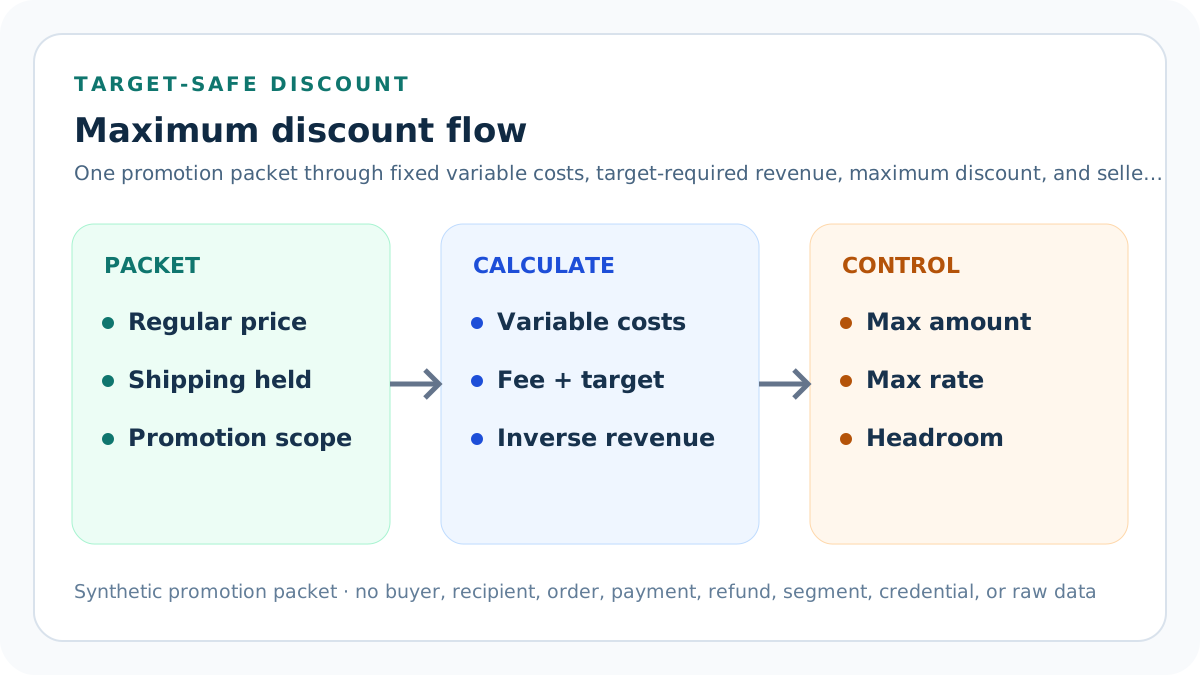
Freeze one promoted-order profile
Start with one product or stable order profile, one regular merchandise price, one shipping treatment, one cost version, one fee convention, one expected-loss method, one contribution target, one promotion treatment, one currency, and one evidence month.
Do not blend several products, order sizes, markets, shipping promises, fee schedules, return cohorts, or campaign mechanics. A blended average can create a discount boundary that fits no real order.
Separate promotion authority from economics
Current platform settings, shop promises, applicable law, eligibility, combination rules, inventory, and customer terms determine whether a promotion may run. This calculator begins only after those boundaries are documented.
A positive contribution result cannot authorize a coupon, override a promise, exclude a protected buyer, create urgency claims, approve stacking, or decide tax treatment.
Define the merchandise discount basis
The model applies the percentage discount to regular merchandise price only. Buyer-paid shipping remains a separately entered charged amount.
If a promotion also discounts shipping, changes quantity, includes a gift, funds a bundle, or receives platform reimbursement, model those mechanics explicitly rather than pretending they are merchandise-only.
Use the current regular price
Enter the ordinary merchandise amount that the chosen product or order profile would charge without the proposed promotion under the same market and currency.
Do not substitute a crossed-out reference price, suggested retail price, another market price, tax-inclusive display, shipping-inclusive total, or a historical peak price without documenting the exact comparison basis.
Hold buyer shipping visible
Enter the buyer-paid shipping that remains charged in the defined promotion treatment. It contributes to charged revenue and the percentage-fee base in this bounded model.
Do not silently set shipping to zero because a campaign message says free delivery. Seller-funded shipping is a cost or a separate shipping discount and needs its own evidence.
Record direct product cost
Use the current direct cost of the specific item quantity in the promoted order: materials, purchased goods, production, and other costs that change with the sale.
Do not use list price, wholesale price, inventory accounting value, a different variation, or an unversioned catalog average. Variation cost differences can erase discount headroom.
Record packaging cost
Include the mailer, box, insert, label, tape, cushioning, protective material, and other consumables caused by the promoted order.
Campaign packaging, gift presentation, inserts, and heavier parcel requirements belong here when the promotion creates them. Do not count reusable equipment as a per-order consumable without an allocation rule.
Record fulfillment cost
Enter seller-funded postage, pick-pack labor, fulfillment-provider charges, handling, and other shipment cost caused by the order under the declared shipping treatment.
Keep buyer-paid shipping revenue separate from seller fulfillment cost. A higher buyer charge does not prove the parcel costs less to fulfill.
Set the variable fee rate
Enter the percentage of charged revenue actually used for the selected platform, payment, referral, affiliate, or other variable fee layers included in this model.
Do not apply a remembered headline rate to the wrong base. Listing fees, currency charges, tax on fees, advertising, and fixed processing amounts may require separate lines.
Set the fixed fee
Enter the seller-borne fixed amount caused by one promoted order under the chosen payment and platform path.
A fixed fee changes the discount boundary more sharply for low-priced products. Do not hide it inside a percentage or spread one order fee across an arbitrary item count.
Estimate expected return loss
Use a privacy-safe comparable cohort to estimate return, refund, cancellation, chargeback, or nonrecovery loss per promoted order under one documented definition.
A return request, approved return, refund, received item, and unsellable outcome are different states. Do not use a percentage without numerator, denominator, period, and recovery convention.
Add other promotion-variable cost
Include a cost that is caused by each redeemed promoted order and is not already represented, such as a campaign insert, per-order app charge, verified commission, or special handling.
Do not place monthly overhead, sunk creative work, total campaign budget, or speculative customer-lifetime value in a per-order variable field. Model those separately.
Set a contribution target
Choose a seller-owned contribution margin on charged revenue that reflects the amount reserved after the modeled variable costs.
Contribution is not accounting profit. The target does not automatically cover every fixed cost, tax, owner draw, inventory risk, or strategic objective.
Check the inverse denominator
The target-safe equation divides the fixed variable-cost pool by one minus the variable-fee rate and target contribution rate.
Fee rate plus target rate must remain below 100%. At or above 100%, no finite charged revenue can satisfy the stated equation and the tool must Block.
Solve target-required charged revenue
Divide the fixed variable-cost pool by the valid inverse denominator. This is the charged revenue required to preserve the entered target under the declared cost packet.
The result is not a recommended selling price or public claim. It is the arithmetic floor for this evidence version before considering demand, positioning, or legal pricing rules.
Isolate required merchandise revenue
Subtract buyer-paid shipping held constant from target-required charged revenue. The remainder is the merchandise revenue that must survive the promotion.
If shipping is also discounted, refunded, capped, or platform-funded, the assumption changes. Run a separate treatment rather than reusing this result.
Solve maximum discount amount
Subtract target-required merchandise revenue from regular merchandise price. Positive headroom is the maximum merchandise amount available for discount while preserving the target.
When the raw result is negative, the regular price already misses the target. The public maximum is zero and the price shortfall remains visible for Review.
Solve maximum discount rate
Divide the maximum discount amount by regular merchandise price. Keep full precision through the equation and round only the displayed result.
Do not divide by charged revenue, cost, discounted price, or shipping-inclusive total. Those denominator errors produce a different and misleading percentage.
Calculate break-even separately
Repeat the inverse equation with a zero contribution target. The break-even maximum is larger because it reserves no seller contribution after modeled variable costs.
Break-even is not a safe promotion target. It leaves no contribution for fixed operating costs, uncertainty, owner policy, or adverse deviations.
Price the proposed discount
Multiply regular merchandise price by the proposed discount rate. Subtract it only from merchandise revenue, then add unchanged buyer shipping to obtain proposed charged revenue.
Do not subtract the percentage from shipping unless that is the actual offer. Do not apply the same discount twice through both merchandise and a coupon-stack field.
Calculate proposed variable fee
Multiply proposed charged revenue by the entered variable fee rate. Keep the fixed fee in the fixed variable-cost pool.
Percentage and fixed components react differently when price falls. Combining them into one flat percentage hides low-order sensitivity.
Calculate proposed contribution
Subtract proposed variable fee and the fixed variable-cost pool from proposed charged revenue.
The result is a per-order contribution estimate under the declared promotion. It does not measure total campaign profit, incremental orders, cash timing, tax, or lifetime value.
Calculate proposed margin
Divide proposed contribution by proposed charged revenue when revenue is positive.
Do not divide by regular price or merchandise revenue if the target is defined on charged revenue. Keep the target and observed denominator identical.
Compare discount headroom
Subtract proposed discount rate from target-safe maximum rate. Positive percentage points show unused boundary; negative points measure the modeled target overrun.
Headroom is not a recommendation to deepen the sale. It is a stress indicator that must remain linked to source freshness and campaign mechanics.
Set an operating discount-headroom gate
Enter the minimum percentage-point distance that the proposed merchandise discount must retain below the target-safe maximum. The default fixture uses five points, so the 15% proposal clears the 34.86% boundary with 19.86 points.
This threshold is a seller governance input, not a universal safe percentage. Raise or lower it only from documented rounding, cost volatility, expected-loss uncertainty, and promotion-control evidence.
Set a contribution-headroom gate
Enter the minimum currency contribution remaining above the target contribution at the proposed charged revenue. The default proposal retains USD 6.95 above its target and clears a USD 2.00 minimum.
A percentage boundary can still leave too little absolute contribution on a low-ticket order. Keep both the percentage-point and currency gates visible instead of allowing one to hide the other.
Review a dated evidence packet
Record a real source-review date and confirm current regular price, shipping treatment, variable costs, fee and expected-loss bases, contribution target, promotion mechanics, checkout combinations, source lineage, and the planning boundary.
A blank, impossible date, non-yes confirmation, stale screen, or mixed packet blocks the result. Do not treat a saved discount configuration as proof of checkout or settlement behavior.
Verify current checkout order
Shopify currently separates product, order, and shipping classes and documents their application order and combination settings. Etsy currently separates sales, promo codes, discounted bundles, and targeted offers, including non-stacking cases.
Model only the seller-funded merchandise reduction in this calculator. Test actual platform eligibility, class order, stacking, shipping, dates, limits, and best-discount behavior separately with synthetic carts.
Use Block, Review, and Ready
Block means finite numbers, percentages, promotion context, source date, nine confirmations, currency, period, scope, or conflict evidence is invalid. Review means regular price misses target, the proposal exceeds the boundary, contribution is negative, or either seller headroom threshold fails.
Ready means arithmetic structure, target, operating headroom, contribution headroom, and evidence gates pass. It does not approve platform configuration, lawful pricing, customer terms, public copy, audience eligibility, stacking, inventory, or campaign launch.
Validate the sitewide example
USD 50 merchandise plus USD 5 shipping, a USD 26.30 fixed variable-cost pool, 10% variable fee, and 20% target require USD 37.57 charged revenue.
Required merchandise revenue is USD 32.57, so target-safe discount is USD 17.43 or 34.86%. A proposed 15% sale leaves USD 16.45 contribution and 19.86 percentage points of discount headroom.
Stress the targeted coupon
At the same order economics, a 40% merchandise coupon creates USD 20 discount, USD 35 charged revenue, USD 3.50 variable fee, and USD 5.20 contribution.
The 40% proposal is 5.14 percentage points above the target-safe maximum and routes to Review. Audience targeting does not repair per-order contribution by itself.
Test a price shortfall
When direct product, packaging, fulfillment, fixed fee, expected loss, and other variable cost total USD 46.30, the target equation requires more merchandise revenue than the regular USD 50 price provides.
The tool returns a zero maximum discount plus an USD 11.14 regular-price shortfall. Discounting is not the available control until cost, target, shipping, fee, or price evidence changes.
Reconcile stacking and funding
Record product, order, shipping, bundle, loyalty, affiliate, platform-funded, seller-funded, and automatic discount treatments separately, including which combinations are permitted and actually applied.
A platform setting, preview, code, or campaign plan is not realized checkout evidence. Inspect the charged order and fee ledger using privacy-safe aggregates.
Protect promotion and customer data
Keep buyer names, emails, addresses, messages, coupon recipients, order identifiers, payments, refunds, tracking, segments, credentials, and raw exports in authorized systems.
Use product-profile aliases, aggregate order economics, redacted evidence pointers, access controls, retention rules, and synthetic fixtures in public pages and tests.
Release and restore safely
Preserve local and remote backups plus a rollback identifier. Run typecheck, tests, integration, build, content, duplicate, SEO, image, link, browser, mobile, keyboard, privacy, and restore checks.
After release, verify status, canonical, indexability, schema, answer blocks, calculator scenarios, assets, strict 404, sitemap policy, events, and Day 0/7/14/28 evidence. Restore on regression.
Sources and further reading
- Seller Profit Guard methodology: Contribution equations, evidence versions, privacy, correction, release, and rollback.
- Seller Profit Guard data privacy: Local-first boundaries for buyer, coupon-recipient, order, payment, refund, and raw customer data.
- Shopify Help: Discount types: Official current amount-off, Buy X get Y, and shipping-discount classes and their supported scopes.
- Shopify Help: Combining discounts: Official current combination settings, eligibility boundaries, calculation order, limits, and best-discount behavior.
- Etsy Help: Set Up Sales and Discounts: Official current sales, promo-code, discounted-bundle, targeted-offer, and documented non-stacking context.
Related Seller Profit Guard tools
- Etsy CSV profit calculator: Run a local order profit check with editable fee and SKU cost assumptions.
- Payment reconciliation tool: Compare order rows with statement activity and flag unmatched rows.
- SKU cost library: Save or import material, labor, packaging, shipping, and target margin assumptions.
- Variant risk checker: Find missing SKUs and variation cost risks before a listing scales.
- Etsy title checker: Review listing-title clarity, repetition, keyword chains, and mobile scanning.
- Etsy tag checker: Review all 13 tag slots for duplicates, repeated meaning, and truthful coverage.
- Free shipping threshold calculator: Estimate when a shipping subsidy can still meet a target margin.
- Return window loss estimator: Model expected reverse shipping, restock work, recovery, and replacement loss.
- Etsy Ads break-even calculator: Estimate target-safe Etsy Ads spend, ACOS, and ROAS after fees, fulfillment, and expected return loss.
- CSV data privacy: Understand what the local-first workflow needs and what it does not need.
- Maximum Discount Formula and Inputs: Calculate a target-safe merchandise discount from price, shipping, costs, fees, expected loss, contribution target, and promotion evidence.
- Maximum Discount Worked Example: Follow a USD 50 sitewide-sale example through charged revenue, variable cost, target-required revenue, discount limit, and headroom.
- Maximum Discount for Targeted Coupons: Model a targeted coupon using its exact eligibility, redemption, stacking, merchandise basis, order economics, and target outcome.
- Maximum Discount Calculator Mistakes: Fix discount-basis, denominator, fee, shipping, return-loss, stacking, price, rounding, and authority errors before launching a sale.
- Maximum Discount Evidence Sources: Map every maximum-discount input to price, cost, shipping, fee, return-loss, promotion, checkout, settlement, and target evidence.
- Set a Safe Maximum Discount Threshold: Separate target-safe, break-even, stress, and stop-loss discount thresholds while preserving evidence uncertainty and seller governance.
- Sitewide Sale vs Targeted Coupon: Compare sitewide sales and targeted coupons at the same order-economics grain without confusing exposure, redemption, and contribution.
- Weekly Maximum Discount Review: Run a repeatable maximum-discount review from source refresh and fixtures through approval, checkout QA, observation, correction, and rollback.
- Interpret Maximum Discount Results: Read discount amount, rate, required revenue, contribution, break-even, headroom, and price shortfall without false precision.
- Maximum Discount Audit Checklist: Audit price, costs, fees, expected loss, targets, mechanics, fixtures, privacy, release, checkout, corrections, and rollback in one log.
- Shopify Discount Stack Formula and Inputs: Define a same-cart model for product, order, and shipping discounts, eligibility, fees, costs, target, and evidence.
- Shopify Automatic Product Discount Example: Work one automatic 10% eligible-product discount through cart total, fee, contribution, margin, and decision.
Use the interactive tool
Enable JavaScript to open the calculator and process browser-local inputs. The explanatory content and source links remain available without JavaScript.
Related guide: Define the promotion packet, inverse formula, target, proposed discount, evidence, and authority boundaries.
This tool provides operating estimates, not tax, accounting, legal, financial, or marketplace-policy advice. Verify current official sources and your own records before changing prices or operations.