Seller Profit Guard · How it works · CSV privacy
Bundle component inventory calculator
Calculate fixed-bundle capacity by subtracting only incremental reservations and commitments from each component’s documented Available quantity, dividing by the current recipe quantity, rounding down, and selecting every tied minimum. For competing bundles, apply a declared priority allocation, measure its share of the shared pool, and calculate the second bundle’s remaining capacity. Ready requires real source and policy dates, nine confirmations, both 60-day evidence windows, at least 40 bundles, and no more than 60% priority use of the shared component. The result is a bounded inventory scenario—not demand, pricing, purchasing, assembly, or order-allocation authorization.
Maintained by Seller Profit Guard Editorial Team. Last reviewed: 2026-07-31.
Start with allocatable component units
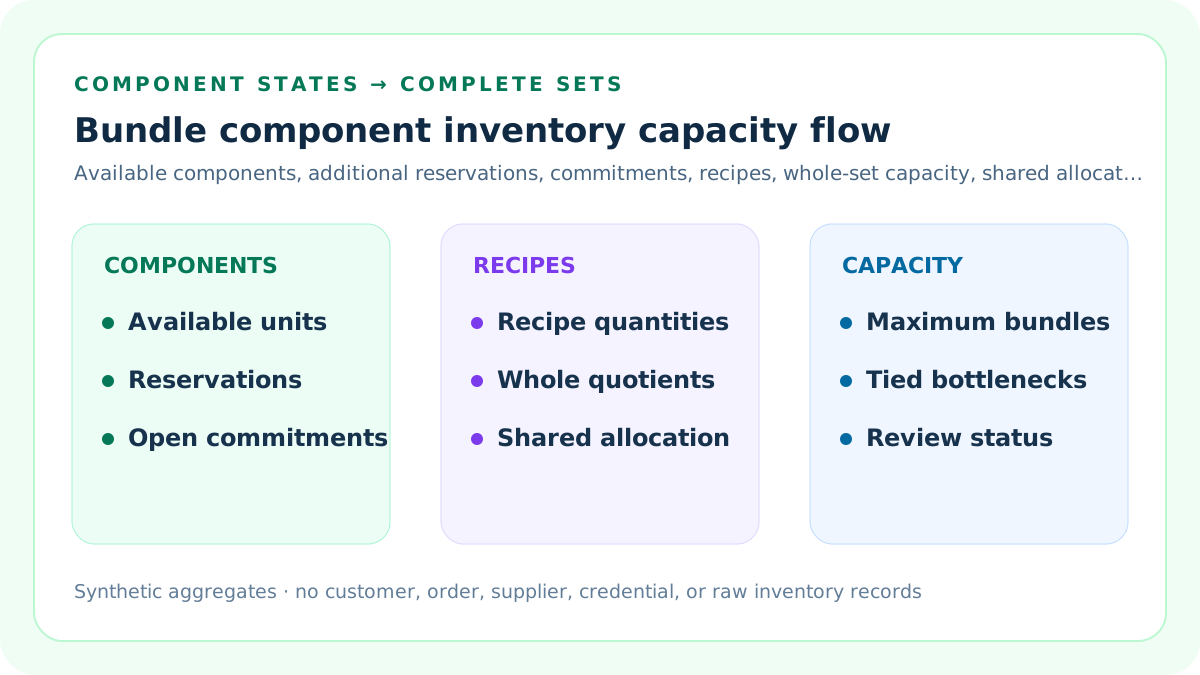
Allocatable units equal the selected Available quantity minus only reservations and open commitments that are not already reflected in Available. Keep one location, timestamp, unit of measure, component identifier, and tracking convention.
Do not start from On hand unless every inventory state is reconciled.
Apply the fixed-bundle formula
For each component, divide allocatable units by the recipe quantity and round down. The lowest whole-number result is the maximum number of complete fixed bundles under the entered evidence.
A partial recipe cannot become a sellable bundle.
Identify every tied bottleneck
More than one component can have the same minimum capacity. Scenario A produces 50 bundles because component A supports 50, component B supports 70, and component C supports 50.
Record A and C as tied bottlenecks.
Reconcile Shopify inventory states
Shopify distinguishes Available, Committed, Unavailable, Incoming, and On hand. Available inventory can be sold and excludes committed or unavailable units; Incoming is not sellable until received.
Subtracting committed inventory again from an already net Available field understates capacity.
Use recipe quantities at one unit of measure
A recipe may require pieces, pairs, meters, grams, or cases. Convert every component into the same base unit used by inventory before division.
Mixed units silently corrupt the limiting ratio.
Keep untracked components explicit
Shopify may ignore an untracked component or a product configured to continue selling when out of stock. This calculator requires a deliberate seller decision for every physical constraint.
Ignored does not mean unlimited in the warehouse.
Read Scenario A
Component A has 100 allocatable units and requires two per bundle, so it supports 50. Component B supports 70. Component C has 200 allocatable units and requires four, so it also supports 50.
The fixed-bundle capacity is 50.
Model competing bundles as an allocation scenario
When Bundle X and Bundle Y share a component, capacity depends on which bundle receives units first. This tool applies a declared priority quantity to X, then calculates remaining Y capacity.
It does not solve the profit-maximizing allocation.
Read Scenario B
The shared component has 140 allocatable units. Thirty priority Bundle X units consume 60 because X requires two each. The remaining 80 shared units and 80 unique-Y units support 80 Bundle Y units.
Both shared and unique-Y components are tied bottlenecks.
Check independent priority capacity
Before applying a priority plan, calculate how many Bundle X units the shared component could support by itself. The fixture supports 70; planning 30 is structurally feasible.
A plan above 70 returns Review.
Separate reservations from commitments
A reservation may represent safety stock, quality control, draft orders, app holds, channel protection, or another policy. An open commitment can represent an order not yet reflected in the selected field.
Record the reason and prevent duplicate subtraction.
Use location-specific evidence
A component at another location may not be immediately usable because transfer time, routing, channel eligibility, lot, condition, or fulfillment rules differ.
Pool locations only with an approved availability rule.
Separate kit and assembly behavior
NetSuite kit inventory follows component members, while assemblies can carry their own stock and build transactions. Business Central also distinguishes assembly BOM and availability reporting.
Choose the operating model before applying the formula.
Reconcile open bundle orders
Open orders can consume multiple components according to the recipe. Expand bundle lines to component demand once, then reconcile whether the platform's Available field already includes that commitment.
Never count both the parent bundle and expanded components as separate demand.
Protect against report double counting
NetSuite documents that reports may show component quantities attributed to kits alongside kit lines, creating the appearance of extra commitments. Use the proper kit-member filter or a controlled transformation.
Visual duplication is not extra physical demand.
Treat incoming units separately
Incoming transfers or purchase orders can inform a future-date scenario, but they are not current buildable inventory until received, inspected, and available.
Do not inflate today's bundle capacity with expected receipts.
Handle lots, serials, expiry, and condition
A raw quantity can overstate usable inventory when recipe compatibility depends on lot, serial number, expiry, color, size, grade, or condition.
Split the component into compatible pools before calculating.
Handle variants and option combinations
A bundle variant may require a specific component variant. Aggregate product-level inventory can hide a bottleneck in one color, size, or option.
Calculate at the sellable recipe-variant grain.
Use a seller-owned capacity threshold
The minimum-buildable-bundles threshold is an escalation control, not a marketplace rule. It can reflect a launch batch, campaign promise, minimum display quantity, or service commitment.
Clearing it does not authorize a promotion.
Use three seller controls
The default packet requires at least 40 buildable bundles, no more than 60 percent of the shared component consumed by the priority Bundle X plan, and at least 45 evidence days in both scenarios. These are editable seller controls, not platform benchmarks.
A result is Ready only when both scenarios clear all three controls.
Read priority-component utilization
Scenario B consumes 60 of 140 allocatable shared units for the 30-unit Bundle X plan. The priority utilization is 42.86 percent, leaving 17.14 percentage points below the default 60 percent ceiling.
The percentage exposes concentration in the declared allocation; it does not select an optimal mix.
Read capacity and evidence headroom
Scenario A is 10 bundles above the 40-bundle floor, Scenario B is 40 above it, and the 60-day evidence windows are 15 days above the 45-day floor. Headroom shows proximity to a seller control without changing the underlying quantities.
Negative headroom returns Review rather than silently rounding the exception away.
Require real source and policy dates
The source-review date identifies when inventory states, recipes, compatibility rules, and commitments were checked. The policy-effective date identifies the seller control version and cannot be later than the source review.
A month label alone is not enough to govern a current operational packet.
Require nine explicit confirmations
Confirm identities and locations, one Available definition, incremental deductions, current recipes and units, compatibility boundaries, allocation ownership, aggregate reconciliation, privacy, and planning exclusions.
Any confirmation other than yes blocks the derived result.
Keep the two scenarios materially distinct
The fixed-bundle fixture and competing-bundle fixture must use different component structures and outcomes. A copied inventory packet does not demonstrate the allocation-specific behavior the second scenario is meant to test.
Distinct fixtures reduce false confidence from repeating one arithmetic pattern.
Mask derived outputs on Block
When dates, quantities, recipes, confirmations, scope, or conflicts fail the structural gate, the calculator hides allocatable units, capacities, bottlenecks, utilization, and headroom instead of displaying values calculated from invalid evidence.
Correct the source packet before interpreting any derived number.
Classify Block, Review, and Ready
Block covers invalid quantities, recipes, evidence, scope, or open conflicts. Review covers short evidence, overcommitment, infeasible priority allocation, or capacity below threshold.
Ready only means the entered packet clears those controls.
Run one-input sensitivity
Change Available, reserved, open commitments, recipe quantities, or priority X units one at a time. Record when the bottleneck changes and whether capacity crosses the threshold.
A bottleneck can move without total stock changing.
Separate capacity from bundle margin
Component capacity answers how many complete sets are physically supportable. Bundle margin answers whether the price covers component and order-variable costs.
Use the bundle margin calculator separately.
Separate capacity from demand
A capacity of 50 does not mean 50 bundles will sell. It also does not determine how many should be assembled, listed, promoted, or purchased.
Demand and capacity are different controls.
Separate capacity from safety stock
Reserved units may include a safety-stock policy, but this tool does not calculate the statistically appropriate reserve or service level.
Use an independently governed buffer.
Separate capacity from order allocation
A competing-bundle scenario applies one declared priority. Real allocation can depend on margin, promises, channel rules, order age, customer service, and fulfillment constraints.
Do not treat the worksheet as an allocation engine.
Preserve a component evidence ledger
For each input, record source report, field, location, item and variant, unit, state, timestamp, recipe version, transformation, owner, reviewer, and prior accepted value.
A capacity number without lineage is not auditable.
Protect private source records
Use aggregate component quantities and recipes. Keep supplier terms, customer identities, order rows, addresses, credentials, and raw exports in authorized systems.
The browser does not upload inventory rows.
Monitor actual consumption
After releasing or assembling bundles, compare component deductions, cancellations, returns, substitutions, adjustments, and remaining availability with the accepted worksheet.
Investigate variance before raising capacity.
Set stop and restoration rules
Stop when recipe, inventory state, location, lot, committed quantity, channel, or order evidence conflicts. Preserve the prior listing quantity and allocation plan.
Restoration requires reconciled component evidence.
Use ten support artifacts
Formula, fixed example, competing scenario, mistakes, sources, threshold, comparison, routine, interpretation, and audit pages each answer a separate operational query.
They are not keyword-swapped copies.
Release only after quality gates
Validate calculator arithmetic, direct answers, sources, metadata, schema, images, links, similarity, mobile behavior, privacy, backups, build, deployment, and live behavior.
Search signals are measured later, not used as the publication gate.
Document the boundary
This calculator models complete-set capacity from entered aggregates. It does not connect to a platform, alter inventory, reserve components, create bundles, allocate orders, forecast demand, optimize profit, or guarantee fulfillment.
A human owner remains responsible for operational changes.
Sources and further reading
- Shopify Help: Bundle eligibility and considerations: Official fixed-bundle inventory formula: divide available component inventory by recipe quantity, round down, and use the lowest result.
- Shopify Help: Understanding inventory states: Official definitions for Available, Committed, Unavailable, Incoming, and On hand inventory.
- Shopify Help: Shopify Bundles: Official bundle component, inventory, order, channel, variant, and limitation context.
- Microsoft Learn: Assembly reports in Business Central: Official assembly BOM, raw-material, and Item - Able to Make availability reporting context.
- Oracle NetSuite: Kit/Package Items: Official explanation that kit inventory is tracked through component members rather than the kit record.
- Oracle NetSuite: Kit quantities in reports: Official warning that committed kit parts can appear in component totals and look double counted.
- Oracle NetSuite: Available to Build glossary: Official Available, on-hand, unit-of-measure, top-level, and all-level assembly or kit terminology.
- Seller Profit Guard methodology: Evidence, formula, privacy, correction, release, monitoring, and rollback rules.
- Seller Profit Guard data privacy: Local-first boundaries for inventory, supplier, order, customer, and raw export data.
Related Seller Profit Guard tools
- Etsy CSV profit calculator: Run a local order profit check with editable fee and SKU cost assumptions.
- Payment reconciliation tool: Compare order rows with statement activity and flag unmatched rows.
- SKU cost library: Save or import material, labor, packaging, shipping, and target margin assumptions.
- Variant risk checker: Find missing SKUs and variation cost risks before a listing scales.
- Etsy title checker: Review listing-title clarity, repetition, keyword chains, and mobile scanning.
- Etsy tag checker: Review all 13 tag slots for duplicates, repeated meaning, and truthful coverage.
- Free shipping threshold calculator: Estimate when a shipping subsidy can still meet a target margin.
- Return window loss estimator: Model expected reverse shipping, restock work, recovery, and replacement loss.
- Etsy Ads break-even calculator: Estimate target-safe Etsy Ads spend, ACOS, and ROAS after fees, fulfillment, and expected return loss.
- CSV data privacy: Understand what the local-first workflow needs and what it does not need.
- Bundle Component Capacity Formula: Define Available, additional reservations, commitments, recipe quantities, locations, variants, bottlenecks, and competing allocation.
- Bundle Component Worked Example: Reperform a three-component fixed bundle from inventory states through tied bottlenecks, maximum complete sets, and ties.
- Competing Bundle Component Scenario: Allocate a shared component to priority Bundle X, then calculate Bundle Y capacity from shared and unique constraints and controls.
- Bundle Component Inventory Mistakes: Find inventory-state, duplicate-commitment, recipe, location, variant, unit, allocation, report, and privacy errors with fixes.
- Bundle Component Inventory Data Sources: Map Available, reservations, commitments, recipes, variants, locations, compatibility, and order demand to controlled evidence.
- Bundle Capacity Decision Threshold: Set a minimum complete-set threshold with evidence, compatibility, allocation, approval, monitoring, stop, and restoration controls.
- Fixed vs Competing Bundle Capacity: Compare a single recipe with a priority allocation across shared and unique components without collapsing their assumptions.
- Weekly Bundle Component Review: Run a weekly inventory-state, recipe, commitment, capacity, exception, monitoring, and restoration cycle for shared components and competing bundles.
- Interpret Bundle Capacity Results: Read maximum bundles, component quotients, ties, allocation dependence, threshold status, and uncertainty without false precision.
- Bundle Component Capacity Audit: Audit inventory states, reservations, commitments, recipes, locations, variants, allocations, formulas, privacy, approvals, monitoring, and rollback.
Use the interactive tool
Enable JavaScript to open the calculator and process browser-local inputs. The explanatory content and source links remain available without JavaScript.
Related guide: Define allocatable component inventory, recipes, fixed-bundle capacity, shared-component allocation, bottlenecks, and evidence controls.
This tool provides operating estimates, not tax, accounting, legal, financial, or marketplace-policy advice. Verify current official sources and your own records before changing prices or operations.