Seller Profit Guard · How it works · CSV privacy
BOGO margin calculator
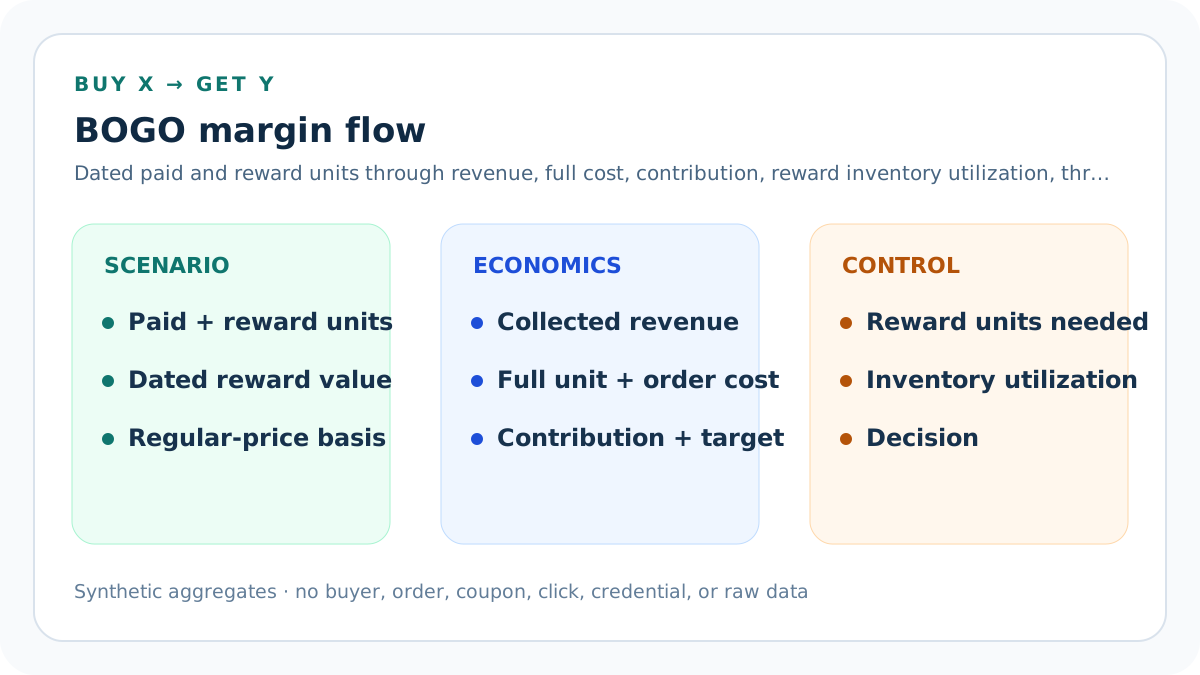
Compare two dated Buy X Get Y structures at one order grain. Model paid and reward units, reward discount, regular price, retained outcomes, full costs, fees, contribution, target headroom, target-safe discount, reward inventory required, utilization, and a seller-owned inventory threshold under explicit evidence confirmations.
Maintained by Seller Profit Guard Editorial Team. Last reviewed: 2026-07-31.
Freeze one literal offer packet
Record the platform, channel, market, currency, qualifying products, paid quantity, reward products, reward quantity, reward discount, maximum applications, start and end time, and combination settings.
“BOGO” is a marketing label, not enough information to calculate an order.
Use aggregate assumptions only
Prepare synthetic or aggregate inputs outside the public calculator.
Do not paste buyer names, emails, addresses, order IDs, coupon codes tied to customers, payment records, credentials, tokens, or raw exports.
Separate paid and reward units
Enter how many units the customer pays for and how many additional units receive the reward discount.
Do not call every unit in the basket a paid unit.
Enter the reward discount literally
Use 100% only when the reward item is free; use the actual percentage when it is discounted.
A buy-two-get-one-50%-off offer is not buy-two-get-one-free.
Use one regular unit price
Enter the comparable pre-offer merchandise price for the modeled SKU or weighted product set.
Do not mix list price, sale price, tax, shipping, or unrelated products.
Check reward-product price parity
If the qualifying and reward products have different prices, model a supported weighted reward value or calculate them separately.
This version assumes one regular unit-price basis.
Set placed-order volume
Use the number of orders expected or observed inside the exact offer window.
Orders, units, customers, redemptions, and checkouts are different denominators.
Set a mature retained rate
Use a closed comparable cohort after cancellations, refunds, returns, disputes, and reporting delays.
A placed order is not automatically retained contribution.
Keep buyer shipping separate
Enter buyer-paid shipping retained per retained order separately from merchandise revenue.
Free merchandise and free shipping are different concessions.
Record cost for every fulfilled unit
Multiply unit product cost by both paid and reward units.
A free item still consumes inventory and product cost.
Record packaging cost per order
Include packaging materials that change with the promoted order.
Add incremental multi-unit packaging when the offer requires it.
Record fulfillment cost per order
Include pick-pack labor and per-order fulfillment charges.
Use a per-unit treatment only when the actual provider bills that way.
Record seller shipping per order
Use supported parcel, zone, carrier, weight, and service assumptions for the larger basket.
BOGO can change dimensional weight and postage even when buyer shipping does not change.
Model percentage fees
Apply the seller-entered platform and payment percentage to collected revenue under the declared convention.
Verify the actual fee base and tax treatment for the platform and market.
Model fixed fees
Apply the seller-entered fixed fee convention to placed orders.
Do not assume every fixed charge reverses after cancellation or refund.
Estimate adverse-outcome loss
Use expected non-recovered loss per placed order not already included in product, shipping, fees, or retained-rate treatment.
Avoid double-counting returned inventory and refund costs.
Include fixed promotion cost
Add creative, setup, app, merchandising, or administration cost that belongs only to the offer window.
Separate reusable long-term assets when appropriate.
Date the official-source review
Record the date used to verify qualifying conditions, reward value, cart addition, channel, market, timing, combination settings, and price-display boundaries.
A current platform or regulatory rule cannot be inferred from an old campaign packet.
Date the offer window
Enter exact start and end dates and preserve the platform time-zone convention.
Do not compare an open-ended promotion with a closed mature cohort.
Confirm the comparable regular-price basis
Record the seller evidence supporting the regular unit-price input and keep legal price-display review outside the calculator.
The model does not determine whether a strike-through or BOGO claim is lawful.
Control reward inventory
Enter available reward units for the offer window and compare the maximum placed-order reward requirement with a seller-owned utilization percentage.
Placed-order coverage is a conservative operational reserve; the tool does not reserve stock or forecast redemption.
Confirm nine evidence boundaries
Confirm offer rules, regular price, cost packet, fee treatment, retained outcomes, reward inventory, thresholds, aggregate privacy, and planning-only use.
Missing confirmation blocks derived outputs instead of silently treating unknown evidence as zero.
Calculate regular merchandise value
Multiply all paid and reward units by the regular unit price.
This reference value is not automatically lawful strike-through pricing.
Calculate collected merchandise
Charge full price for paid units and the undiscounted remainder for reward units.
Do not subtract the reward twice.
Calculate effective order discount
Divide the reward discount amount by regular merchandise value.
A 100% reward discount is not a 100% whole-order discount.
Calculate retained orders
Multiply placed orders by the mature retained-order rate.
Keep fractional expected values in planning math without implying a forecasted individual order.
Calculate collected revenue
Multiply retained orders by collected merchandise plus buyer-paid shipping.
Exclude pass-through tax unless explicitly modeled.
Calculate fulfilled unit cost
Multiply retained orders by total fulfilled units and current product cost per unit.
Reward units must remain visible in the cost bridge.
Calculate contribution
Subtract product, packaging, fulfillment, shipping, percentage fees, fixed fees, adverse loss, and offer setup from collected revenue.
This is scenario contribution under entered assumptions, not accounting net income.
Calculate contribution per retained order
Divide scenario contribution by retained orders when retained volume is positive.
Do not compare this value with a per-unit or per-customer denominator.
Calculate target headroom
Subtract the seller-owned contribution reserve from contribution.
Positive contribution can still miss the operating target.
Solve the maximum reward discount
Hold quantities, price, shipping, retained rate, costs, fees, loss, setup, and target fixed; solve the largest reward-item discount that preserves target.
The boundary expires when any held input changes.
Compare equal-volume scenarios
Run two offer structures over the same placed orders, retained rate, cost packet, period, and market.
A higher basket under buy-two-get-one is not evidence that demand will be equal.
Use Block, Review, and Ready
Block non-finite inputs, duplicate scenarios, invalid dates, missing confirmations, weak evidence, or declared conflicts. Review a valid scenario below target or above its reward-inventory control.
Ready means both entered scenarios preserve the declared target and inventory threshold; it does not authorize the offer.
Respect platform mechanics
Shopify documents native Buy X Get Y behavior; other marketplaces may offer sales, codes, or bundles instead.
Confirm the exact platform and channel before publishing a promotion.
Preserve an evidence ledger
Store every input, unit, source, date, maturity state, owner, reviewer, formula version, and declared assumption.
Keep failed and corrected scenarios rather than overwriting them.
Define stop and rollback criteria
Name margin, reward cost, postage, return, redemption, inventory, fulfillment, and platform-setting signals that pause or restore the offer.
A public calculator cannot monitor or change a live discount.
Release and restore safely
Run calculation, content, similarity, SEO, image, link, browser, mobile, privacy, canonical, schema, strict-404, sitemap, and rollback gates.
Measure Day 0/7/14/28 without calling temporal movement causal proof.
Sources and further reading
- Seller Profit Guard methodology: Evidence versions, formulas, privacy, correction, release, and rollback.
- Seller Profit Guard data privacy: Local-first boundaries for order, buyer, promotion, payment, and cost data.
- Shopify Help: Buy X get Y discounts: Official qualifying quantity, reward quantity, discounted value, cart-addition, inventory, channel, uses, combination, and timing rules. Reviewed July 31, 2026.
- Shopify Help: Combining discounts: Official application order, best-discount selection, plan-specific same-item rules, and Buy X Get Y combination limits. Reviewed July 31, 2026.
- Etsy Help: Set up sales and discounts: Official sales, promo-code, discounted-bundle, highest-discount, and non-stacking context for checking whether a BOGO-like mechanic is actually supported. Reviewed July 31, 2026.
- FTC: Unfair or Deceptive Fees FAQ: United States guidance says a BOGO-adjusted total price follows only after the transaction meets promotion requirements. Reviewed July 31, 2026.
Related Seller Profit Guard tools
- Etsy CSV profit calculator: Run a local order profit check with editable fee and SKU cost assumptions.
- Payment reconciliation tool: Compare order rows with statement activity and flag unmatched rows.
- SKU cost library: Save or import material, labor, packaging, shipping, and target margin assumptions.
- Variant risk checker: Find missing SKUs and variation cost risks before a listing scales.
- Etsy title checker: Review listing-title clarity, repetition, keyword chains, and mobile scanning.
- Etsy tag checker: Review all 13 tag slots for duplicates, repeated meaning, and truthful coverage.
- Free shipping threshold calculator: Estimate when a shipping subsidy can still meet a target margin.
- Return window loss estimator: Model expected reverse shipping, restock work, recovery, and replacement loss.
- Etsy Ads break-even calculator: Estimate target-safe Etsy Ads spend, ACOS, and ROAS after fees, fulfillment, and expected return loss.
- CSV data privacy: Understand what the local-first workflow needs and what it does not need.
- BOGO Margin Formula, Inputs, and Assumptions: Build a Buy X Get Y contribution formula from paid and reward units, reward discount, retained outcomes, costs, fees, and target headroom.
- BOGO Margin Example: Buy One Get One Free: Follow a 100-order synthetic buy-one-get-one-free offer through retained revenue, two-unit cost, fees, setup, contribution, and target headroom.
- BOGO Margin for Buy Two Get One 50% Off: Model a materially different buy-two-get-one-half-off offer with three fulfilled units, higher collected merchandise, cost, fees, and target headroom.
- BOGO Margin Mistakes That Hide Reward Cost: Correct paid-unit, reward-unit, discount-base, product-cost, postage, return, fee, denominator, platform, and false-precision errors.
- Reliable Data Sources for BOGO Margin: Map offer mechanics, quantities, prices, costs, shipping, fees, mature outcomes, setup expense, currency, period, and target to reliable evidence.
- BOGO Contribution Thresholds and Safe Reward Discounts: Separate break-even, target-safe, and stress thresholds for reward discount, contribution per retained order, and target headroom.
- BOGO Comparison: 1 + 1 Free vs 2 + 1 Half Off: Compare buy-one-get-one-free with buy-two-get-one-half-off at equal placed-order volume and expose revenue, fulfilled units, costs, and limits.
- A Weekly BOGO Margin Review Routine: Operate a repeatable BOGO review across configuration, price, cost, postage, retained outcomes, fees, contribution, thresholds, and rollback.
- How to Interpret BOGO Margin Without False Precision: Interpret effective discount, collected revenue, contribution, per-order economics, target headroom, reward boundary, and uncertainty responsibly.
- BOGO Margin Audit Checklist and Change Log: Use a standalone checklist and dated change log for offer mechanics, formulas, sources, fixtures, thresholds, release evidence, and rollback.
Use the interactive tool
Enable JavaScript to open the calculator and process browser-local inputs. The explanatory content and source links remain available without JavaScript.
Related guide: Define paid and reward units, revenue, costs, target, offer mechanics, evidence, and interpretation boundaries.
This tool provides operating estimates, not tax, accounting, legal, financial, or marketplace-policy advice. Verify current official sources and your own records before changing prices or operations.