Seller Profit Guard · How it works · CSV privacy
Affiliate commission calculator
Compare percentage commission and flat bounty on one retained order. Calculate contribution, target headroom, commission cost share, worst-case headroom rate, and target-safe limits from a dated, confirmed seller evidence packet. A valid result becomes Review when either structure consumes too much pre-affiliate contribution or leaves too little target headroom.
Maintained by Seller Profit Guard Editorial Team. Last reviewed: 2026-07-31.
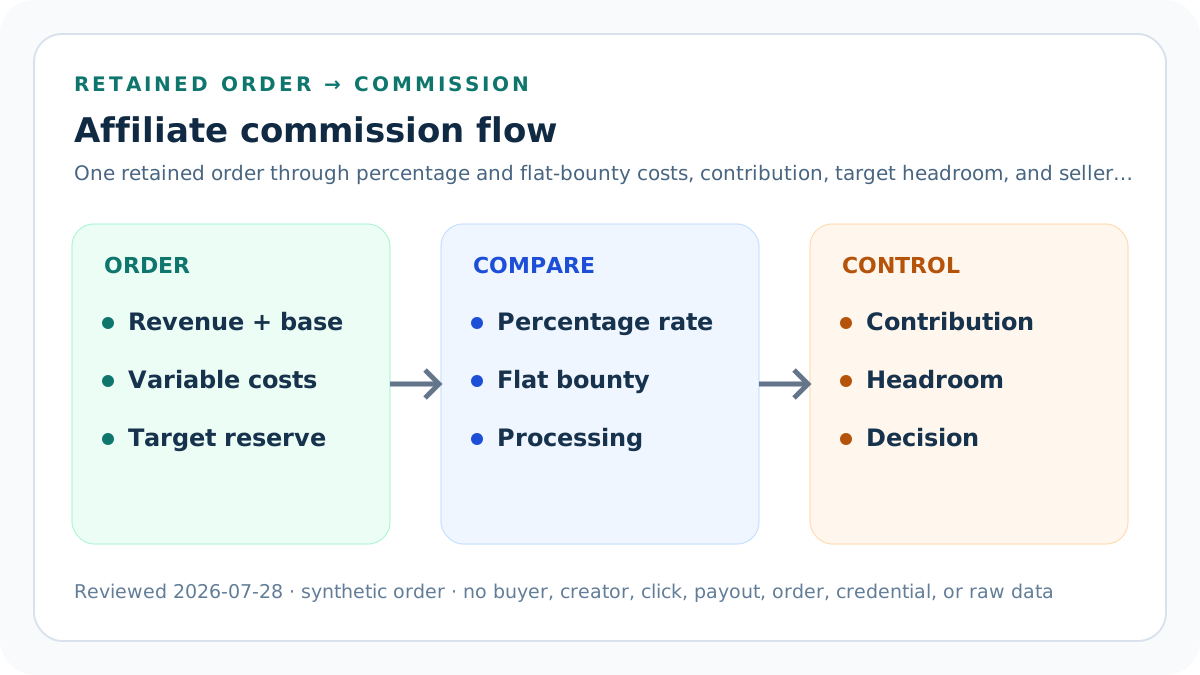
Freeze one retained-order grain
Use one product or stable order profile, market, currency, closed period, affiliate agreement version, attribution convention, and mature outcome window.
Do not blend open orders, gross carts, different products, percentage and fixed-fee agreements, currencies, or refund states.
Define retained order revenue
Enter seller-retained charged revenue after the declared discount, cancellation, refund, tax, and shipping-revenue treatment.
Catalog price, gross merchandise value, attributed revenue, and unsettled cash are not interchangeable.
Define the commissionable base
Use the exact revenue base named by the affiliate agreement and seller reconciliation.
State whether discounts, shipping, tax, refunded items, or excluded products affect that base; never infer a universal platform rule.
Enter the percentage rate
Record the contractual percentage applied to the commissionable base for the reviewed program and effective period.
A headline offer, tier maximum, historical rate, or another creator's term is not current evidence.
Enter the flat bounty
Record the fixed amount owed for one retained eligible order under the comparison scenario.
Keep order bounty, lead bounty, sample cost, fixed sponsorship fee, and bonus tiers separate.
Add commission-processing cost
Include the seller-borne payment, network, tracking, conversion, or service charge caused by the commission payment.
Do not assume the percentage rate is the complete affiliate cost.
Build direct product cost
Use current purchased-goods, material, or production cost for the retained units in the order.
Split variants when a blended cost hides the weakest commission economics.
Build packaging cost
Include order-caused mailers, boxes, inserts, labels, cushioning, and consumables.
Keep reusable equipment and monthly overhead outside this per-order field unless a documented allocation requires them.
Build fulfillment cost
Include seller-funded shipping, pick-pack labor, warehouse handling, and other delivery cost caused by the retained order.
Buyer shipping revenue and seller fulfillment cost are distinct fields.
Build platform and payment fees
Apply the seller-entered percentage to retained revenue and add the fixed per-order fee separately.
Commission, ads, tax provision, and fixed overhead do not belong in this fee percentage.
Estimate mature return loss
Use a comparable closed cohort to estimate unrecovered refunds, returns, replacements, chargebacks, and recovery shortfalls.
Open cases and gross refund requests are not final loss.
Add other variable cost once
Include verified order-caused cost not represented elsewhere.
Avoid double-counting affiliate samples, discounts, fulfillment, commission, or processing fees.
Calculate pre-affiliate contribution
Subtract all non-affiliate variable costs from retained order revenue.
This is contribution before affiliate commission, not accounting profit, taxable income, EBITDA, or cash flow.
Calculate percentage commission
Multiply the declared commissionable base by the percentage commission rate.
Do not apply the rate to retained revenue unless the agreement defines that same base.
Calculate percentage-scenario contribution
Subtract percentage commission and processing cost from pre-affiliate contribution.
Report the result and its margin on retained revenue at full precision.
Calculate flat-bounty contribution
Subtract the fixed bounty and processing cost from the same pre-affiliate contribution.
Hold the retained-order grain constant so the comparison isolates payment structure.
Reserve the seller target
Multiply retained revenue by the seller-entered post-commission contribution-margin target.
The target is governance, not proof of fixed-cost coverage, tax capacity, owner pay, or strategic return.
Solve percentage headroom
Subtract the target reserve from percentage-scenario contribution.
Positive headroom means the modeled order clears the declared target under entered evidence; it does not approve the program.
Solve flat-bounty headroom
Subtract the same target reserve from flat-bounty contribution.
Using one denominator prevents a favorable comparison created by changing order scope.
Solve the maximum safe rate
Divide target-safe commission capacity by the commissionable base.
A zero or negative result means no percentage commission fits the declared target under this packet.
Solve the maximum safe bounty
Use target-safe commission capacity as the outer flat-bounty amount before rounding and contract constraints.
This is an economic boundary, not a recommended public offer.
Compare like with like
Show both scenario costs, contribution, margin, and target headroom for the same retained order.
Do not claim one model wins when eligibility, attribution, volume, fraud, or creator behavior differs.
Validate the default fixture
USD 85 retained revenue less USD 48 non-affiliate variable cost leaves USD 37 pre-affiliate contribution.
A 12% rate on USD 75 plus USD 0.50 costs USD 9.50; an USD 11 bounty plus USD 0.50 costs USD 11.50.
Read the default result
The percentage scenario leaves USD 27.50 contribution and USD 14.75 target headroom; the flat scenario leaves USD 25.50 and USD 12.75.
Maximum target-safe percentage is 31.67% and maximum flat bounty is USD 23.75.
Cap commission cost share
Divide commission plus seller-entered processing cost by pre-affiliate contribution, then compare the higher scenario with the seller's declared cap.
The default percentage scenario uses 25.68% and the flat scenario 31.08% of USD 37 pre-affiliate contribution; an USD 13 bounty raises the flat share to 36.49% and triggers Review against a 35% cap.
Require worst-case target headroom
Divide each scenario's target headroom by retained revenue and compare the weaker result with the seller's minimum.
The default rates are 17.35% and 15.00%; increasing the target margin to 22% lowers the flat scenario to 8.00% and triggers Review against a 10% minimum even though contribution remains positive.
Confirm the evidence packet
Confirm retained revenue, commission base and terms, variable costs, fees and mature losses, thresholds, attribution eligibility, payout maturity, and the planning boundary.
A missing confirmation, invalid source-review date, unresolved conflict, or incomplete scope makes the public result unavailable instead of displaying plausible but unsupported money values.
Own the processing assumption
Enter the seller-borne processing amount that matches the reviewed program, payment method, market, and agreement version.
Shopify currently documents a 2.9% processing fee for automatically processed Collabs commission payments, but this calculator does not hardcode that rate or generalize it to other channels.
Stress adverse outcomes
Raise expected return loss while keeping retained revenue, commission base, and both commission structures fixed.
Both scenarios lose the same absolute headroom, but the contract and refund cancellation rule still require separate reconciliation.
Stress order value
Change retained revenue and commission base according to one documented basket while holding product cost evidence consistent.
Percentage cost scales with its base; a flat bounty does not, so low-value orders can reverse the comparison.
Use Block, Review, and Ready
Block invalid inputs, missing context, non-mature evidence, or declared conflicts. Review structurally valid packets that miss either scenario target.
Ready means both modeled scenarios preserve the entered target; it does not approve attribution, public terms, payouts, tax, legal compliance, or creator selection.
Protect affiliate and customer data
Use synthetic or aggregate evidence, redacted pointers, role-based access, and retention rules.
Keep names, emails, addresses, order IDs, click IDs, creator payment identity, raw exports, credentials, tokens, and OAuth material out of public pages and logs.
Release and restore safely
Preserve narrow backups and a rollback identifier; run formula, content, similarity, SEO, image, link, browser, mobile, privacy, and restore checks.
After release verify calculator states, canonical, schema, indexability, internal links, images, strict 404, sitemap policy, and Day 0/7/14/28 evidence.
Sources and further reading
- Seller Profit Guard methodology: Contribution equations, evidence versions, privacy, correction, release, and rollback.
- Seller Profit Guard data privacy: Local-first boundaries for buyer, order, affiliate, payment, refund, and raw-record data.
- Shopify Help: Pay creators on Collabs: Official merchant context for tracked affiliate commission, holding periods, canceled or fully refunded orders, payment processing, and disputes.
- Shopify Help: Set up and manage Collabs programs: Official context for merchant-created programs and commission offers.
- Shopify Help: Collabs for custom storefronts: Official context for tracked affiliate links, redirects, discount destinations, and conversion-summary verification on custom storefronts.
Related Seller Profit Guard tools
- Etsy CSV profit calculator: Run a local order profit check with editable fee and SKU cost assumptions.
- Payment reconciliation tool: Compare order rows with statement activity and flag unmatched rows.
- SKU cost library: Save or import material, labor, packaging, shipping, and target margin assumptions.
- Variant risk checker: Find missing SKUs and variation cost risks before a listing scales.
- Etsy title checker: Review listing-title clarity, repetition, keyword chains, and mobile scanning.
- Etsy tag checker: Review all 13 tag slots for duplicates, repeated meaning, and truthful coverage.
- Free shipping threshold calculator: Estimate when a shipping subsidy can still meet a target margin.
- Return window loss estimator: Model expected reverse shipping, restock work, recovery, and replacement loss.
- Etsy Ads break-even calculator: Estimate target-safe Etsy Ads spend, ACOS, and ROAS after fees, fulfillment, and expected return loss.
- CSV data privacy: Understand what the local-first workflow needs and what it does not need.
- Affiliate Commission Formula and Inputs: Calculate contribution after percentage commission or flat bounty from one retained-order evidence packet, target, and mature cost record.
- Affiliate Commission Percentage Example: Follow a synthetic USD 85 retained order through a 12% commission, processing cost, contribution, margin, and target headroom.
- Affiliate Commission Flat-Bounty Model: Test a fixed bounty per retained order without disguising order-value, return, processing, attribution, agreement, and eligibility risk.
- Affiliate Commission Calculation Mistakes: Correct commission-base, refund, processing-fee, order-grain, attribution, double-counting, maturity, and false-comparison errors.
- Affiliate Commission Evidence Sources: Map every input to agreements, retained-order reports, cost libraries, mature adverse outcomes, invoices, and seller policy.
- Safe Affiliate Commission Thresholds: Separate break-even, contribution-target, stress, warning, and stop thresholds for percentage and flat-bounty structures.
- Percentage Commission vs Flat Bounty: Compare percentage and flat-bounty affiliate compensation at one retained-order grain without changing the economic denominator or target.
- Weekly Affiliate Commission Review: Run a repeatable evidence cycle from agreement and retained-order reconciliation through stress testing, action, correction, and rollback.
- Interpret Affiliate Contribution: Read contribution, margin, target headroom, scenario difference, and maximum rates without false precision or causal claims.
- Affiliate Commission Audit Template: Use a standalone checklist and dated change log for agreement terms, retained economics, scenarios, decision, release, and rollback.
Use the interactive tool
Enable JavaScript to open the calculator and process browser-local inputs. The explanatory content and source links remain available without JavaScript.
Related guide: Define commissionable revenue, commission structure, retained contribution, target headroom, evidence maturity, and authority boundaries.
This tool provides operating estimates, not tax, accounting, legal, financial, or marketplace-policy advice. Verify current official sources and your own records before changing prices or operations.