Seller Profit Guard · How it works · CSV privacy
Break-even ROAS calculator
Calculate break-even and target-safe ROAS from one comparable cohort's retained revenue, reported conversion value, product, packaging, fulfillment, fees, expected loss, contribution target, and planned ad spend. Then test the reported-value gap and target-safe spend headroom against seller-entered thresholds under a dated, confirmed attribution and conversion-delay packet.
Maintained by Seller Profit Guard Editorial Team. Last reviewed: 2026-07-31.
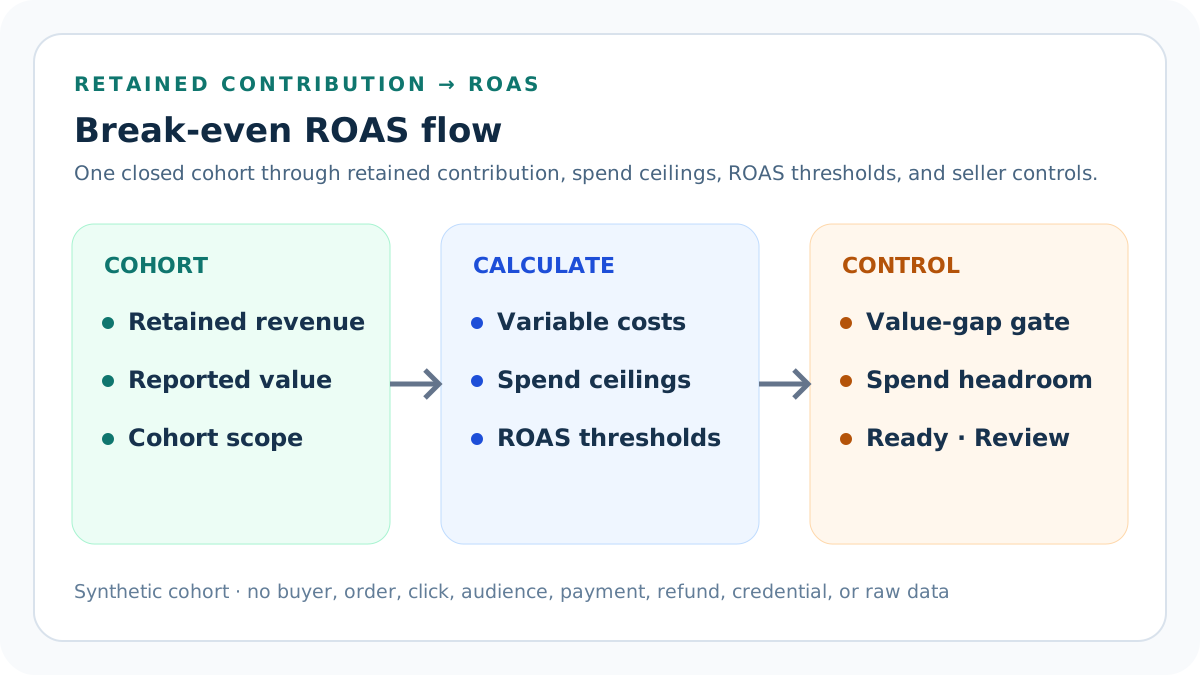
Freeze one ROAS cohort
Use one product or stable order profile, market, campaign objective, traffic scenario, attribution convention, conversion-value definition, retained-order cohort, currency, closed evidence period, and variable-cost version.
Do not mix prospecting and retargeting, purchases and leads, gross and net value, different attribution windows, open and mature conversions, or unrelated products. A blended numerator and denominator can create a threshold that governs nothing.
Keep platform ROAS and seller economics separate
An advertising platform can report conversion value divided by ad cost. The seller model first calculates retained contribution before ads, then asks how much ad cost that contribution can fund.
A reported ROAS can look strong while discounts, product cost, fulfillment, fees, refunds, or return loss consume the retained value. This tool does not overwrite platform reporting; it adds an explicit seller-side boundary.
Define retained revenue
Enter charged revenue retained for the same cohort after the seller's declared discount, cancellation, refund, and revenue-recognition convention. Keep the definition stable across numerator, costs, and review periods.
Do not substitute gross catalog value, cart value, uncollected payment, tax handled for another party, cancelled revenue, or a different attribution cohort. Record what the number includes and excludes.
Define reported conversion value
Enter the value reported or reconstructed for the exact advertising conversion actions and window being compared with ad cost. Preserve the platform currency, value rules, duplicate treatment, and source date.
Conversion value can differ from retained seller revenue. Do not force the numbers to match or silently use one in both roles; the difference is evidence to reconcile.
Record direct product cost
Use the current direct cost of the product quantity represented in the retained cohort, including purchased goods, materials, production, and other costs that change with an order.
A single average may hide variation or product-mix effects. Separate cohorts when product cost, quantity, bundle composition, or sourcing version changes the spend boundary.
Record packaging cost
Include order-caused mailers, boxes, labels, cushioning, inserts, tape, and other consumables at the same cohort grain.
Do not hide campaign-specific packaging or gift presentation. Do not convert reusable equipment or monthly workspace cost into a per-order value without a documented allocation rule.
Record fulfillment cost
Include seller-funded postage, pick-pack labor, warehouse or fulfillment-provider charges, handling, and other delivery cost caused by the retained order.
Buyer-paid shipping revenue and seller fulfillment cost are different fields. A campaign that changes destination mix or order weight needs a new comparable cost packet.
Set the variable fee rate
Use the percentage fee actually applied to retained revenue under the selected platform, processor, referral, affiliate, or other included path.
Do not apply a remembered headline rate to the wrong base. Keep fixed charges, advertising cost, listing fees, currency charges, tax on fees, and other distinct layers separate.
Set the fixed order fee
Enter the seller-borne fixed platform or payment amount caused by one retained order or the cohort-equivalent amount.
Fixed fees make low-value cohorts less tolerant of advertising cost. Do not spread a per-order fee across clicks or impressions or merge it into a rate that changes the arithmetic.
Estimate expected adverse-order loss
Use a privacy-safe comparable cohort for the expected unrecovered cost of returns, refunds, cancellations, chargebacks, replacements, or other adverse outcomes.
Return requests, approvals, refunds, received items, recovered inventory, and written-off items are different states. Record numerator, denominator, period, product scope, and recovery convention.
Add other variable cost before ads
Include other costs caused by retained orders and not already represented, such as a verified per-order app charge, commission, special handling amount, or campaign fulfillment requirement.
Do not add planned ad spend here because the calculator solves its boundary separately. Keep monthly overhead, sunk creative cost, and speculative lifetime value outside the per-order variable pool.
Calculate the variable fee
Multiply retained revenue by the entered fee rate under the declared fee convention.
If the real platform uses a different base, tier, market, or tax treatment, replace the assumption with realized evidence. The calculator does not determine the platform rule.
Build the fixed variable-cost pool
Add product, packaging, fulfillment, fixed fee, expected adverse-order loss, and other pre-ad variable cost.
Every cost must appear once. Duplicating return shipping inside both fulfillment and expected loss, or omitting a commission from both fields, moves every ROAS output.
Calculate contribution before ads
Subtract variable fee and the fixed variable-cost pool from retained revenue.
This is the modeled amount available for advertising and post-ad contribution. It is not accounting profit, cash flow, EBITDA, taxable income, customer lifetime value, or total campaign return.
Solve the break-even spend ceiling
When contribution before ads is positive, that amount is the outer ad-spend ceiling that would reduce modeled contribution to zero.
Break-even reserves nothing for fixed operating costs, uncertainty, owner policy, or target contribution. Treat it as a diagnostic boundary, not the default media budget.
Solve break-even ROAS
Divide the declared reported conversion value by positive contribution before ads. The result is the platform-style value-to-cost ratio that corresponds to the seller's outer spend ceiling.
Do not invert the ratio, divide revenue by profit after ads, or use a different conversion-value cohort. When contribution is zero or negative, the tool reports no spend room instead of an infinite-looking answer.
Set the post-ad contribution target
Enter the contribution margin the seller wants to retain after the modeled advertising cost, expressed on retained revenue.
This target is a seller policy input. It does not guarantee full overhead coverage, owner compensation, tax provision, inventory replacement, or strategic return.
Calculate the target contribution reserve
Multiply retained revenue by the entered target contribution margin.
Use the same retained-revenue denominator in both the target and the post-ad observed margin. Mixing a gross-revenue target with a net-revenue result creates false headroom.
Solve the target-safe spend ceiling
Subtract the target contribution reserve from contribution before ads. A positive remainder is the maximum modeled ad cost that preserves the target.
If the result is zero or negative, the cohort has no target-safe paid-acquisition room. Raising the platform target alone cannot repair the underlying order economics.
Solve target ROAS
Divide reported conversion value by positive target-safe spend ceiling.
Target ROAS is more demanding than break-even ROAS because it reserves seller contribution. It remains a calculation threshold, not an instruction to configure a bidding strategy.
Calculate planned ROAS
Divide the same reported conversion value by planned ad spend when spend is positive.
A zero planned spend has no finite observed ROAS. Do not substitute budget, billed clicks from another window, or campaign spend that includes unrelated products or objectives.
Calculate post-ad contribution
Subtract planned ad spend from contribution before ads and divide the result by retained revenue for the post-ad contribution margin.
This number answers the declared cohort equation. It does not identify incremental sales, organic cannibalization, lifetime value, conversion lift, or total business profit.
Calculate spend headroom
Subtract planned ad spend from target-safe spend ceiling. Positive currency shows unused modeled capacity; a negative value measures the target overrun.
Headroom is not permission to spend more. It is a sensitivity signal that must remain linked to cost freshness, attribution maturity, product mix, and campaign controls.
Measure the reported-value gap
Calculate the absolute difference between ad-platform conversion value and retained seller revenue, then divide it by retained revenue.
The gap does not prove either source is wrong. It is a reconciliation signal for value rules, attribution, taxes, shipping, refunds, duplicate treatment, timing, and cohort mismatch.
Set a maximum reported-value gap
Enter the largest percentage difference the seller will accept before routing a structurally valid packet to Review.
The default 25% is an example policy, not a platform rule. Choose, own, date, and test a threshold that fits the evidence process.
Measure target-safe spend headroom rate
Divide target-safe spend headroom by the positive target-safe spend ceiling. This normalizes unused spend capacity across cohorts of different sizes.
A plan can remain below the ceiling yet leave too little operating room for cost or value movement. Negative headroom remains an overrun.
Set minimum operating headroom
Enter the minimum target-safe spend headroom percentage the seller requires before a packet can be Ready.
The default 10% is a seller-entered control, not permission to spend. A USD 1.70 gap on a USD 23.70 ceiling is only 7.17% and routes to Review.
Date and confirm the evidence packet
Record a real source-review date and explicitly confirm retained revenue, reported value, variable costs, fees and loss, target and spend, attribution window, conversion delay, source lineage, and planning boundaries.
Blank, stale, contradictory, or non-yes confirmations block the result rather than allowing plausible-looking arithmetic to conceal missing evidence.
Treat Target ROAS as an average
Google Ads describes Target ROAS as an average objective, so individual conversions can be above or below the target and recent delayed value can distort a short window.
Do not translate one calculator threshold into a promise for every auction, order, day, or conversion.
Separate delay from tracking incidents
Evaluate after the declared conversion delay. When a true conversion-tracking incident occurs, investigate the platform's data-exclusion control separately.
Data exclusions apply to click periods and do not rewrite reporting. They are not a routine response to disappointing performance, cost drift, or normal delay.
Use Block, Review, and Ready
Block invalid numeric structure, thresholds, source date, confirmations, scenario, attribution context, currency, period, scope, or declared conflicts. Review valid calculations with no pre-ad contribution, no target-safe room, overspend, negative post-ad contribution, excessive reported-value gap, or insufficient target-safe headroom.
Ready means the entered plan clears the seller-entered gates under the declared packet. It does not approve attribution, bids, budget, creative, audience, platform policy, legal terms, or launch.
Validate the default prospecting example
USD 100 retained revenue and reported value, USD 10 variable fee, and USD 51.30 fixed variable costs leave USD 38.70 contribution before ads.
Break-even ROAS is 2.58x. A 15% contribution target reserves USD 15 and leaves USD 23.70 target-safe spend, or 4.22x target ROAS. USD 20 planned spend leaves USD 18.70 contribution and USD 3.70 headroom, equal to 15.61% of the ceiling and above the 10% example minimum.
Test the retargeting scenario
Keep the same economics but enter USD 28 planned spend for a separately documented retargeting cohort.
Reported planned ROAS is 3.57x, above the 2.58x break-even threshold but below the 4.22x target threshold. Post-ad contribution remains positive at USD 10.70, yet target headroom is negative USD 4.30 and the result routes to Review.
Stress expected return loss
Raise expected adverse-order loss from USD 4 to USD 10 while holding the other default inputs and USD 15 planned spend.
Contribution before ads falls to USD 32.70, break-even ROAS rises to 3.06x, target-safe spend falls to USD 17.70, and target ROAS rises to 5.65x.
Reconcile conversion-value differences
When the platform reports USD 120 conversion value for a cohort with USD 100 retained revenue, preserve both numbers and investigate value rules, attribution, taxes, shipping, cancellations, refunds, duplicates, and timing.
The calculator produces 3.10x break-even and 5.06x target ROAS because it uses the reported value numerator with the seller-side spend ceilings. It does not claim the difference is correct.
Respect conversion delay
Use a closed period and document how much time conversions, refunds, cancellations, and chargebacks need to mature. Compare like-for-like cohorts after the declared delay.
The most recent advertising days can have incomplete value while current costs are already billed. Do not call a temporary ratio a stable threshold or same-day causal result.
Protect advertising and customer data
Use aggregate cohort values, product aliases, synthetic fixtures, redacted evidence pointers, access controls, and retention rules.
Keep buyer identity, emails, addresses, messages, order IDs, click IDs, audience membership, payment records, raw exports, credentials, tokens, and OAuth material outside public pages and logs.
Release and restore safely
Preserve narrow local and remote backups plus a rollback identifier. Run typecheck, unit, integration, build, content, similarity, SEO, image, link, browser, mobile, keyboard, privacy, and restore checks.
After release, verify calculator states, canonical, schema, indexability, answers, internal links, images, strict 404, sitemap policy, events, and Day 0/7/14/28 evidence. Restore on a formula, privacy, accessibility, routing, or health regression.
Sources and further reading
- Seller Profit Guard methodology: Contribution equations, evidence versions, privacy, correction, release, and rollback.
- Seller Profit Guard data privacy: Local-first boundaries for buyer, order, advertising, payment, refund, and raw customer data.
- Google Ads Help: Conversion value per cost definition: Official reporting formula: conversion value divided by cost.
- Google Ads Help: About Target ROAS bidding: Official definition of Target ROAS as an average conversion-value-per-cost objective, plus conversion-delay evaluation guidance.
- Google Ads Help: About conversion values: Official context for conversion values, reporting, and value-based bidding.
- Google Ads Help: Data exclusions: Official limits for data exclusions during conversion-tracking incidents; exclusions do not alter reporting.
Related Seller Profit Guard tools
- Etsy CSV profit calculator: Run a local order profit check with editable fee and SKU cost assumptions.
- Payment reconciliation tool: Compare order rows with statement activity and flag unmatched rows.
- SKU cost library: Save or import material, labor, packaging, shipping, and target margin assumptions.
- Variant risk checker: Find missing SKUs and variation cost risks before a listing scales.
- Etsy title checker: Review listing-title clarity, repetition, keyword chains, and mobile scanning.
- Etsy tag checker: Review all 13 tag slots for duplicates, repeated meaning, and truthful coverage.
- Free shipping threshold calculator: Estimate when a shipping subsidy can still meet a target margin.
- Return window loss estimator: Model expected reverse shipping, restock work, recovery, and replacement loss.
- Etsy Ads break-even calculator: Estimate target-safe Etsy Ads spend, ACOS, and ROAS after fees, fulfillment, and expected return loss.
- CSV data privacy: Understand what the local-first workflow needs and what it does not need.
- Break-Even ROAS Formula and Inputs: Derive break-even and target ROAS from retained revenue, conversion value, variable order costs, expected loss, contribution target, and ad spend.
- Break-Even ROAS Prospecting Example: Follow a USD 100 prospecting cohort through retained revenue, cost layers, contribution before ads, spend ceilings, ROAS thresholds, and headroom.
- Break-Even ROAS for Retargeting: Model a retargeting cohort without reusing prospecting attribution, audience, conversion value, product mix, or spend assumptions.
- Break-Even ROAS Calculation Mistakes: Fix numerator, denominator, attribution, fee, refund, return-loss, product-mix, timing, target, and false-profit errors before using ROAS.
- Break-Even ROAS Evidence Sources: Map every ROAS input to advertising reports, retained-order records, cost libraries, fee statements, return cohorts, target policy, and delay evidence.
- Set a Safe ROAS Decision Threshold: Separate break-even, target, stress, warning, and stop thresholds while preserving attribution uncertainty and seller governance.
- Prospecting vs Retargeting ROAS: Compare prospecting and retargeting at one economic grain while keeping audience, attribution, exposure, product mix, and incrementality questions separate.
- Weekly Break-Even ROAS Review Cycle: Run a repeatable ROAS review from source refresh and cohort closure through calculation, approval, observation, correction, and rollback.
- Interpret Break-Even ROAS Results: Read contribution, spend ceilings, break-even ROAS, target ROAS, planned ROAS, post-ad margin, and headroom without false precision.
- Break-Even ROAS Audit Checklist: Audit cohort scope, values, costs, attribution, delays, formulas, fixtures, privacy, release evidence, corrections, and rollback in one log.
Use the interactive tool
Enable JavaScript to open the calculator and process browser-local inputs. The explanatory content and source links remain available without JavaScript.
Related guide: Define the ROAS numerator, retained-contribution denominator, spend ceilings, target, attribution, delay, and evidence boundaries.
This tool provides operating estimates, not tax, accounting, legal, financial, or marketplace-policy advice. Verify current official sources and your own records before changing prices or operations.