How seasonal readiness changes for a wedding favor listing
Last updated: 2026-07-30
Written and reviewed by Seller Profit Guard Editorial Team.
A wedding-season favor listing needs an event-date workflow rather than one universal holiday cutoff. Collect the event date, quantity tier, proof and approval time, material reservation, batch-production capacity, packing time, and destination buffer. Set one seller acceptance date per order size, then verify the public processing and delivery range for each promoted variation.

wedding-season capacity scenario: scope and decision
Wedding demand is seasonal, but each buyer has a different event date and quantity. The candidate is a set of personalized seed-packet favors offered in 25, 50, 100, and 150-unit tiers. The operating clock begins with the event need-by date and moves backward through delivery, packing, batch production, proof approval, and material reservation.
A proof queue is real capacity. The seller allows two business days for initial proof preparation and two business days for buyer approval. Missing or late approval triggers a hold rather than silently compressing printing, drying, quality review, or shipping time.
Build the event-order readiness board before editing
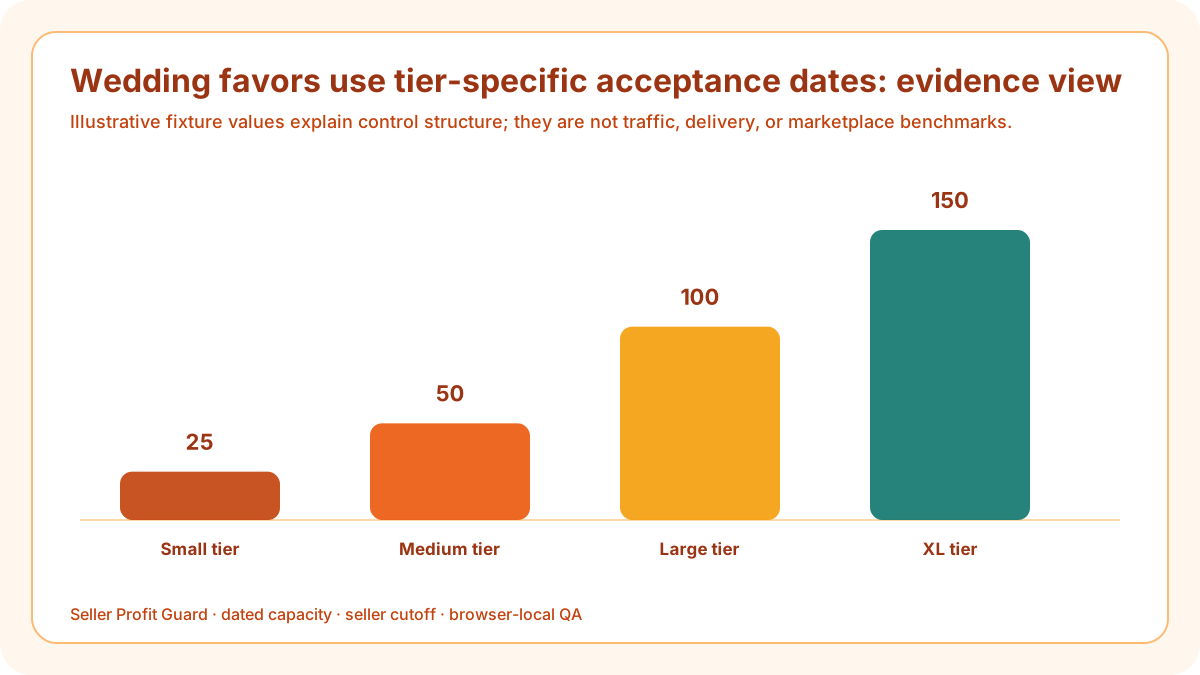
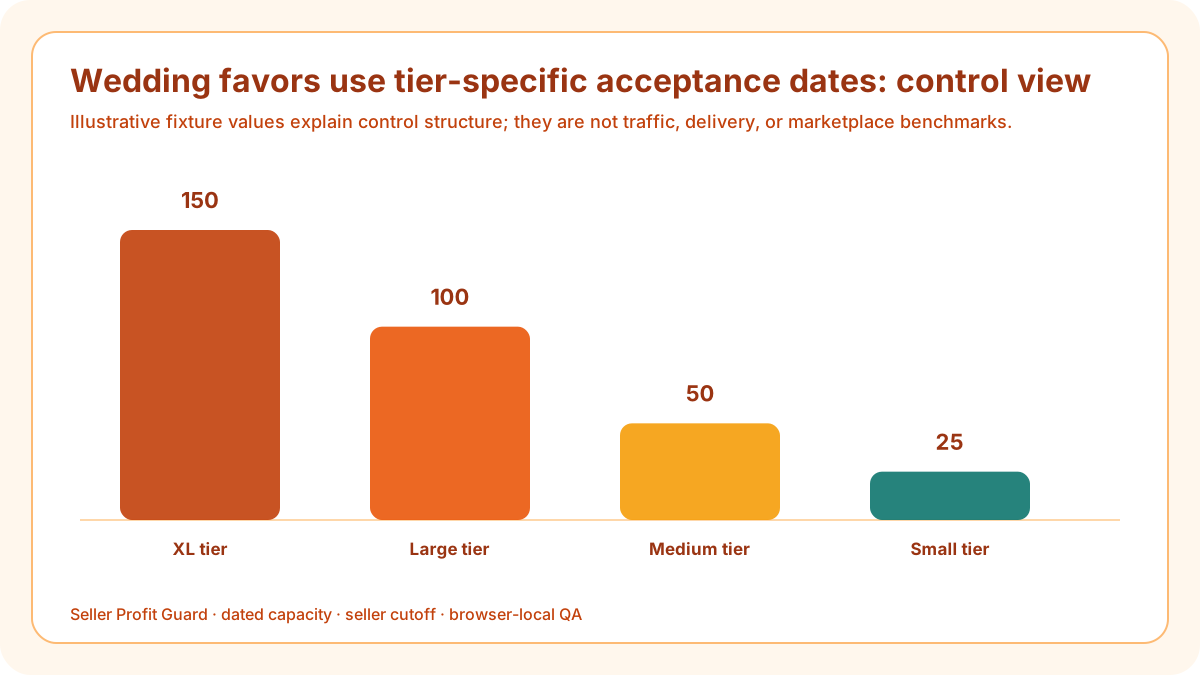
Batch size changes the production profile. Twenty-five favors may fit a five-day process while 150 units require twelve business days plus a larger reserve. A single listing-level promise can be misleading unless variations use the correct processing profile or public instructions route larger orders into a controlled custom path.
Seasonal styling remains secondary to order evidence. Color swatches, paper stock, seed type, personalization placement, finished-batch photos, package counts, and quantity labels must agree. A styled reception photograph cannot prove the contents or lead time of every tier.
Collect the event-date packet
Record the buyer-facing product scope, event date field, requested arrival margin, destination market, quantity tier, personalization fields, proof route, and missing-input rule without copying any actual buyer data into the public checker.
For “Collect the event-date packet,” preserve the event-date and quantity-tier logic in the event-order readiness board. Test 120 personalized seed-packet favors against single cutoff for every quantity tier; proof queues, material reservations, batch setup, buyer response, option mappings, and destination buffers can fail independently. Close only when an order-size-specific event acceptance plan remains valid for the promoted tier rather than an averaged listing.
For “Collect the event-date packet,” add a tier row for 25, 50, 100, and 150 units and record proof preparation, approval wait, production, packing, carrier planning, contingency, and acceptance date separately. A larger tier can require a different processing profile even when the artwork is identical. Test 120 personalized seed-packet favors with an on-time approval and single cutoff for every quantity tier with a late or missing approval. The result should expose the affected tier instead of giving the whole listing an optimistic average.
Reserve proof and approval time
Allocate separate business days for design preparation, buyer response, correction, and final approval. State what happens when approval is late and ensure the processing promise does not depend on an unrecorded instant response.
For “Reserve proof and approval time,” preserve the event-date and quantity-tier logic in the event-order readiness board. Test 120 personalized seed-packet favors against single cutoff for every quantity tier; proof queues, material reservations, batch setup, buyer response, option mappings, and destination buffers can fail independently. Close only when an order-size-specific event acceptance plan remains valid for the promoted tier rather than an averaged listing.
For “Reserve proof and approval time,” add a tier row for 25, 50, 100, and 150 units and record proof preparation, approval wait, production, packing, carrier planning, contingency, and acceptance date separately. A larger tier can require a different processing profile even when the artwork is identical. Test 120 personalized seed-packet favors with an on-time approval and single cutoff for every quantity tier with a late or missing approval. The result should expose the affected tier instead of giving the whole listing an optimistic average.
Assign capacity by quantity tier
Measure completed batches for 25, 50, 100, and 150 units, including setup, printing, drying, assembly, counting, quality review, and packing. Do not divide a large-order time by unit count and assume linear speed.
For “Assign capacity by quantity tier,” preserve the event-date and quantity-tier logic in the event-order readiness board. Test 120 personalized seed-packet favors against single cutoff for every quantity tier; proof queues, material reservations, batch setup, buyer response, option mappings, and destination buffers can fail independently. Close only when an order-size-specific event acceptance plan remains valid for the promoted tier rather than an averaged listing.
For “Assign capacity by quantity tier,” add a tier row for 25, 50, 100, and 150 units and record proof preparation, approval wait, production, packing, carrier planning, contingency, and acceptance date separately. A larger tier can require a different processing profile even when the artwork is identical. Test 120 personalized seed-packet favors with an on-time approval and single cutoff for every quantity tier with a late or missing approval. The result should expose the affected tier instead of giving the whole listing an optimistic average.
Set tier-specific acceptance dates
Subtract carrier planning, packing, production, proof, and contingency from the event need-by date. Store a separate latest acceptance date for each tier or route larger orders to a custom listing with an approved timeline.
For “Set tier-specific acceptance dates,” preserve the event-date and quantity-tier logic in the event-order readiness board. Test 120 personalized seed-packet favors against single cutoff for every quantity tier; proof queues, material reservations, batch setup, buyer response, option mappings, and destination buffers can fail independently. Close only when an order-size-specific event acceptance plan remains valid for the promoted tier rather than an averaged listing.
For “Set tier-specific acceptance dates,” add a tier row for 25, 50, 100, and 150 units and record proof preparation, approval wait, production, packing, carrier planning, contingency, and acceptance date separately. A larger tier can require a different processing profile even when the artwork is identical. Test 120 personalized seed-packet favors with an on-time approval and single cutoff for every quantity tier with a late or missing approval. The result should expose the affected tier instead of giving the whole listing an optimistic average.
Control materials and substitutions
Reserve paper, ink, seed packets, envelopes, labels, and packaging before accepting capacity. A substitute color or material requires new visual and public-copy review rather than a silent seasonal fulfillment change.
For “Control materials and substitutions,” preserve the event-date and quantity-tier logic in the event-order readiness board. Test 120 personalized seed-packet favors against single cutoff for every quantity tier; proof queues, material reservations, batch setup, buyer response, option mappings, and destination buffers can fail independently. Close only when an order-size-specific event acceptance plan remains valid for the promoted tier rather than an averaged listing.
For “Control materials and substitutions,” add a tier row for 25, 50, 100, and 150 units and record proof preparation, approval wait, production, packing, carrier planning, contingency, and acceptance date separately. A larger tier can require a different processing profile even when the artwork is identical. Test 120 personalized seed-packet favors with an on-time approval and single cutoff for every quantity tier with a late or missing approval. The result should expose the affected tier instead of giving the whole listing an optimistic average.

Map variations to evidence
Link each color and quantity combination to its price, inventory or reserved material, production profile, SKU, actual color photo, package count, and proof instruction. Disable a combination when one required mapping expires.
For “Map variations to evidence,” preserve the event-date and quantity-tier logic in the event-order readiness board. Test 120 personalized seed-packet favors against single cutoff for every quantity tier; proof queues, material reservations, batch setup, buyer response, option mappings, and destination buffers can fail independently. Close only when an order-size-specific event acceptance plan remains valid for the promoted tier rather than an averaged listing.
For “Map variations to evidence,” add a tier row for 25, 50, 100, and 150 units and record proof preparation, approval wait, production, packing, carrier planning, contingency, and acceptance date separately. A larger tier can require a different processing profile even when the artwork is identical. Test 120 personalized seed-packet favors with an on-time approval and single cutoff for every quantity tier with a late or missing approval. The result should expose the affected tier instead of giving the whole listing an optimistic average.
Plan promotion around lead time
Promote the tiers that remain operationally available, pause campaigns before the longest tier crosses its acceptance boundary, and avoid an ad headline that implies all sizes share the shortest processing window.
For “Plan promotion around lead time,” preserve the event-date and quantity-tier logic in the event-order readiness board. Test 120 personalized seed-packet favors against single cutoff for every quantity tier; proof queues, material reservations, batch setup, buyer response, option mappings, and destination buffers can fail independently. Close only when an order-size-specific event acceptance plan remains valid for the promoted tier rather than an averaged listing.
For “Plan promotion around lead time,” add a tier row for 25, 50, 100, and 150 units and record proof preparation, approval wait, production, packing, carrier planning, contingency, and acceptance date separately. A larger tier can require a different processing profile even when the artwork is identical. Test 120 personalized seed-packet favors with an on-time approval and single cutoff for every quantity tier with a late or missing approval. The result should expose the affected tier instead of giving the whole listing an optimistic average.
Verify the public event workflow
On desktop and mobile, test the event-date instruction, quantity choice, personalization, proof language, processing range, destination estimate, image labels, and package count. Restore the previous state when a critical tier diverges.
For “Verify the public event workflow,” preserve the event-date and quantity-tier logic in the event-order readiness board. Test 120 personalized seed-packet favors against single cutoff for every quantity tier; proof queues, material reservations, batch setup, buyer response, option mappings, and destination buffers can fail independently. Close only when an order-size-specific event acceptance plan remains valid for the promoted tier rather than an averaged listing.
For “Verify the public event workflow,” add a tier row for 25, 50, 100, and 150 units and record proof preparation, approval wait, production, packing, carrier planning, contingency, and acceptance date separately. A larger tier can require a different processing profile even when the artwork is identical. Test 120 personalized seed-packet favors with an on-time approval and single cutoff for every quantity tier with a late or missing approval. The result should expose the affected tier instead of giving the whole listing an optimistic average.
Verification, release, and rollback controls
Before changing a listing or promotion, preserve the event-order readiness board, title, tags, attributes, description, personalization, quantities, prices, variations, SKUs, images, processing profiles, shipping settings, public date observations, campaign scope, approval, and rollback identifier. Confirm the correct account and target. Safe-stop on login or CAPTCHA ambiguity, warning, wrong profile, missing context, or unexpected editor behavior.
After one bounded change, verify 120 personalized seed-packet favors on desktop and mobile and deliberately revisit single cutoff for every quantity tier. Inspect the public buyer delivery range, every promoted option, image, deadline, processing statement, promotion term, and capacity stop. Restore the previous approved packet when a critical observation does not support an order-size-specific event acceptance plan.
Limits, privacy boundary, and next action
This guide and checker use seller-entered dates, counts, summaries, and synthetic fixtures. They do not retrieve Etsy account data, authenticate inventory, measure production, query carriers, predict demand, guarantee delivery, pause advertising, certify policy or legal compliance, determine ranking, or prove clicks, conversion, sales, income, qualified intent, or AdSense approval.
Keep buyer identities, emails, addresses, messages, order IDs, labels, payment data, supplier credentials, private designs, tokens, OAuth material, and raw CSV rows outside the event-order readiness board. Repair the accountable source, rerun complete and broken fixtures, obtain required review, release only the approved packet, inspect public state, and record verified closure or rollback.
Sources and further reading
- Etsy Help: Processing Profiles and Ship-by Dates: Current definitions for processing time, ready-to-ship and made-to-order profiles, operating schedules, variation-level profiles, holidays, and ship-by dates.
- Etsy Help: Estimated Delivery Dates: Current explanation of processing, carrier, historical, origin, shipping-profile, and buyer-visible estimated-delivery inputs.
- Etsy Help: Create a Listing: Current listing controls for title, description, quantity, variations, personalization, attributes, tags, images, shipping, and processing.
- Etsy Help: Use Tags to Get Found: Current tag limit and relevance guidance; a seasonal term should remain accurate for the item and buyer intent.
- Etsy Seller Handbook: New Listing Title Guidance: Current title guidance: identify the item once, use objective descriptors, avoid repetition, and include an occasion only when essential.
- Etsy Seller Service Level Standards: Current expectations for accurate descriptions and images, manageable order volume, processing performance, communication, and buyer experience.
- Etsy Seller Policy: Current seller responsibility for accurate shop content, commitments, processing, dispatch, pricing, promotions, and applicable law.
- Etsy Advertising and Marketing Policy: Current Etsy Ads, Offsite Ads, sales, coupons, seller-set promotion terms, and seller responsibility boundaries.
- Seller Profit Guard methodology: Evidence hierarchy, local-first inputs, deterministic fixtures, uncertainty, bounded release, public verification, correction, and rollback.
Related Seller Profit Guard tools
- Open the Etsy Seasonal Listing Readiness Checker: Turn one dated seasonal packet into eight visible readiness checks.
- Check Etsy title clarity: Keep the item noun and objective traits clear while using occasion terms only where essential.
- Check Etsy tags: Review up to thirteen accurate tags without treating seasonal phrases as guaranteed demand.
- Check variation names and mappings: Align every promoted option with stock, price, photo, processing, and SKU evidence.
- Check photo coverage: Confirm seasonal styling does not replace actual-item, scale, variation, or package evidence.
- Read the local-first methodology: Use synthetic examples, bounded changes, public QA, and rollback without private buyer or order data.
- Etsy Seasonal Readiness: 9 Inputs and Formula: Continue the seasonal formula, example, evidence, threshold, routine, interpretation, or audit workflow.
- Etsy Holiday Listing Cutoff: Worked Example: Continue the seasonal formula, example, evidence, threshold, routine, interpretation, or audit workflow.
- 12 Etsy Seasonal Listing Mistakes to Block: Continue the seasonal formula, example, evidence, threshold, routine, interpretation, or audit workflow.
- Reliable Data for Etsy Seasonal Readiness: Continue the seasonal formula, example, evidence, threshold, routine, interpretation, or audit workflow.
- Etsy Seasonal Readiness Thresholds: Continue the seasonal formula, example, evidence, threshold, routine, interpretation, or audit workflow.
Next step: Open the Etsy Seasonal Listing Readiness Checker.
This is operational planning help, not tax, accounting, legal, financial, or platform-policy advice. Review the Terms and disclaimer, and verify current platform rules and fee assumptions before changing prices.