How to decide whether an Etsy photo gallery is ready
Last updated: 2026-07-30
Written and reviewed by Seller Profit Guard Editorial Team.
Use Ready only when all seven buyer-evidence checks pass, no known gap remains, and the source note is current. Use Revise for missing actual-item, detail, scale, variation, use, contents, or customization coverage. Use Hold when coverage appears complete but authority is stale. Use Block for any declared inaccurate, misleading, prohibited, or unlabeled image issue.

What does this release threshold page solve?
Write the threshold before viewing the score. Otherwise a launch date can turn a missing variation into optional polish or a misleading main image into a small deduction. The gate defines decision, evidence, owner, deadline, release permission, and recovery trigger.
The seven categories are not interchangeable points. Missing actual-item proof affects transparency; absent scale changes fit expectation; unshown options impede selection; unclear package quantity changes the deliverable. Treat the failed buyer question directly.
Build the gallery release gate from current evidence
Known gaps have non-compensating precedence. A gallery with excellent detail, context, and packaging still blocks when the seller declares an inaccurate mockup, unlicensed buyer photo, deceptive crop, wrong variant, or other unresolved image problem.
Ready is not a probability of ranking or sales. It means the seller-entered evidence package is coherent enough for bounded public QA. Platform eligibility, image rights, color accuracy, accessibility, conversion, and policy compliance still require their own checks.
Ready requires seven passes and provenance
Every entered requirement is adequately represented in the labeled inventory, no known gap is listed, and the evidence note names a current product, variation, measurement, package, policy, and gallery review. Public verification and rollback readiness still follow. This belongs in the release threshold because it changes a non-compensating publication decision, not merely the visual style of a listing.
Apply non-compensating decisions consistently and document the release consequence. Apply it first to complete evidence gallery; preserve a separate exception when the second case has different product, scale, option, package, permission, or image authority.
Revise names the missing question
Use Revise when actual item, detail, scale, variation, use, contents, or customization evidence is incomplete. Assign the exact requirement and authority. Do not change unrelated images or discovery fields because the aggregate score is below one hundred. This belongs in the release threshold because it changes a non-compensating publication decision, not merely the visual style of a listing.
Apply non-compensating decisions consistently and document the release consequence. Apply it first to declared misleading mockup; preserve a separate exception when the second case has different product, scale, option, package, permission, or image authority.
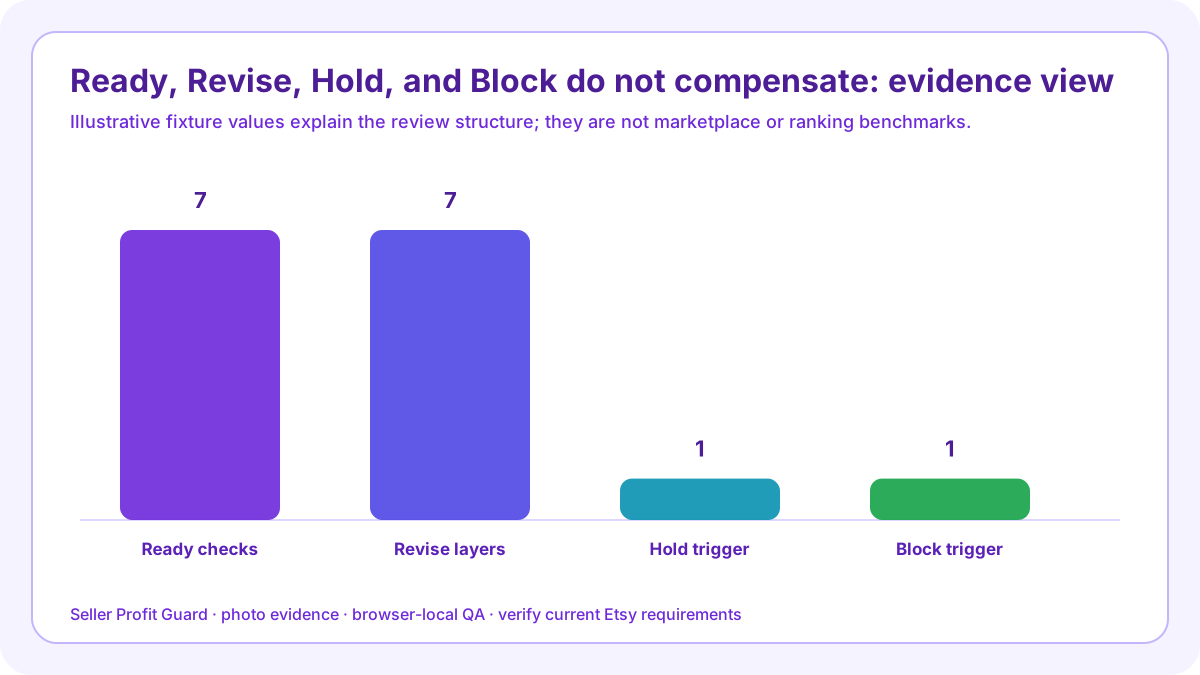
Hold protects stale authority
Use Hold when labels appear complete but the evidence packet lacks a current date, product version, option list, permission, or policy review. Hold does not assert that the image is false; it prevents an unknown from becoming public certainty. This belongs in the release threshold because it changes a non-compensating publication decision, not merely the visual style of a listing.
Apply non-compensating decisions consistently and document the release consequence. Apply it first to complete evidence gallery; preserve a separate exception when the second case has different product, scale, option, package, permission, or image authority.
Block protects against known image risk
A declared inaccurate, misleading, stock, mockup, unauthorized, or unlabeled gap creates Block. Remove, replace, relabel, or obtain appropriate authority before rerunning. Do not preserve the same problem with a disclaimer hidden elsewhere. This belongs in the release threshold because it changes a non-compensating publication decision, not merely the visual style of a listing.
Apply non-compensating decisions consistently and document the release consequence. Apply it first to declared misleading mockup; preserve a separate exception when the second case has different product, scale, option, package, permission, or image authority.
Define critical contradictions
The wrong product, wrong color, wrong quantity, wrong variant link, blank personalized main image, false frame inclusion, distorted scale, or private information can require immediate stop even if text matching reports only one failed check. This belongs in the release threshold because it changes a non-compensating publication decision, not merely the visual style of a listing.
Apply non-compensating decisions consistently and document the release consequence. Apply it first to complete evidence gallery; preserve a separate exception when the second case has different product, scale, option, package, permission, or image authority.

Stress-test the hardest option
Review the variation with the greatest visual difference, smallest or largest size, most complex personalization, package exception, or production-partner dependency. A plan that covers the default option may mislead on another branch. This belongs in the release threshold because it changes a non-compensating publication decision, not merely the visual style of a listing.
Apply non-compensating decisions consistently and document the release consequence. Apply it first to declared misleading mockup; preserve a separate exception when the second case has different product, scale, option, package, permission, or image authority.
Set rollback triggers first
Wrong account, wrong listing, policy warning, broken image, unexpected crop, lost variation link, changed quantity, private data, or buyer-view mismatch should stop release or restore prior values. Preserve the full slot and linkage state. This belongs in the release threshold because it changes a non-compensating publication decision, not merely the visual style of a listing.
Apply non-compensating decisions consistently and document the release consequence. Apply it first to complete evidence gallery; preserve a separate exception when the second case has different product, scale, option, package, permission, or image authority.
Measure outcomes separately
After release, observe aggregate landings, tool completion, engagement, image-related questions, correction rate, and qualified intent over a suitable window. Do not reinterpret Ready as causal proof of ranking, conversion, fewer returns, revenue, or AdSense approval. This belongs in the release threshold because it changes a non-compensating publication decision, not merely the visual style of a listing.
Apply non-compensating decisions consistently and document the release consequence. Apply it first to declared misleading mockup; preserve a separate exception when the second case has different product, scale, option, package, permission, or image authority.
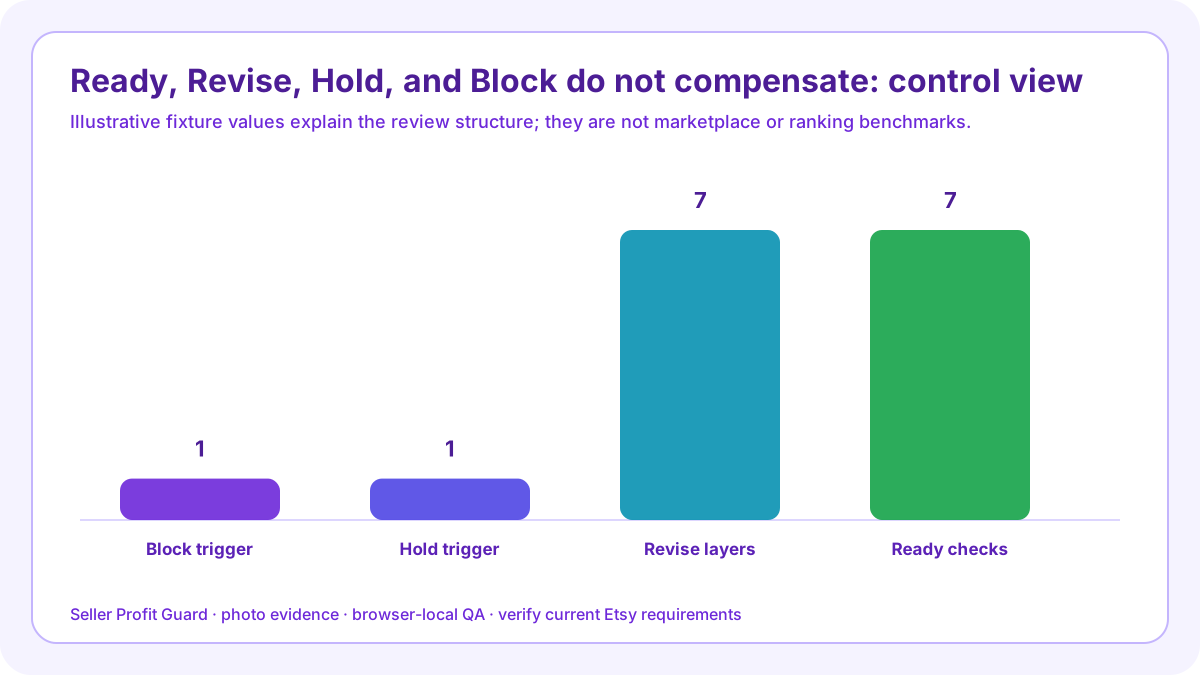
Run the complete evidence gallery and declared misleading mockup checks
Open the Etsy Photo Coverage Checklist with a privacy-safe complete evidence gallery record. Enter the labeled buyer-facing gallery, seven evidence requirements, every known gap, and a dated source note. Save the expected output before running. Repeat with declared misleading mockup so the workflow proves it can expose a material image failure rather than reward occupied slots.
Compare each check, issue, evidence status, and decision with expectation. Seller Profit Guard runs in the browser and does not require image upload, buyer, order, payment, address, credential, or raw CSV data. Use aliases in durable reports and keep account access, permissions, and private assets outside public content.
Release boundary, limitations, and next step
Back up the gallery, captions, and variation links; confirm the correct account and listing; apply one approved image set; and inspect thumbnail, mobile crop, desktop gallery, selected options, contents, and copy alignment. Safe-stop on login or CAPTCHA ambiguity, platform warning, wrong profile, missing target context, private data, or unexpected product state. Restore saved values when the buyer view does not match approval.
The checklist cannot inspect pixels, retrieve Etsy, certify originality, ownership, permission, policy compliance, color accuracy, accessibility, buyer understanding, ranking, traffic, conversion, sales, returns, or AdSense approval. Verify current Etsy policy, actual files, product records, and live controls. Seller Profit Guard is unaffiliated with Etsy and provides operational listing QA, not legal, marketplace, photography, accessibility, or professional advice.
Sources and further reading
- Etsy Listing Image Requirements: Official original-photo, actual-finished-product, personalized-item, buyer-photo permission, and production-partner image requirements.
- Etsy Seller Policy effective July 9, 2026: Current official accuracy, original-content, intellectual-property, privacy, and listing-representation obligations.
- Etsy Seller Handbook: 7 Essential Types of Product Photos: Official studio, lifestyle, scale, detail, group, process, and packaging photo guidance.
- Etsy Seller Handbook: Product Photography Checklist: Official shoot planning, lighting, detail, scale, multiple-angle, editing, crop, and ratio guidance.
- Etsy Help: Image requirements and best practices: Current official file, size, orientation, thumbnail-crop, color-profile, and upload guidance.
- Etsy Help: How to create a listing: Current official listing form guidance, including up to 20 photos, up to two short videos, and buyer-facing photo editing controls.
- Etsy Help: How to edit listing photos: Current official photo order, crop, thumbnail, image-quality, and search-visibility workflow.
- Etsy Help: Add text alternatives to listing images: Current official manual alt-text workflow and concise description guidance for product detail, texture, and scale.
- Etsy Help: Add variations to listings: Current official variation-to-photo linking workflow; live editor capacity should be verified where Help surfaces expose different photo limits.
- Etsy Seller Handbook: Anatomy of a Well-Crafted Listing: Current official listing guidance for multiple views, detail, lifestyle, lighting, and image resolution.
- Seller Profit Guard methodology: Evidence hierarchy, privacy boundary, uncertainty labels, corrections, rollback, and verification controls.
Related Seller Profit Guard tools
- Open the Etsy Photo Coverage Checklist: Map buyer questions to actual-item, detail, scale, variation, use, package, and customization image evidence.
- Check Etsy description clarity: Keep image claims and buyer-facing copy aligned.
- Check Etsy attribute coverage: Reconcile structured product facts before photographing options.
- Review Etsy variation and SKU controls: Keep gallery options, buyer choices, inventory, and cost records synchronized.
- Read the local-first methodology: Build evidence without buyer, order, address, credential, or raw CSV data.
- Read the editorial policy: Review current sourcing, authorship, corrections, and publication controls.
- Etsy Photo Coverage Formula: 10 Inputs: Continue the photo evidence, buyer-question, decision, release, or audit workflow.
- Etsy Photo Checklist: Variation-Heavy Example: Continue the photo evidence, buyer-question, decision, release, or audit workflow.
- Etsy Photo Checklist for Size-Sensitive Art: Continue the photo evidence, buyer-question, decision, release, or audit workflow.
- 12 Etsy Photo Coverage Mistakes to Fix: Continue the photo evidence, buyer-question, decision, release, or audit workflow.
- Evidence Sources for Etsy Listing Photos: Continue the photo evidence, buyer-question, decision, release, or audit workflow.
Next step: Open the Etsy Photo Coverage Checklist.
This is operational planning help, not tax, accounting, legal, financial, or platform-policy advice. Review the Terms and disclaimer, and verify current platform rules and fee assumptions before changing prices.