How to set Etsy listing claim decision thresholds
Last updated: 2026-07-30
Written and reviewed by Seller Profit Guard Editorial Team.
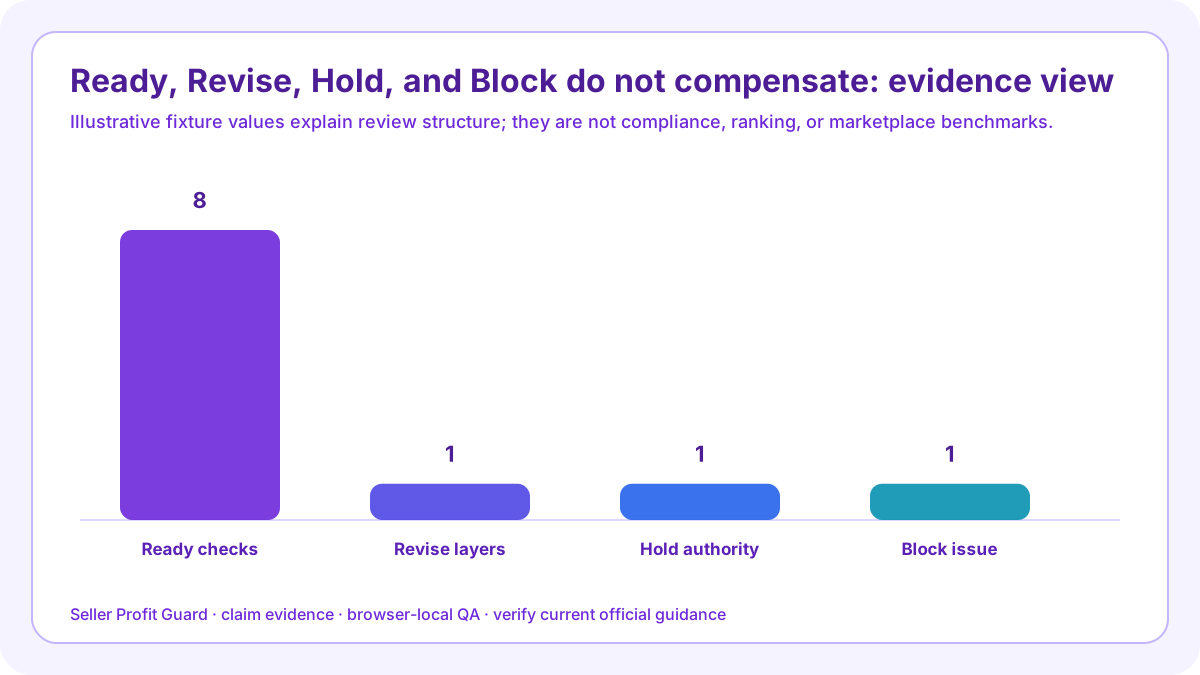
Use Ready only when all eight checks pass, every claim row has current evidence and a visible qualification where needed, visuals agree, risk review is complete, and no known issue remains. Use Revise for correctable gaps, Hold for unresolved authority, and Block for known unsupported, misleading, stale, or prohibited statements.

claim release threshold: scope and decision
Write decision thresholds before reviewing a score. Otherwise a deadline can turn a missing test into “close enough” or treat one high-risk image as a small deduction. The gate defines evidence, severity, owner, deadline, release permission, and rollback trigger in advance.
The eight checks are not interchangeable points. A valid listing identity cannot compensate for an invalid claim row. A complete material record cannot compensate for a misleading performance badge. A dated approval cannot approve evidence the reviewer never received.
Build the non-compensating decision gate before editing
Declared issues have precedence because the seller already knows a public statement may be unsupported, stale, misleading, or prohibited. The next action is removal, evidence refresh, scope correction, or qualified review—not wording around the same defect.
The numerical score summarizes entered coverage. It does not estimate probability of compliance, buyer satisfaction, search placement, conversion, complaints, returns, AdSense approval, or revenue. The decision gate controls the next QA step only.
Ready: complete and current
All eight layers pass, one to twelve rows are valid, evidence matches the exact candidate, qualifications are visible, visuals reconcile, high-risk review is complete, and no declared issue remains.
Apply the threshold to “Ready: complete and current” before reading the total. The non-compensating decision gate keeps one known unsupported medical badge non-compensating and lets eight passed layers with current approval advance only with current evidence, necessary qualification, visual agreement, and no declared conflict. The result supports an explicit publication or stop decision; it does not certify truth, law, science, policy, safety, search visibility, buyer response, AdSense approval, or revenue.
Revise: a correctable layer is incomplete
Use Revise when the listing boundary, manifest, material record, performance record, image reconciliation, disclosure, risk statement, or approval note fails but the responsible authority is identifiable.
Apply the threshold to “Revise: a correctable layer is incomplete” before reading the total. The non-compensating decision gate keeps one known unsupported medical badge non-compensating and lets eight passed layers with current approval advance only with current evidence, necessary qualification, visual agreement, and no declared conflict. The result supports an explicit publication or stop decision; it does not certify truth, law, science, policy, safety, search visibility, buyer response, AdSense approval, or revenue.
Hold: authority remains unresolved
Use Hold when the packet structure is present but a source is stale, disputed, inaccessible, or awaiting qualified review. Hold does not assert that a claim is false; it prevents an unknown from becoming public.
Apply the threshold to “Hold: authority remains unresolved” before reading the total. The non-compensating decision gate keeps one known unsupported medical badge non-compensating and lets eight passed layers with current approval advance only with current evidence, necessary qualification, visual agreement, and no declared conflict. The result supports an explicit publication or stop decision; it does not certify truth, law, science, policy, safety, search visibility, buyer response, AdSense approval, or revenue.
Block: a known serious defect remains
Use Block for seller-declared unsupported, misleading, stale, or prohibited claims. Remove or correct the statement before reconsidering release, even if the aggregate score would otherwise be high.
Apply the threshold to “Block: a known serious defect remains” before reading the total. The non-compensating decision gate keeps one known unsupported medical badge non-compensating and lets eight passed layers with current approval advance only with current evidence, necessary qualification, visual agreement, and no declared conflict. The result supports an explicit publication or stop decision; it does not certify truth, law, science, policy, safety, search visibility, buyer response, AdSense approval, or revenue.
Define critical visual contradictions
A medical symbol, certification badge, before-and-after image, wrong quantity, or incompatible material caption can require a stop even when the prose is accurate. The public takeaway owns severity.
Apply the threshold to “Define critical visual contradictions” before reading the total. The non-compensating decision gate keeps one known unsupported medical badge non-compensating and lets eight passed layers with current approval advance only with current evidence, necessary qualification, visual agreement, and no declared conflict. The result supports an explicit publication or stop decision; it does not certify truth, law, science, policy, safety, search visibility, buyer response, AdSense approval, or revenue.

Stress-test the strongest variant
Run the gate on the material, size, model, customization, process, or environmental branch with the broadest claim. A default SKU cannot approve every variation.
Apply the threshold to “Stress-test the strongest variant” before reading the total. The non-compensating decision gate keeps one known unsupported medical badge non-compensating and lets eight passed layers with current approval advance only with current evidence, necessary qualification, visual agreement, and no declared conflict. The result supports an explicit publication or stop decision; it does not certify truth, law, science, policy, safety, search visibility, buyer response, AdSense approval, or revenue.
Set rollback triggers in advance
Wrong listing, missing qualifier, stale image, dropped attribute, public truncation, editor warning, or changed evidence should trigger safe-stop or restoration. Preserve the approved previous packet.
Apply the threshold to “Set rollback triggers in advance” before reading the total. The non-compensating decision gate keeps one known unsupported medical badge non-compensating and lets eight passed layers with current approval advance only with current evidence, necessary qualification, visual agreement, and no declared conflict. The result supports an explicit publication or stop decision; it does not certify truth, law, science, policy, safety, search visibility, buyer response, AdSense approval, or revenue.
Measure outcomes separately
After release, observe aggregate landing, tool use, correction, support, and qualified-intent signals. Do not reinterpret engagement, sales, or low complaint volume as substantiation evidence.
Apply the threshold to “Measure outcomes separately” before reading the total. The non-compensating decision gate keeps one known unsupported medical badge non-compensating and lets eight passed layers with current approval advance only with current evidence, necessary qualification, visual agreement, and no declared conflict. The result supports an explicit publication or stop decision; it does not certify truth, law, science, policy, safety, search visibility, buyer response, AdSense approval, or revenue.
Verification, release, and rollback controls
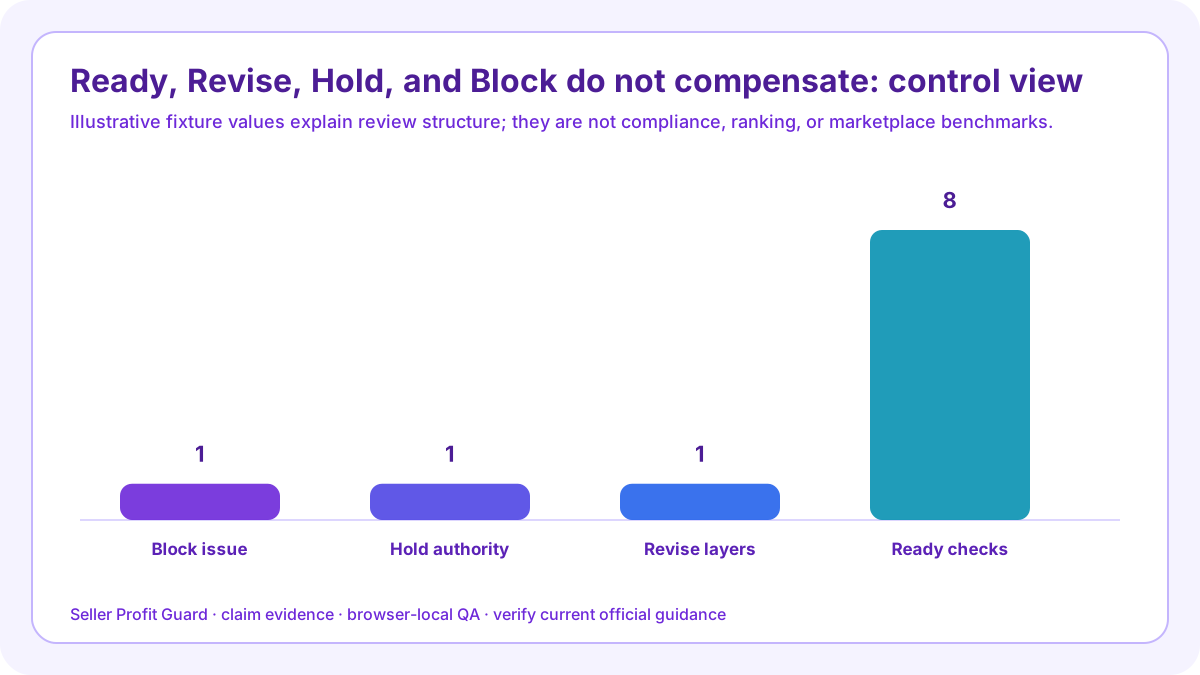
Before changing public copy or media, preserve the non-compensating decision gate, title, description, attributes, images, captions, badges, video, component records, measurements or tests, qualifications, approvals, and rollback identifier. Confirm the correct account and listing. Safe-stop on login or CAPTCHA ambiguity, a platform warning, wrong profile, missing target context, private data, or unexpected editor behavior.
After one bounded change, verify eight passed layers with current approval on desktop and mobile and deliberately revisit one known unsupported medical badge. Inspect every declared surface, qualification, image implication, and evidence-dependent statement. Restore the approved previous packet when a critical public observation does not support an explicit publication or stop decision.
Limits, privacy boundary, and next action
This guide and checker use seller-entered summaries, aliases, manifests, and synthetic fixtures. They do not inspect products, authenticate records, assay materials, perform laboratory tests, analyze image pixels, determine origin, certify claims, decide applicable law, reproduce Etsy review, or predict ranking, clicks, conversion, sales, complaints, refunds, income, or AdSense approval.
Keep buyer identities, emails, addresses, messages, order IDs, receipts, payment data, supplier credentials, private certificates, unreleased designs, tokens, OAuth material, and raw CSV rows outside the non-compensating decision gate. Repair the accountable source, rerun complete and broken fixtures, obtain required human review, release only the approved packet, inspect public surfaces, and record verified closure or rollback.
Sources and further reading
- Etsy Seller Policy: Current accuracy, origin, provenance, materials, components, disclosures, legal obligations, and misleading-content responsibilities.
- Etsy Creativity Standards: Current made, designed, handpicked, sourced, AI-disclosure, and human-contribution boundaries.
- Etsy Listing Image Requirements: Current original finished-product image expectations and specified exceptions.
- Etsy Prohibited Items Policy: Current prohibited-item policy in force through August 11, 2026; recheck the effective version before release.
- Etsy Medical Claims Policy: Current disease, treatment-substitute, sensitive-health, supplement-approval, testimonial, image, and disclaimer boundaries.
- FTC Advertising Substantiation Policy Statement: Official reasonable-basis framework for objective express and implied claims before dissemination.
- FTC Advertising FAQs for Small Business: Official explanation of objective evidence, reasonable basis, and the stronger support often expected for health and safety claims.
- FTC Environmental Claims: Green Guides Summary: Official summary for specific environmental claims and clear, prominent qualifications.
- Seller Profit Guard methodology: Evidence hierarchy, privacy-safe fixtures, deterministic decisions, uncertainty, verification, correction, and rollback.
Related Seller Profit Guard tools
- Open the Etsy Listing Claims Checker: Map public claims to evidence, qualifications, visuals, risk review, and approval.
- Check Etsy description clarity: Review buyer-question completeness separately from claim substantiation.
- Check Etsy photo coverage: Audit the image set separately while reconciling visual implications.
- Check Etsy attribute coverage: Keep structured product facts aligned with public claim wording.
- Check production-partner disclosure: Review outside-production roles, public identity, location, and dispatch origin.
- Read the local-first methodology: Use aliases, synthetic fixtures, dated evidence, public verification, and rollback.
- Etsy Listing Claims Checker: 9 Inputs: Continue the claim, evidence, scenario, decision, operating, interpretation, or audit workflow.
- Etsy Material Claim: A Component Example: Continue the claim, evidence, scenario, decision, operating, interpretation, or audit workflow.
- Etsy Compatibility Claim: A Sleeve Example: Continue the claim, evidence, scenario, decision, operating, interpretation, or audit workflow.
- 14 Etsy Listing Claim Mistakes to Block: Continue the claim, evidence, scenario, decision, operating, interpretation, or audit workflow.
- Etsy Claim Evidence: Source Hierarchy: Continue the claim, evidence, scenario, decision, operating, interpretation, or audit workflow.
Next step: Open the Etsy Listing Claims Checker.
This is operational planning help, not tax, accounting, legal, financial, or platform-policy advice. Review the Terms and disclaimer, and verify current platform rules and fee assumptions before changing prices.