Domestic and cross-currency Etsy fee stacks compared
Last updated: 2026-07-30
Written and reviewed by Seller Profit Guard Editorial Team.
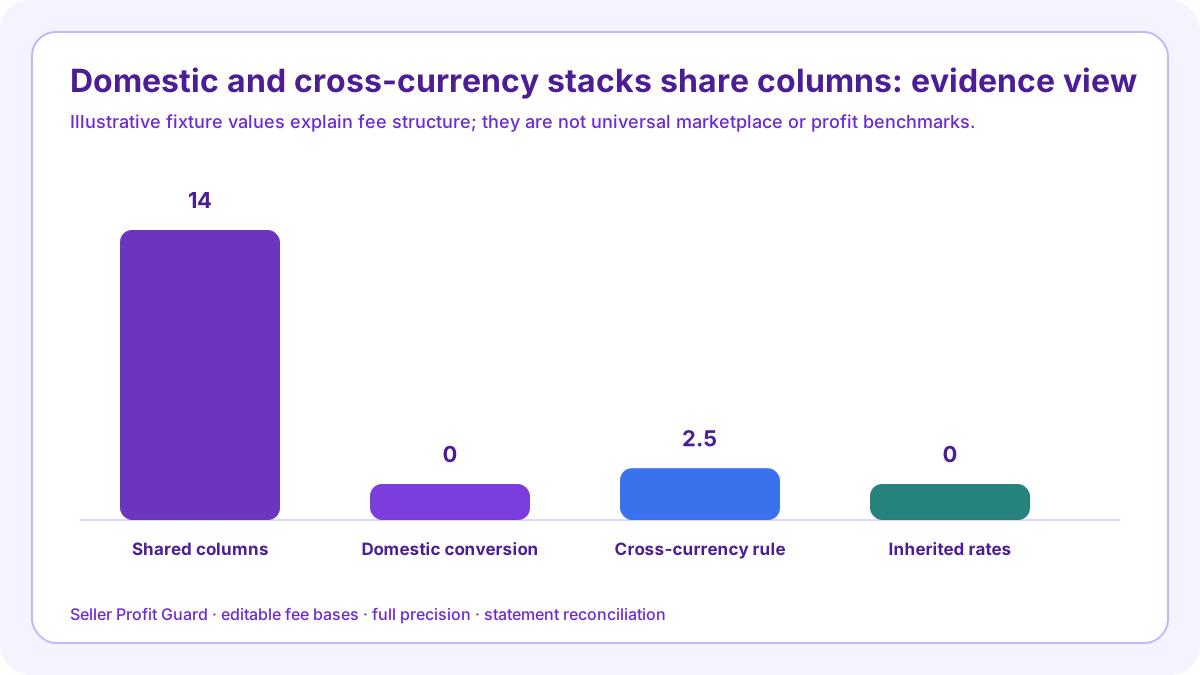
A domestic order can use one listing and Payment account currency with no seller conversion row. A cross-currency order adds the current conversion condition, statement exchange rate, and possibly converted fixed fees. Both still need bank-country processing, transaction, quantity, advertising attribution, regulatory, VAT, operating-cost, refund, credit, and target-contribution rows.

same-grain fee comparison: scope and decision
Compare scenarios only after aligning order grain, item and shipping revenue, quantity, product and fulfillment costs, attribution state, return state, and contribution target. Otherwise currency appears to explain differences caused elsewhere.
The domestic fixture has one USD listing and Payment account currency, US domestic processing, and zero currency conversion. The cross-currency fixture must name listing, Payment account, fixed-fee, payout, and bank currencies.
Build the two-scenario fee matrix before changing price
Both scenarios retain conditional rows. A domestic order can still have Offsite Ads, local regulatory fees in another country, VAT, refunds, credits, quantity renewals, and variable operating costs.
Do not choose the scenario with the lower displayed fee percentage. Compare retained contribution, evidence completeness, cash conversion, payout costs, volatility, and the actual operational market.
Compare revenue at one grain
Use one order and identical item, shipping, gift-wrap, quantity, and tax labels. Convert for comparison only with a stated rate and timestamp.
Compare “Compare revenue at one grain” under domestic US order and cross-currency seller order with identical columns for revenue, base, rate, fixed amount, currency, order condition, source, operating cost, contribution, statement observation, and unresolved difference. Identify the driver of comparable retained contribution by scenario rather than choosing a lower-looking percentage.
Use identical matrix columns for “Compare revenue at one grain”: original amount, rate base, percentage, fixed fee, cap, source currency, account amount, order condition, source date, operating cost, contribution, target gap, statement row, and unresolved difference. Populate domestic US order and cross-currency seller order separately so comparable retained contribution by scenario remains economically comparable.
Compare transaction fee
Use the current transaction rule and same eligible order components. Show original-currency amount and any Payment account posting separately.
Compare “Compare transaction fee” under domestic US order and cross-currency seller order with identical columns for revenue, base, rate, fixed amount, currency, order condition, source, operating cost, contribution, statement observation, and unresolved difference. Identify the driver of comparable retained contribution by scenario rather than choosing a lower-looking percentage.
Use identical matrix columns for “Compare transaction fee”: original amount, rate base, percentage, fixed fee, cap, source currency, account amount, order condition, source date, operating cost, contribution, target gap, statement row, and unresolved difference. Populate domestic US order and cross-currency seller order separately so comparable retained contribution by scenario remains economically comparable.
Compare processing
Use each seller bank-country and order-type rate plus fixed amount. Do not hold processing constant merely to isolate currency if the real locations differ.
Compare “Compare processing” under domestic US order and cross-currency seller order with identical columns for revenue, base, rate, fixed amount, currency, order condition, source, operating cost, contribution, statement observation, and unresolved difference. Identify the driver of comparable retained contribution by scenario rather than choosing a lower-looking percentage.
Use identical matrix columns for “Compare processing”: original amount, rate base, percentage, fixed fee, cap, source currency, account amount, order condition, source date, operating cost, contribution, target gap, statement row, and unresolved difference. Populate domestic US order and cross-currency seller order separately so comparable retained contribution by scenario remains economically comparable.
Compare listing and quantity
Show initial, renewal, sold-renewal, and multi-quantity charges at the same quantity and inventory state, including fixed-fee conversion where applicable.
Compare “Compare listing and quantity” under domestic US order and cross-currency seller order with identical columns for revenue, base, rate, fixed amount, currency, order condition, source, operating cost, contribution, statement observation, and unresolved difference. Identify the driver of comparable retained contribution by scenario rather than choosing a lower-looking percentage.
Use identical matrix columns for “Compare listing and quantity”: original amount, rate base, percentage, fixed fee, cap, source currency, account amount, order condition, source date, operating cost, contribution, target gap, statement row, and unresolved difference. Populate domestic US order and cross-currency seller order separately so comparable retained contribution by scenario remains economically comparable.
Compare conditional marketplace fees
Keep Offsite Ads, currency conversion, regulatory fee, and seller-fee VAT in distinct columns with applicability evidence and source date.
Compare “Compare conditional marketplace fees” under domestic US order and cross-currency seller order with identical columns for revenue, base, rate, fixed amount, currency, order condition, source, operating cost, contribution, statement observation, and unresolved difference. Identify the driver of comparable retained contribution by scenario rather than choosing a lower-looking percentage.
Use identical matrix columns for “Compare conditional marketplace fees”: original amount, rate base, percentage, fixed fee, cap, source currency, account amount, order condition, source date, operating cost, contribution, target gap, statement row, and unresolved difference. Populate domestic US order and cross-currency seller order separately so comparable retained contribution by scenario remains economically comparable.

Compare operating costs
Use cost currency, exchange assumption, product, labor, packaging, label, insurance, and other variable costs. Currency exposure can occur outside Etsy fees.
Compare “Compare operating costs” under domestic US order and cross-currency seller order with identical columns for revenue, base, rate, fixed amount, currency, order condition, source, operating cost, contribution, statement observation, and unresolved difference. Identify the driver of comparable retained contribution by scenario rather than choosing a lower-looking percentage.
Use identical matrix columns for “Compare operating costs”: original amount, rate base, percentage, fixed fee, cap, source currency, account amount, order condition, source date, operating cost, contribution, target gap, statement row, and unresolved difference. Populate domestic US order and cross-currency seller order separately so comparable retained contribution by scenario remains economically comparable.
Compare contribution and target gap
Show retained dollars and percentage, then the distance from the same contribution target. Avoid comparing payouts before costs with contributions after costs.
Compare “Compare contribution and target gap” under domestic US order and cross-currency seller order with identical columns for revenue, base, rate, fixed amount, currency, order condition, source, operating cost, contribution, statement observation, and unresolved difference. Identify the driver of comparable retained contribution by scenario rather than choosing a lower-looking percentage.
Use identical matrix columns for “Compare contribution and target gap”: original amount, rate base, percentage, fixed fee, cap, source currency, account amount, order condition, source date, operating cost, contribution, target gap, statement row, and unresolved difference. Populate domestic US order and cross-currency seller order separately so comparable retained contribution by scenario remains economically comparable.
Compare reconciliation closure
Record statement rows, credits, refunds, reserves, payout, bank receipt, public source versions, reviewer, and unresolved differences for each scenario.
Compare “Compare reconciliation closure” under domestic US order and cross-currency seller order with identical columns for revenue, base, rate, fixed amount, currency, order condition, source, operating cost, contribution, statement observation, and unresolved difference. Identify the driver of comparable retained contribution by scenario rather than choosing a lower-looking percentage.
Use identical matrix columns for “Compare reconciliation closure”: original amount, rate base, percentage, fixed fee, cap, source currency, account amount, order condition, source date, operating cost, contribution, target gap, statement row, and unresolved difference. Populate domestic US order and cross-currency seller order separately so comparable retained contribution by scenario remains economically comparable.
Verification, release, and reconciliation controls
Before changing a public price, shipping charge, discount, ad assumption, or calculator default, preserve the two-scenario fee matrix, source versions, current inputs, expected rows, tests, build, public route state, and rollback identifier. Confirm the exact target and safe-stop on an unexpected production or account context.
After one bounded change, rerun domestic US order and deliberately revisit cross-currency seller order. Inspect every fee row, currency, full-precision subtotal, displayed rounding, contribution, target gap, source link, desktop and mobile result, and actual statement observation. Restore the prior packet when a critical result does not support comparable retained contribution by scenario.
Limits, privacy boundary, and next action
This guide and calculator use seller-entered summaries and synthetic fixtures. They do not retrieve Etsy account data, choose a bank-country rate, verify attribution, calculate tax, open statements, authenticate costs, predict returns, determine accounting profit, change prices or ads, or prove ranking, conversion, income, qualified intent, or AdSense approval.
Keep buyer identities, emails, addresses, messages, order IDs, payment rows, bank data, tax identifiers, labels, tokens, OAuth material, credentials, and raw CSV outside the two-scenario fee matrix. Verify current official sources, reconcile an approved private sample, rerun complete and broken fixtures, move the itemized stack into SKU profit analysis, and record closure or rollback.
Sources and further reading
- Etsy Help: Fees and Taxes for Selling on Etsy: Current listing, transaction, payment, currency-conversion, regulatory, advertising, deposit, tax, and other fee boundaries.
- Etsy Help: Payment Processing Fees: Current bank-country percentage and fixed processing rates, order-type distinctions, fee base, VAT note, refunds, and deposit-fee table.
- Etsy Help: Currency Conversion Fees: Current 2.5% conversion rule when listing currency differs from Payment account currency and the statement source for applied rates.
- Etsy Help: Regulatory Operating Fee: Current seller-location rates and the item, shipping, gift-wrap, and personalization fee base.
- Etsy Help: Offsite Ads: Current 15% and 12% attributed-order rates, enrollment boundary, 365-day revenue test, and policy links.
- Etsy Help: Listing Multiple Quantities: Current listing, auto-renew sold, and multi-quantity mechanics plus fixed-fee conversion context.
- Etsy Help: VAT on Seller Fees: Current VAT scope and invoice context; actual treatment depends on seller location and registration.
- Etsy Help: Sales and Use Taxes on Seller Fees in Texas: Current Texas fee-type and taxable-base boundary; the actual combined state and local rate must come from the seller's invoice context.
- Etsy Help: Manage Your Payment Account: Current Payment account rows, monthly statement export, credits, refunds, Seller Services, shipping, reserve, and transfer context.
- Seller Profit Guard methodology: Local-first calculations, source hierarchy, privacy-safe fixtures, deterministic tests, bounded release, correction, and rollback.
Related Seller Profit Guard tools
- Open the Etsy Fee Stack Calculator: Model each editable order-level fee and contribution layer in the browser.
- Review current Etsy fee references: Check current reference rates and country-dependent boundaries before entering assumptions.
- Run the main Seller Profit Guard: Combine verified marketplace fees with SKU, labor, packaging, shipping, ads, discounts, and return loss.
- Reconcile an Etsy Payment account: Compare modeled fees with actual statement rows, credits, refunds, reserves, and deposits.
- Check Etsy Ads break-even: Use retained contribution to set a safer paid-click ceiling.
- Read the local-first methodology: Keep raw buyer, order, payment, and credential data outside public content and analytics.
- Etsy Fee Stack Formula and Input Contract: Continue the fee formula, worked example, source, threshold, comparison, routine, interpretation, or audit workflow.
- Etsy Fees on a $45 Order: Worked Example: Continue the fee formula, worked example, source, threshold, comparison, routine, interpretation, or audit workflow.
- Etsy Cross-Currency Fee Example: Continue the fee formula, worked example, source, threshold, comparison, routine, interpretation, or audit workflow.
- 12 Etsy Fee Calculation Mistakes: Continue the fee formula, worked example, source, threshold, comparison, routine, interpretation, or audit workflow.
- Reliable Sources for Every Etsy Fee Input: Continue the fee formula, worked example, source, threshold, comparison, routine, interpretation, or audit workflow.
Next step: Open the Etsy Fee Stack Calculator.
This is operational planning help, not tax, accounting, legal, financial, or platform-policy advice. Review the Terms and disclaimer, and verify current platform rules and fee assumptions before changing prices.