Seller Profit Guard · How it works · CSV privacy
TikTok Shop promotion stack calculator
Reconcile observed seller and platform product discounts, coupons, shipping support, customer payment, Finance promotion credits and fees, creator commission, ads, fulfillment, product cost, returns, and contribution for organic and creator-led campaigns.
Maintained by Seller Profit Guard Editorial Team. Last reviewed: 2026-07-29.
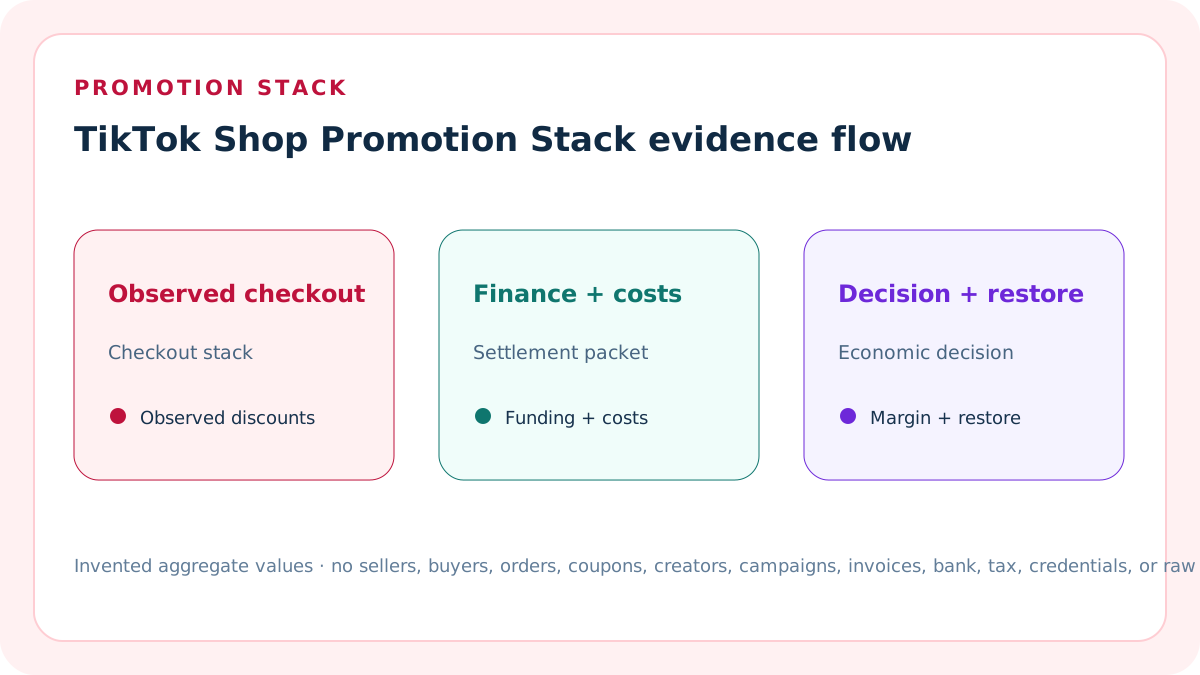
Model the observed stack, not every possible promotion
Promotion compatibility, priority, eligibility, and sequence can change by tool, event, market, product, audience, and time. Use the Promotion Simulator and completed checkout evidence to identify the stack that actually applied.
The calculator accepts observed monetary amounts. It does not predict whether a planned combination will stack.
Separate seller and platform funding
Seller product discounts, seller coupons, and seller shipping support reduce seller-funded customer price. Platform product incentives, platform coupons, points, and platform shipping support are customer-facing platform amounts.
Keep each line separate. Do not infer settlement reimbursement from the customer-facing label alone.
Reconcile the merchandise checkout
Observed customer item payment should equal original item amount minus seller product discount, seller coupon, platform product incentive, and platform coupon or points.
A nonzero item checkout gap blocks the packet because the declared stack does not explain the customer item payment.
Reconcile the shipping checkout
Listed shipping should equal buyer-paid shipping plus platform shipping support plus seller shipping support.
A nonzero shipping gap blocks the packet. Keep customer-facing shipping funding separate from the actual logistics charge and Finance settlement.
Apply seller coupon evidence carefully
Seller coupons are seller-funded and can have audience, minimum-spend, product, claim, validity, quantity, and one-coupon-per-order controls.
Enter only the seller coupon that actually applied. Do not add multiple seller coupons simply because several were available.
Apply platform incentives as observed amounts
Platform-funded product incentives, coupons, points, Buy More Save More, or shipping support can have different stacking behavior and sequence.
Use completed checkout evidence or the Promotion Simulator. Do not force all available platform promotions into one synthetic order.
Record retained platform funding separately
A customer-facing platform discount does not prove the same amount was retained by the seller. Enter only a verified settlement or Finance promotion credit.
Platform funding credit can differ from visible platform discounts because of program mode, fee, offset, eligibility, timing, or settlement treatment.
Record promotion fees and offsets separately
Smart Promotion fees, campaign service fees, co-funded program charges, or settlement offsets are seller costs when verified in the modeled packet.
Do not subtract a visible customer discount as a fee unless the settlement statement shows the corresponding seller expense.
Calculate seller-funded customer discount
Seller-funded customer discount equals seller product discount plus seller coupon plus seller shipping support.
This exposes the customer-price support borne by the shop before referral fees, creator commission, advertising, fulfillment, product cost, returns, and other costs.
Calculate platform-facing support
Platform-facing support equals platform product incentive plus platform coupon or points plus platform shipping support.
This is a checkout measure. It is not automatically seller revenue, payout, contribution, or a guaranteed future benefit.
Calculate retained seller revenue
Retained seller revenue equals observed customer item payment plus buyer-paid shipping plus verified platform promotion credit minus promotion fee or settlement offset.
Tax and unsupported platform amounts remain excluded. Verify whether a fee is already included elsewhere before subtracting it.
Calculate contribution after the full stack
Contribution equals retained seller revenue minus platform fees, creator commission, ads, shipping or fulfillment, product cost, return reserve, and other variable cost.
Contribution margin uses retained seller revenue as the denominator and remains distinct from GMV, Ads Manager gross revenue, payout, or accounting income.
Use an organic campaign example
The invented organic packet starts at USD 100, applies USD 10 seller product discount, USD 5 seller coupon, USD 10 platform product incentive, USD 5 platform coupon, and USD 5 platform shipping support.
Customer item payment is USD 70. A verified USD 20 platform promotion credit less USD 1 fee produces USD 89 retained seller revenue and USD 34 contribution.
Use a creator-led example
The invented creator packet starts at USD 100, applies USD 15 seller product discount, USD 5 seller coupon, USD 5 platform product incentive, and USD 3 seller shipping support plus USD 2 platform shipping support.
Customer item payment is USD 75. USD 7 verified platform credit less USD 1 fee, plus creator commission and ads, produces USD 81 retained seller revenue and USD 14 contribution.
Set a seller-owned margin target
The default fixture uses a 15% contribution-margin target so both structurally complete examples are Ready while still showing materially different creator-led economics.
The target is not a TikTok rule. Set it from seller costs, cash needs, return variance, campaign goals, and escalation authority.
Use a checkout reconciliation tolerance
The default fixture permits one cent of item or shipping reconciliation difference for rounding.
Increase tolerance only with a documented currency, tax, allocation, or rounding reason. Do not use tolerance to hide an unexplained promotion.
Treat campaign service fees as distinct
Eligible campaign service fees can use a campaign-specific rate and base. Enter the settled amount in the promotion fee or offset field and preserve the rate source separately.
Do not reuse one campaign fee rate across every campaign, order, product, market, or effective period.
Keep creator commission distinct
Creator commission is not a seller coupon, platform incentive, ad cost, or campaign service fee. Enter the settled creator commission separately for creator-attributed orders.
Verify actual paid-price, refund, protected-rate, attribution, and settlement evidence rather than estimating commission from the original list price.
Keep advertising distinct
Shop Ads cost belongs in the advertising line. Gross Revenue and ROAS definitions do not replace retained seller contribution.
Use the declared attribution and refund-maturity window, and preserve the difference between attributed performance and incremental profit.
Carry a matured return reserve
Enter a separate return reserve based on a declared, matured cohort and cost packet.
Do not treat Refund GMV, return rate, or NBFR as the same line without a documented conversion to seller economic loss.
Block incomplete stack evidence
Block missing market, currency, labels, positive original amount, valid discounts, item or shipping checkout gaps, unconfirmed configuration, insufficient context, ownership, backup, stop rule, or restoration.
A strong contribution result cannot repair a stack that did not actually apply.
Use Review for a margin miss
Review means the observed stack and settlement calculate but contribution margin is below the seller-entered target.
Review is not an instruction to cancel a campaign, remove a creator, change price, or withdraw from a program. Identify the driving seller discount, fee, commission, ad, fulfillment, cost, or return line.
Interpret Ready narrowly
Ready means two entered packets reconcile under the observed checkout, Finance settlement, contribution target, and evidence controls.
It does not prove promotion eligibility, stack compatibility in a future order, reimbursement, payout, incrementality, conversion lift, profit, or authority to change a campaign.
Protect private promotion data
Use invented examples or approved aggregates. The calculator does not connect to TikTok Shop or upload seller, buyer, order, coupon, creator, campaign, invoice, bank, tax, credential, or raw export data.
Never publish buyer coupon use, creator contracts, order IDs, campaign IDs, settlement screenshots, or other identifiable records.
Version and reconcile the promotion packet
Record prior value, new value, reason, promotion simulator result, completed checkout, Finance lines, campaign, owner, reviewer, expected effect, actual effect, backup, stop rule, and restoration result.
A promotion, stack, fee, commission, ad, price, fulfillment, return, target, or formula change opens a new packet.
Release the complete cluster
Index the working calculator and ten dedicated guides together only after source, functionality, content, originality, image, accessibility, test, backup, release-mode, deployment, purge, and live-verification gates pass.
Search signals are measurements after release, not a publication prerequisite. Ordered release and rollback safety still control production mutation.
Reject coercive numeric input
Amounts and thresholds accept plain finite decimals only. Currency suffixes, exponent notation, infinity, and hidden text are structural errors rather than values to coerce.
This prevents an imported cell such as 100usd or 1e2 from silently changing checkout identity, retained revenue, contribution, or threshold status.
Validate source and policy dates
Record a real YYYY-MM-DD source review date and seller promotion-policy effective date. The seller policy date cannot be later than the source review supporting it.
An impossible calendar date blocks the packet. Recheck the official stack rule, program version, fee terms, and settlement definitions when an effective date changes.
Require nine confirmations
The packet requires affirmative controls for synthetic aggregates, current stacking rules and simulator, completed checkout priority, Finance maturity, program version, full costs, refund grain, independent review, and restoration authority.
A missing confirmation is structural and cannot be repaired by a favorable modeled contribution.
Separate simulator from completed checkout
The Promotion Simulator is the current official way to inspect compatibility and priority before launch. The completed checkout records what actually applied for the modeled order.
Preserve both timestamps and versions. A simulator result alone does not prove customer payment, settlement funding, fee, commission, refund, or payout.
Separate checkout priority from Finance settlement
Customer-facing seller and platform discounts explain the checkout price. Matured Finance records prove retained platform funding, seller discount treatment, fees, affiliate commission, and promotion adjustments.
Do not map a visible platform incentive directly to seller-retained revenue without the settlement line and its order grain.
Version Smart Promotion and funded programs
Program names, eligibility, participation, discount modes, fees, campaign relationships, and stack rules can change. Save the market, source access date, effective date, and entered program state.
The calculator does not determine eligibility or program performance. It evaluates only a seller-entered observed packet after current source review.
Use the settlement report's economic layers
The official report separates net sales, shipping, fees, adjustments, settlement amount, reserve, and payout. Seller discount, affiliate commission, and promotion adjustment have their own meanings.
Map each observed line to the calculator once. Keep reserve and payout outside contribution unless the declared economic contract explicitly reconciles those later layers.
Quarantine structural outputs
When any structural control fails, sixteen scenario-derived values and the cross-scenario contribution difference display Unavailable.
Labels, equations, confirmation coverage, evidence dates, contribution target, conflicts, and repair diagnostics remain visible so reviewers can correct the packet without trusting contaminated economics.
Keep promotional claims compliant
Purchase-based incentives and promotional content must match current policy and the registered Seller Center promotion. A modeled discount does not authorize an off-platform promise or unsupported scarcity, savings, or outcome claim.
Preserve the approved product, audience, time window, terms, and content evidence separately from the financial model.
Keep campaign authority human-only
Ready does not authorize a price, coupon, promotion, creator, commission, advertising, fulfillment, or customer change.
The accepted packet names the owner, independent reviewer, protected backup, stop rule, tested restoration, and human-only action boundary. Any production mutation remains a separate permissioned decision.
Sources and further reading
- TikTok Shop: Promotion Stacking Rules: Official promotion compatibility, priority, and Promotion Simulator guidance.
- TikTok Shop: Seller Coupons: Official seller-funded coupon, eligibility, one-coupon-per-order, sequence, scope, and management context.
- TikTok Shop: TikTok Funded Program: Official platform product, coupon, Buy More Save More, shipping, sequence, participation, and withdrawal context.
- TikTok Shop: Campaign Service Fees: Official eligible campaign scope, fee base, rate-source, platform funding, and order-level fee context.
- TikTok Shop: Smart Promotion Program: Official customer-facing discount versus settlement-fee distinction, program mode, fee, participation, and Finance context.
- TikTok Shop: Settlement Report: Official settled net sales, seller discount, fees, affiliate commission, promotion adjustment, reserve, and payout field definitions.
- TikTok Business Help: Gross Revenue for Shop Ads: Official customer-payment, platform-price-discount, tax, GMV, gross-revenue, and ROAS definitions.
- Seller Profit Guard methodology: Evidence, privacy, deterministic calculation, release, monitoring, and restoration controls.
Related Seller Profit Guard tools
- TikTok Shop Shipping Subsidy Calculator: Reconcile shipping funding outside the item-promotion stack.
- TikTok Shop Ads CPA Calculator: Convert retained contribution into an ad limit.
- TikTok Shop Fee Reference Calculator: Reconcile fee and creator commission lines.
- TikTok Shop GMV vs Profit Calculator: Bridge the accepted stack into retained contribution.
- Methodology: Review evidence, privacy, validation, release, monitoring, and restoration.
- Data Privacy: Protect seller, buyer, order, coupon, creator, campaign, invoice, and raw export data.
- How do you calculate a TikTok Shop promotion stack?: Reconcile customer item payment to original item amount less seller product discount, seller coupon, platform incentive, and platform coupon. Reconcile listed shipping to buyer, platform, and seller funding. Then add only verified platform settlement credits, subtract promotion fees and every seller cost, and calculate retained contribution.
- What is the contribution after an organic TikTok Shop promotion stack?: In the invented organic packet, USD 30 of seller and platform item discounts reduce USD 100 to USD 70 customer item payment. Platform shipping support covers USD 5. A verified USD 20 platform promotion credit less USD 1 fee produces USD 89 retained revenue and USD 34 contribution.
- How does a creator-led TikTok Shop promotion stack change margin?: In the invented creator packet, customer item payment is USD 75 after USD 20 seller and USD 5 platform item discounts. Shipping support is split USD 2 platform and USD 3 seller. USD 7 platform credit less USD 1 fee, plus USD 10 commission and USD 8 ads, leaves USD 14 contribution.
- What makes a TikTok Shop promotion stack calculation wrong?: Common errors include assuming every available promotion stacks, subtracting the same discount twice, treating a customer-facing platform discount as seller expense or income, ignoring program fees, using list price for creator commission, mixing gross revenue with retained revenue, omitting refunds, and failing to preserve the completed checkout.
- Where should TikTok Shop promotion stack inputs come from?: Use the current Promotion Simulator and promotion settings for compatibility; completed checkout for discounts and customer payment; Finance for retained platform credits, fees, and offsets; Affiliate Center for creator commission; Ads reporting and Finance for ad cost; fulfillment records for shipping; and seller ledgers for product and return cost.
- When should a TikTok Shop promotion stack be blocked or reviewed?: Block when the declared item or shipping stack does not reconcile, settlement evidence is incomplete, costs are invalid, or ownership and restoration are missing. Review a complete packet when contribution margin misses the seller target. Ready only means the entered observed stack passes those controls; it does not prove future eligibility.
- How should organic and creator-led TikTok Shop promotions be compared?: Hold original item amount, listed shipping, currency, period, fulfillment, product cost, return reserve, and definitions constant. Isolate seller and platform discounts, retained platform funding, promotion fees, creator commission, and ads. Compare retained revenue and contribution, then identify the line that actually drives the decision.
- How often should a TikTok Shop promotion stack be reconciled?: Review active promotion rules before launch, preserve a Promotion Simulator result, and reconcile completed checkout with Finance, Affiliate Center, ads, fulfillment, and matured refund evidence after settlement. Segment by campaign, product, creator, audience, and period; log owners, exceptions, variance, stop rules, and restoration tests.
- What does a TikTok Shop promotion stack result prove?: It proves only that entered checkout discounts, shipping funding, settlement credits and fees, commission, ads, seller costs, thresholds, and evidence controls reconcile under the displayed formula. It does not prove future stacking, eligibility, reimbursement, payout, incremental sales, conversion lift, accounting profit, tax treatment, or campaign authority.
- What belongs in a TikTok Shop promotion stack audit?: Record market, campaign, product, audience, period, original amount, every seller and platform discount, customer payment, shipping funding, platform settlement credit, promotion fee, platform fees, creator commission, ads, fulfillment, product cost, return reserve, target, sources, owner, reviewer, conflicts, prior result, backup, stop rule, variance, and restoration.
- How do you reconcile a TikTok Shop payout?: Rebuild the statement from gross sales less refunds and seller discounts, plus discount refunds and retained shipping, less verified fees, plus net adjustments and reserve releases, less new reserves. Compare that result with the observed statement, then compare initiated payout less failed amounts with the bank receipt.
- How does a weekly TikTok Shop payout reconcile?: In the invented weekly packet, USD 100 gross sales less USD 10 refund and USD 5 seller discount, plus USD 5 shipping, less USD 9 total fees, plus USD 2 adjustment credit, produces USD 83 expected settlement. The observed statement, initiated payout, and bank receipt are each USD 83.
Use the interactive tool
Enable JavaScript to open the calculator and process browser-local inputs. The explanatory content and source links remain available without JavaScript.
Related guide: Define the observed checkout stack, settlement funding, full seller cost packet, margin target, evidence, and restoration.
This tool provides operating estimates, not tax, accounting, legal, financial, or marketplace-policy advice. Verify current official sources and your own records before changing prices or operations.