Seller Profit Guard · How it works · CSV privacy
TikTok LIVE shopping margin calculator
Compare owned and creator-hosted LIVE contribution per retained order after observed deal price, seller coupon, platform funding, commission, allocated ads, samples, giveaways, host and production cost, platform fees, fulfillment, product cost, and returns.
Maintained by Seller Profit Guard Editorial Team. Last reviewed: 2026-07-29.
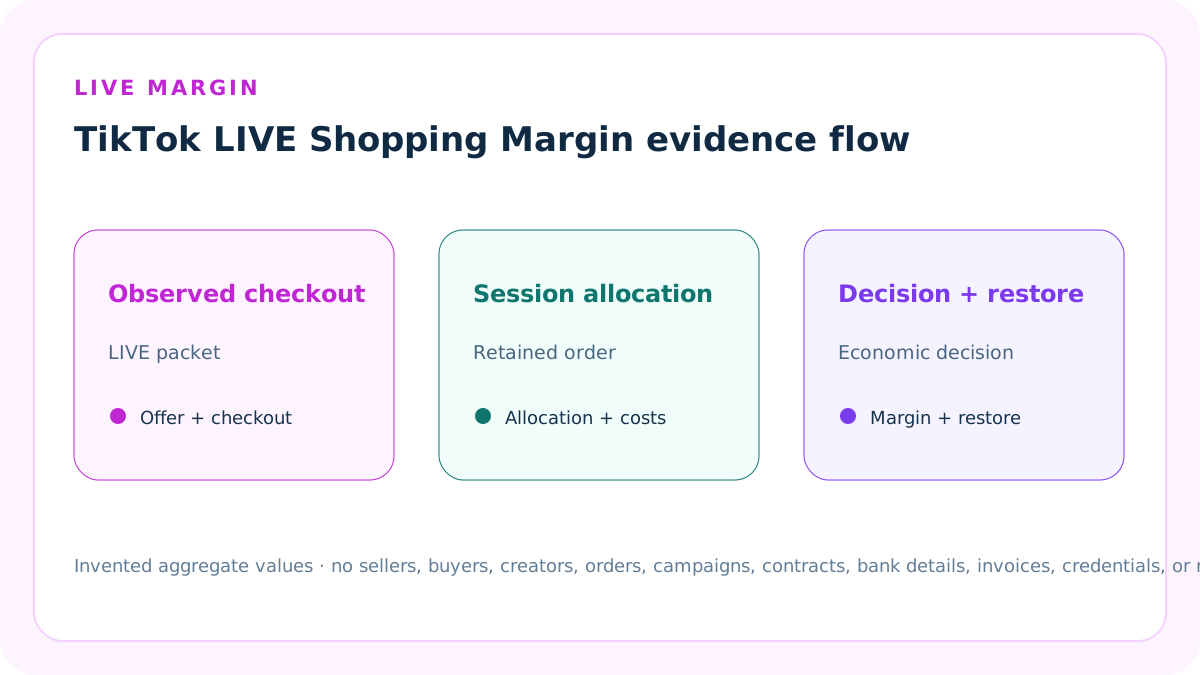
Model a retained LIVE order
Use one product, market, currency, LIVE session, promotion window, and retained-order cohort. Keep owned and creator-hosted streams as separate scenarios.
The calculator works at retained-order contribution grain and does not claim that attributed LIVE orders are incremental.
Reconcile the LIVE checkout
Customer item payment should equal original item amount minus seller LIVE deal discount, seller LIVE coupon, and platform product incentive.
Enter the observed completed checkout. Do not stack every available LIVE promotion simply because it appeared in Seller Center or LIVE Manager.
Separate seller and platform funding
Seller LIVE deal and seller coupon are seller-funded customer-price support. Platform incentive is a customer-facing platform amount.
Enter seller-retained platform funding only when Finance shows a verified credit; do not automatically copy the visible platform discount.
Record buyer shipping separately
Buyer-paid shipping can increase retained revenue, while actual shipping or fulfillment belongs in cost.
Platform or seller shipping discounts, logistics credits, and shipping charges require a dedicated shipping reconciliation if they are material.
Allocate advertising by retained orders
Allocated ad cost per retained order equals the declared LIVE ad cost divided by retained orders in the same mature cohort.
Use the accepted attribution window and refund cutoff. Gross revenue divided by cost is a reporting ROAS, not retained contribution.
Allocate samples by retained orders
Allocate seller-funded product and shipping sample cost to the declared retained-order cohort when the samples supported that LIVE program.
Do not expense a creator-paid or platform-funded sample as seller cost, and do not hide sample value inside product cost.
Allocate giveaways by retained orders
Allocate product, shipping, handling, and other seller-funded giveaway cost that belongs to the stream.
Engagement metrics do not establish the economic value of a giveaway. Preserve prize quantity, funding source, fulfillment, and attribution separately.
Allocate host and production cost
Host fee, producer time, moderator, studio, equipment rental, software, and other session-specific costs can be allocated across retained LIVE orders.
Do not treat owner time as zero unless that is an explicit seller assumption.
Keep creator commission per order
Creator commission belongs in the creator-hosted packet at the actual settled order grain and paid-price basis.
Do not combine commission with seller discount, LIVE ad cost, platform fee, sample, giveaway, or host fee.
Keep platform fees separate
Use the settled referral and other platform fees for the modeled retained order.
A generic rate assumption is a planning input, not proof of the invoice or Finance debit.
Carry fulfillment and product cost
Subtract actual shipping or fulfillment, packaging and handling allocation, and product cost from retained revenue.
Use the same product and fulfillment basis when comparing owned and creator-hosted sessions.
Carry a matured return reserve
Subtract seller economic loss per retained order from a declared mature LIVE cohort or a clearly labeled planning assumption.
Refund GMV, NBFR, return rate, and seller economic loss are different measures.
Calculate retained LIVE revenue
Retained LIVE revenue equals customer item payment plus buyer-paid shipping plus verified platform funding credit.
It excludes sales tax and unverified display discounts, and remains distinct from GMV, gross revenue, payout, and accounting income.
Calculate LIVE activation cost
Activation cost per retained order equals LIVE ads, samples, giveaways, and host or production total divided by retained orders.
A zero denominator blocks the packet. Keep the total and allocation grain visible.
Calculate contribution per retained order
Contribution equals retained revenue minus platform fees, creator commission, allocated activation cost, fulfillment, product cost, return reserve, and other variable cost.
Contribution margin divides contribution by retained revenue.
Use an owned LIVE example
The invented owned stream sells a USD 65 item for USD 55 customer payment after seller and platform promotions, retains a USD 2 platform credit, and allocates USD 220 of activation costs across 50 retained orders.
After fees, fulfillment, product cost, and reserve, contribution is USD 27.60 per retained order.
Use a creator-hosted example
The invented creator stream also collects USD 55 but uses a larger seller LIVE discount, USD 8 commission per retained order, and USD 480 of activation costs allocated across 40 retained orders.
After all entered costs, contribution is USD 10.00 per retained order.
Set a seller-owned margin target
The default 15% contribution-margin target lets both complete fixtures reach narrow Ready while exposing the lower creator-hosted headroom.
The target is not a TikTok rule. Set it from cash needs, variance, product risk, creator agreement, and escalation authority.
Use checkout tolerance narrowly
The default one-cent tolerance covers documented allocation or rounding differences in the item checkout.
Do not widen it to hide an impossible LIVE stack or an unexplained customer payment.
Treat LIVE promotions as versioned
LIVE Flash Sales, Creator deals, coupons, giveaways, exclusive prices, platform incentives, inventory rules, and stacking behavior can vary by market and effective date.
Preserve the current rule and observed session packet; never generalize one old stream across future sessions.
Treat LIVE Ads reporting carefully
LIVE Shopping Ads metrics describe attributed delivery, views, cost, gross revenue, and ROAS under platform definitions.
They do not prove retained margin, causality, creator quality, organic lift, or incremental profit.
Block incomplete evidence
Block missing currency, labels, retained-order denominators, valid costs, checkout reconciliation, configuration confirmation, source period, ownership, backup, stop rule, or restoration.
A high attributed GMV cannot repair an invalid or undocumented packet.
Use Review for a margin miss
Review means the structure reconciles but one scenario falls below the seller-entered contribution-margin target.
Identify the seller discount, commission, ads, samples, giveaway, host cost, fee, fulfillment, product cost, return, or other driver before changing the stream.
Interpret Ready narrowly
Ready means two entered retained-order packets reconcile under the checkout, allocation, margin, and evidence controls.
It does not prove promotion eligibility, future sales, payout, incrementality, creator performance, advertising scalability, accounting profit, or authority to launch a LIVE.
Protect seller and creator data
Use invented examples or approved aggregates. Do not publish creator identities, contracts, commission terms, audience data, order rows, campaign IDs, bank details, invoices, credentials, or raw exports.
The browser-local calculator does not connect to TikTok Shop, LIVE Manager, Ads Manager, Finance, a bank, or an accounting system.
Version and restore the LIVE packet
Record prior values, new values, reason, source versions, session window, owner, reviewer, expected effect, actual effect, variance, backup, stop rule, and restoration result.
A promotion, creator, commission, ads, sample, giveaway, host, cost, return, target, or formula change opens a new version.
Reject coercive numeric inputs
Money, order counts, target, and tolerance accept only plain decimals within the supported range. Unit-suffixed strings, scientific notation, infinity, and partial parses are structurally blocked.
Retained orders must also be a positive safe whole number because fractional completed orders corrupt every session-cost allocation.
Require real evidence dates
Record a real LIVE source-review date and a seller LIVE economics policy effective date. The seller policy cannot postdate the source evidence it claims to interpret.
Dates version promotion, stacking, inventory, ads, commission, return, and allocation rules; they do not prove a future session outcome.
Require nine shared confirmations
Ready requires aggregate-only packets, current promotion and stacking rules, completed checkout, mature Finance funding and commission, accepted ad attribution, mature retained orders, complete activation allocation, independent review, and restoration authority.
A calculated high margin with eight confirmations is Block because one unsupported layer can reverse the conclusion.
Use current LIVE promotion rules
LIVE Flash Deals and Creator LIVE Deals have channel, price, SKU, inventory, time, and purchase-limit rules; current guidance also documents platform-incentive stacking sequence.
Model only the observed completed checkout and separately verified settlement credit. Do not infer eligibility or stack compatibility from a marketing label.
Distinguish LIVE GMV Max
Current TikTok Shop Ads creation has migrated toward GMV Max, while some legacy LIVE Shopping Ads surfaces remain. Their setup, placement, attribution, and reporting definitions differ.
Record the actual campaign type and attribution window. Never merge legacy shop-level reporting with liveroom-level LIVE GMV Max reporting.
Separate attributed gross revenue
Ads reporting gross revenue is customer payment minus sales tax plus platform price discount; it is not seller-retained revenue or contribution.
Use observed ad cost for allocation and use Finance for retained funding, fees, commission, and settlement evidence.
Mature the retained-order denominator
Allocate session totals only across orders that share the declared LIVE, attribution, refund, and return cutoffs. Placed orders, attributed events, completed checkout, paid orders, and retained orders are not interchangeable.
Record at least the declared evidence duration and reopen the packet when later refunds or responsibility changes mature.
Quarantine structural Block outputs
When numbers, dates, confirmations, checkout, denominator, scope, privacy, ownership, or restoration controls fail, 17 scenario outputs display Unavailable.
Equations, evidence dates, confirmation coverage, issues, and repair instructions remain visible without encouraging reliance on incomplete economics.
Separate labor and creator economics
Samples, giveaways, host labor, producer and moderator time, studio, software, and creator commission are different seller costs with different owners and allocation evidence.
A creator-hosted session can have more reach yet lower retained-order contribution; the tool does not score creator quality or audience value.
Keep action authority human-only
The calculator does not create or stop a LIVE, deal, coupon, giveaway, affiliate plan, inventory lock, ad campaign, creator agreement, refund, or customer action.
Any change requires an authorized human, preserved source packet, independent review, stop condition, and tested restoration path.
Release the complete cluster
Index the working calculator and ten dedicated guides together only after source, functionality, content, originality, image, accessibility, test, backup, release-mode, deployment, purge, and live-verification gates pass.
Search signals are measurements after release, not a publication prerequisite. Ordered release and rollback safety still control production mutation.
Sources and further reading
- TikTok Shop: LIVE Promotions Tools: Official seller and creator LIVE flash sale, coupon, giveaway, exclusive-price, inventory, urgency, and promotion context.
- TikTok Shop: LIVE Flash Sale for Creators: Official creator and marketing-account LIVE flash sale, co-funded deal, inventory, purchase-limit, and management context.
- TikTok Shop: Creator Exclusive Price: Official creator scope, deal price, SKU, date, purchase-limit, shared-inventory, and publishing context.
- TikTok Shop: LIVE Coupon: Official seller-created LIVE coupon, validity, product scope, minimum-spend, quota, and claim context.
- TikTok Shop: TikTok Funded Program: Official LIVE flash-sale stacking sequence and platform-funded product, coupon, shipping, and participation context.
- TikTok Ads: LIVE Shopping Ads Metrics: Official LIVE Shopping Ads, LIVE view, gross-revenue, cost, ROAS, and campaign reporting context.
- TikTok Ads: GMV Max Migration: Official 2026 migration from legacy LIVE Shopping Ads toward LIVE GMV Max and current campaign-creation boundaries.
- TikTok Ads: LIVE Shopping Ads vs LIVE GMV Max: Official setup, reporting, placement, attribution, and gross-revenue differences between legacy LIVE Shopping Ads and LIVE GMV Max.
- TikTok Ads: Gross Revenue for Shop Ads: Official customer-payment, platform-discount, tax, GMV, gross-revenue, and ROAS definitions.
- Seller Profit Guard methodology: Evidence, privacy, deterministic calculation, release, monitoring, and restoration controls.
Related Seller Profit Guard tools
- TikTok Shop Promotion Stack Calculator: Reconcile observed LIVE deal, coupon, and platform support before allocating stream costs.
- TikTok Shop Ads CPA Calculator: Convert retained contribution into an advertising limit.
- TikTok Shop Fee Reference Calculator: Reconcile platform and creator commission lines.
- TikTok Shop Return Reserve Calculator: Build a mature retained-order loss assumption.
- Methodology: Review evidence, privacy, validation, release, monitoring, and restoration.
- Data Privacy: Protect seller, buyer, creator, order, campaign, contract, bank, invoice, and raw export data.
- How do you calculate TikTok LIVE shopping margin?: Reconcile customer payment to original item amount less seller LIVE deal, seller coupon, and platform incentive. Add buyer shipping and only verified platform settlement funding. Then subtract platform fees, creator commission, ads, samples, giveaways, host and production allocation, fulfillment, product cost, return reserve, and other variable cost per retained order.
- What is the margin on an owned TikTok LIVE stream?: In the invented owned stream, USD 65 original item amount becomes USD 55 customer payment after seller and platform promotions. A USD 2 verified platform credit produces USD 57 retained revenue. Allocating USD 220 of ads, samples, giveaway, and production across 50 retained orders leaves USD 27.60 contribution per retained order.
- What is the margin on a creator-hosted TikTok LIVE?: In the invented creator-hosted stream, USD 65 original item amount becomes USD 55 customer payment after a USD 8 deal and USD 2 coupon. USD 8 creator commission and USD 480 of activation costs allocated across 40 retained orders leave USD 10 contribution per retained order after all entered costs.
- What makes a TikTok LIVE margin calculation wrong?: Common errors include forcing every LIVE promotion into one checkout, dividing session cost by placed rather than retained orders, omitting creator commission, samples, giveaways, or host time, copying platform discounts into settlement funding, using attributed gross revenue as retained revenue, ignoring refunds, and claiming an observed stream caused incremental profit.
- Where should TikTok LIVE margin inputs come from?: Use current LIVE Manager and promotion records for observed deal configuration; completed checkout for customer payment; Finance for retained funding, fees, and commission; Ads reporting and Finance for ad cost; sample, giveaway, host, and production ledgers for session allocation; fulfillment records for delivery cost; and matured cohorts for returns.
- When should a TikTok LIVE margin packet be blocked or reviewed?: Block when checkout, retained-order denominator, allocation, cost, configuration, source, owner, or restoration evidence is invalid. Review a complete packet when contribution margin misses the seller target. Ready only means the entered observed stream passes those controls; it does not prove promotion eligibility, future sales, creator performance, payout, or incrementality.
- How should owned and creator-hosted TikTok LIVEs be compared?: Hold product, original item amount, currency, retained-order definition, fulfillment, product cost, return reserve, and formulas constant. Isolate seller discount, platform funding, creator commission, attributed ads, samples, giveaways, host and production cost, and retained-order count. Compare allocated activation cost, retained revenue, contribution, margin, and evidence maturity.
- How often should TikTok LIVE margin be reviewed?: Create a pre-LIVE packet, preserve the observed promotion and session setup, then reconcile completed checkout, Finance, commission, ads, samples, giveaways, host and production costs, fulfillment, and matured returns after the cohort closes. Segment by stream, creator, product, deal, and period; log owners, variance, stop rules, and restoration.
- What does a TikTok LIVE shopping margin result prove?: It proves only that entered checkout, settlement funding, commission, session-cost allocations, fulfillment, product cost, return reserve, target, and evidence controls reconcile under the displayed formula. It does not prove promotion eligibility, future sales, payout, incrementality, creator quality, ad scalability, audience value, accounting profit, tax treatment, or LIVE authority.
- What belongs in a TikTok LIVE margin audit?: Record market, currency, stream, creator scope, product, promotion window, original amount, deal, coupon, platform incentive, customer payment, shipping, verified platform funding, fees, commission, retained orders, ads, samples, giveaway, host and production, fulfillment, product cost, return reserve, target, sources, owner, reviewer, conflicts, backup, stop rule, variance, and restoration.
- How do you calculate break-even ROAS for TikTok GMV Max?: Reconcile reported Gross Revenue to customer payment after sales tax plus platform price discount. Build retained revenue from customer payment and verified settlement credit, subtract seller costs to get contribution before ads, then divide Gross Revenue by break-even or target ad capacity. Keep platform attribution and seller economics separate.
- What is a TikTok GMV Max catalog break-even example?: An invented catalog packet reports USD 1,100 Gross Revenue and retains USD 1,080. After USD 630 non-ad costs, contribution before ads is USD 450. A 15% target leaves USD 288 target ad spend and a 3.82× target Gross Revenue ROAS; USD 250 observed cost remains Ready.
Use the interactive tool
Enable JavaScript to open the calculator and process browser-local inputs. The explanatory content and source links remain available without JavaScript.
Related guide: Define checkout, retained orders, allocated LIVE costs, contribution target, evidence, and restoration.
This tool provides operating estimates, not tax, accounting, legal, financial, or marketplace-policy advice. Verify current official sources and your own records before changing prices or operations.