Seller Profit Guard · How it works · CSV privacy
Shopify payment vs transaction fee calculator
Compare one invented order through Shopify Payments and a third-party provider while keeping payment-processing fees separate from Shopify third-party transaction fees. Enter seller-verified percentage and fixed rates, plan and market context, and a combined-fee threshold. The browser-local result shows each component and difference without reading transactions or recommending a provider.
Maintained by Seller Profit Guard Editorial Team. Last reviewed: 2026-07-29.
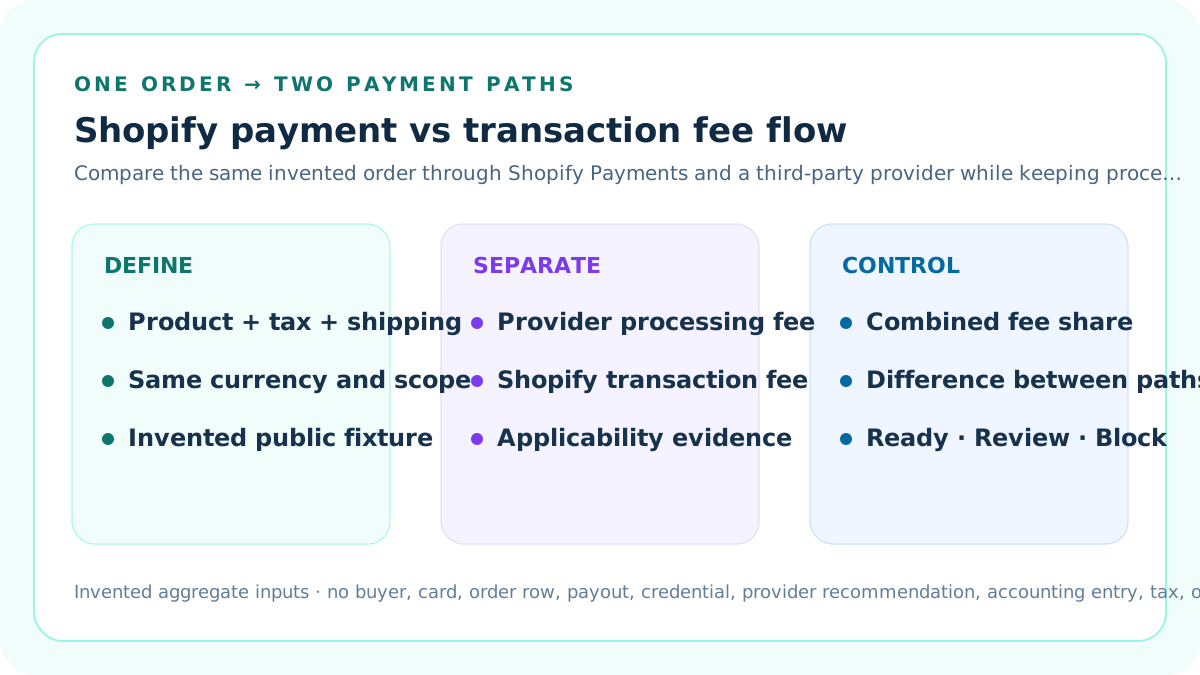
Define the comparison's narrow job
This calculator separates two fee components for the same invented order: the payment-processing fee charged by the selected provider and the Shopify third-party transaction fee that can apply to a third-party payment path.
It compares Shopify Payments as the sole provider with one direct or external third-party provider. It does not include plan subscription cost, app charges, product cost, shipping expense, ads, returns, profit, tax on fees, or payouts.
Separate the tool from the broader Shopify fee reference
The existing Shopify plan and fee reference combines editable plan, app, payment, and optional gateway assumptions into one order-level stack. This page isolates payment-routing components and places two paths side by side.
Use the reference for a broad screen; use this calculator when the processing fee and Shopify transaction fee must remain separately visible.
Use one invented order base
Enter product amount after discounts, tax, and buyer-paid shipping for one invented order. The tool adds those values into a charged-amount comparison base.
Never enter a real buyer, order number, payment reference, address, email, card, payout, dispute, credential, bank record, or private transaction export.
Preserve Shopify's transaction-fee base
Shopify documents the third-party transaction-fee formula for a 30-day period as product cost after discounts plus tax and shipping, multiplied by the plan-dependent rate.
The tool uses the same three entered components for its transaction-fee base. Verify current applicability, exemptions, plan, market, payment method, and bill evidence.
Preserve the provider processing base
The payment provider can define its own processing percentage, fixed amount, card class, market, cross-border surcharge, currency treatment, tax, minimum, and rounding behavior.
This worksheet applies one seller-entered percentage and fixed amount to the same charged amount for a controlled comparison. It is not a provider contract parser.
Model Shopify Payments as the sole provider
Scenario A must explicitly identify Shopify Payments as the sole provider and use a zero Shopify third-party transaction percentage.
Shopify states that when Shopify Payments is the sole payment provider, orders processed through it do not incur third-party transaction fees; the payment-processing credit-card rate still applies.
Model a third-party provider path
Scenario B identifies one direct or external third-party provider, its processing percentage and fixed amount, and the Shopify third-party transaction percentage for the seller's plan and market.
The combined fee is the provider processing fee plus Shopify's third-party transaction fee. Both inputs remain editable because they are not universal.
Do not hard-code current rates
The default percentages are invented fixtures for formula QA. Current Shopify Payments rates depend on plan and market, and provider processing terms depend on the provider contract and transaction context.
Verify the authorized store's current rates in Settings > Payments and the third-party provider's current contract before using a result.
Calculate the payment-processing component
Payment-processing fee equals the entered charged amount multiplied by the provider processing percentage plus the entered fixed amount.
The formula does not include additional international, premium-card, currency, assessment, tax, dispute, refund, chargeback, minimum, or payout fees unless the seller has incorporated them into a separate reviewed scenario.
Calculate the Shopify transaction component
Shopify third-party transaction fee equals product amount after discounts plus tax and shipping, multiplied by the entered Shopify transaction rate.
The calculator keeps this value at zero for the sole-Shopify-Payments fixture and positive for the declared third-party fixture.
Calculate the combined result
Combined modeled fees equal payment-processing fee plus Shopify third-party transaction fee. Combined fee share equals combined fees divided by the entered charged amount.
The page reports each component and the Scenario B minus Scenario A difference so a low processor quote cannot hide the additional Shopify fee.
Work the Shopify Payments fixture
The default invented order contains USD 50 after discounts, USD 4 tax, and USD 6 shipping, for a USD 60 charged amount. Scenario A uses 2.9% plus USD 0.30 and zero third-party fee.
The result is USD 2.04 processing, USD 0 third-party transaction fee, USD 2.04 combined, or 3.40% of the entered amount.
Work the third-party provider fixture
Scenario B applies an invented 2.7% plus USD 0.25 provider processing rule and an invented 1% Shopify third-party transaction rate to the same USD 60 base.
The result is USD 1.87 provider processing plus USD 0.60 Shopify transaction fee, USD 2.47 combined, or 4.12%.
Interpret the USD 0.43 difference
The third-party fixture is USD 0.17 lower on processing but adds USD 0.60 of Shopify transaction fee, leaving a USD 0.43 higher combined estimate.
That difference belongs only to the entered rates and base. It is not a universal provider ranking or forecast.
Set a seller-planned combined-fee threshold
Enter a maximum combined fee share for review. The default 5% threshold is an editable seller policy, not a Shopify limit or payment-industry rule.
A valid scenario above the threshold receives Review. It is not automatically rejected, switched, disputed, or repriced.
Use Ready narrowly
Ready means both entered paths have valid structure, distinct provider labels, compatible currency and period, sufficient source context, no declared conflicts, and combined shares within the seller threshold.
Ready does not recommend a provider, prove availability, authorize activation, predict approval, or calculate complete economics.
Use Review for a threshold breach
Review means component formulas calculate but at least one combined share exceeds the seller-planned threshold.
Recheck rate sources, card class, market, provider contract, plan, transaction-fee applicability, fee bases, exemptions, and downstream contribution before acting.
Use Block for broken evidence
Block covers invalid order values, rates, fixed amounts, provider labels, Shopify Payments sole-provider declaration, third-party provider declaration, currency, period, context, scope, or open conflicts.
Repair the evidence and rerun rather than substituting a zero, guessed plan rate, remembered provider quote, or unrelated pricing-page number.
Recognize mixed-provider complexity
Shopify documents different treatment when Shopify Payments is used alongside a direct third-party provider. Transactions can follow different rails and fee conditions.
This two-path worksheet does not model traffic mix. Build a separate aggregate mix model only after each path's rules and order classification are verified.
Recognize exclusions and exemptions
Shopify documents contexts in which third-party transaction fees do not apply, including specified Shopify Payments methods, some manual methods, POS contexts, and other conditions that can vary.
Do not set a zero rate merely because a payment method name looks familiar. Verify current official guidance and the store's bill.
Recognize store credit and gift-card changes
Shopify documents third-party transaction-fee treatment for store credit or gift cards under specified store creation dates and payment mixes.
This simple fixture assumes one declared base and does not decide legacy-store, mixed-tender, Plus, or jurisdiction-specific treatment.
Preserve refund treatment
Shopify states that third-party transaction fees are not returned when an order is refunded. Provider processing-fee recovery can follow different terms.
The calculator is an original-charge estimate, not a refund-loss or fee-credit calculator. Model refunds in a separate, source-specific workflow.
Keep plan context visible
Shopify Payments credit-card rates and third-party transaction rates can depend on the Shopify plan. Record the exact plan and effective date in both scenario contexts.
This tool does not compare plan subscription prices or determine whether an upgrade pays back.
Keep seller market and card context visible
Processing rates can vary by market, domestic or international card, consumer or premium card, payment method, and provider configuration.
A rate from another country or card class is not evidence for the modeled order.
Keep provider type visible
Shopify distinguishes direct providers, where checkout can stay on the store, from external providers that redirect to a hosted checkout.
Provider type can affect operations and experience, but this calculator evaluates entered fee components only.
Keep currency consistent
The order components, fixed fees, and output must use one declared currency. The tool does not fetch exchange rates, convert bills, or model presentment-currency behavior.
Use a separate dated normalization rule before comparison when sources use different currencies.
Use source dates and fingerprints
Record Shopify Help review date, admin-rate snapshot, plan, market, provider contract version, fixed-fee currency, transaction-rate source, and protected evidence hashes.
A screenshot without context or an undated sales page cannot support a durable fee model.
Protect private payment data
The formula needs only invented order aggregates and seller-entered rate assumptions. Keep transaction exports, payout details, payment identifiers, card data, customer information, disputes, and credentials in authorized systems.
Public screenshots should contain no operational identifiers or private transaction values.
Assign human authority
Name the Shopify admin owner, provider-contract owner, finance reviewer, payment operations owner, stop authority, downstream margin owner, and restoration owner.
Ready cannot activate or deactivate Shopify Payments, add a gateway, change a plan, edit rates, or contact a provider.
Preserve a change log
Record the old and new rates, bases, plan, market, provider, source dates, result, threshold, reviewer, reason, affected models, deployment identifier, and monitoring date.
Do not rewrite historical comparisons when a rate or plan changes.
Run sensitivity tests
Change one rate, fixed amount, order component, card class, market, plan, or applicability assumption at a time. Preserve the source and record how component and combined fees move.
Sensitivity demonstrates which assumption drives the difference; it does not validate an unsupported assumption.
Avoid false precision
Cents make the example reconcilable, but real provider rules can contain rounding, minimums, surcharges, taxes, and exceptions not represented here.
An exact arithmetic result cannot make an incomplete contract or stale plan rate current.
Keep fee comparison separate from provider quality
Lower entered fees do not prove better approval rates, fraud handling, checkout conversion, payout speed, reserves, dispute outcomes, regional coverage, support, or operational fit.
Evaluate those questions separately with authorized evidence.
Stage downstream use
Before inserting the result into a margin model, compare it with the prior accepted component table, preserve both versions, and reconcile a protected sample against actual aggregate statements.
Stop and restore if the modeled and observed components cannot be explained.
Monitor rate and applicability changes
Rerun when the Shopify plan, seller market, card mix, payment provider, provider contract, transaction-rate rule, exemptions, refund treatment, currency, or fee base changes.
A new order alone is not a rule change.
Require strict literal inputs
Enter undecorated decimal values for order components, percentages, fixed amounts, and thresholds, and a whole number for evidence days. Values such as `2.9 percent`, `USD 0.30`, or `seven` are rejected rather than partially interpreted.
Strict parsing keeps a pasted label or unit from becoming a plausible but unintended fee. Currency and units remain visible in field labels and outputs instead of being embedded in the numeric contract.
Declare magnitude and rate bounds
Set explicit maximums for an order component, provider processing percentage, processing fixed amount, and Shopify third-party transaction percentage. The entered values must remain inside both the tool's absolute safety ceiling and the seller-declared limits.
Bounds are scenario governance, not claims about Shopify or provider maximums. A seller should choose limits that expose pasted annual totals, misplaced decimal points, or currency-unit errors before derived fees are shown.
Date and confirm the evidence contract
Record a real Shopify-and-provider source review date, a policy-effective date that is not later than that review, at least seven closed evidence days, and nine current confirmations.
The confirmations cover invented public values, same-order comparability, sole-Shopify-Payments applicability, third-party applicability, rate/base/currency integrity, bounds, counterexamples, backup and restoration, and the provider-change authority boundary.
Quarantine blocked calculations
When any structural, applicability, source, date, confirmation, scope, or conflict gate fails, the charged amount, Shopify fee base, eight scenario outputs, and signed difference all display Unavailable.
This prevents an invalid but numerically calculable fixture from being copied into a margin model. Governance inputs remain visible so the reviewer can repair the contract without treating quarantined arithmetic as an accepted result.
Release only after quality gates
Index the cluster after functionality, current sources, independent support pages, original diagrams, metadata, links, privacy, uniqueness, mobile behavior, backup, deployment, and live checks pass.
Search impressions, clicks, AEO citation, CTR, position, traffic, and revenue are measured later and are not release prerequisites.
Sources and further reading
- Shopify Help: Shopify Payments fees: Official distinction between Shopify Payments credit-card rates and third-party transaction fees, including mixed-provider context.
- Shopify Help: third-party transaction fees: Official applicability, exclusions, refund treatment, bill location, and fee-base formula.
- Shopify Help: third-party payment providers: Official direct and external provider types and third-party transaction-fee context.
- Shopify Help: viewing Shopify Payments fees: Official admin path for current Shopify Payments credit-card rates and payout fee evidence.
- Seller Profit Guard methodology: Deterministic fixtures, evidence precedence, privacy, release, monitoring, correction, and rollback controls.
Related Seller Profit Guard tools
- Shopify Plan and Fee Reference: Use the broader plan, app, payment, and gateway fee screen separately.
- Shopify Plan Fee Allocator: Allocate the fixed subscription-plan charge across aggregate cost centers.
- Marketplace Fee Anomaly Checker: Compare observed aggregate fee lines with dated rule snapshots in a separate reconciliation gate.
- Contribution Margin Calculator: Add verified fee components to product, fulfillment, and return costs downstream.
- Methodology: Review evidence, calculation, correction, release, monitoring, and rollback controls.
- Data Privacy: Keep transactions, payouts, customers, and payment data outside public fixtures.
- Shopify Payment and Transaction Fee Formula: Define the shared order base, two payment paths, provider processing rates, Shopify transaction rates, source context, thresholds, and limitations.
- Shopify Payments Fee Example Without a Third-Party Fee: Calculate processing and Shopify transaction components for a sole-Shopify-Payments path using one editable same-order fixture.
- Third-Party Shopify Payment Fee Example: Calculate a direct provider's processing fee and the additional Shopify third-party transaction component on the same invented order.
- Shopify Payment Fee Comparison Mistakes: Diagnose provider, plan, market, card, fee-base, exemption, refund, currency, source, privacy, and authority errors before choosing a payment path.
- Reliable Sources for Shopify Payment Fees: Map Shopify Payments rates, plan transaction rates, provider processing terms, order bases, exemptions, and observed checks to current primary records.
- Decision Thresholds for Shopify Payment Fees: Separate structural validity, combined-fee review, scenario choice, downstream contribution, and unsupported-provider conditions.
- Shopify Payments vs Third-Party Provider Fees: Compare both paths at the same order base, plan, market, currency, card context, source date, threshold, and component definitions.
- A Shopify Payment Fee Review Routine: Turn the calculator into a dated payment-rate review with source capture, exceptions, observed reconciliation, downstream staging, monitoring, and restoration.
- How to Interpret Shopify Payment Fee Results: Explain processing, Shopify transaction, combined amount, effective share, and difference without turning arithmetic into a provider recommendation.
- Shopify Payment Fee Audit Checklist and Change Log: Provide a standalone order-base, plan, market, provider, rate, exemption, result, approval, monitoring, and restoration record.
Use the interactive tool
Enable JavaScript to open the calculator and process browser-local inputs. The explanatory content and source links remain available without JavaScript.
Related guide: Define order bases, processing rates, Shopify transaction rates, provider contexts, sources, decisions, monitoring, and restoration.
This tool provides operating estimates, not tax, accounting, legal, financial, or marketplace-policy advice. Verify current official sources and your own records before changing prices or operations.