Seller Profit Guard · How it works · CSV privacy
Shopify multi-currency margin calculator
Compare Shopify margin under stable and adverse presentment-currency scenarios. The calculator separates customer pricing rate, rounded local price, capture-time settlement rate, payment cost, current gross-basis conversion fee, seller-absorbed duties, refund reserve, contribution margin, and Ready, Review, or Block evidence.
Maintained by Seller Profit Guard Editorial Team. Last reviewed: 2026-07-29.
Separate the three currency roles
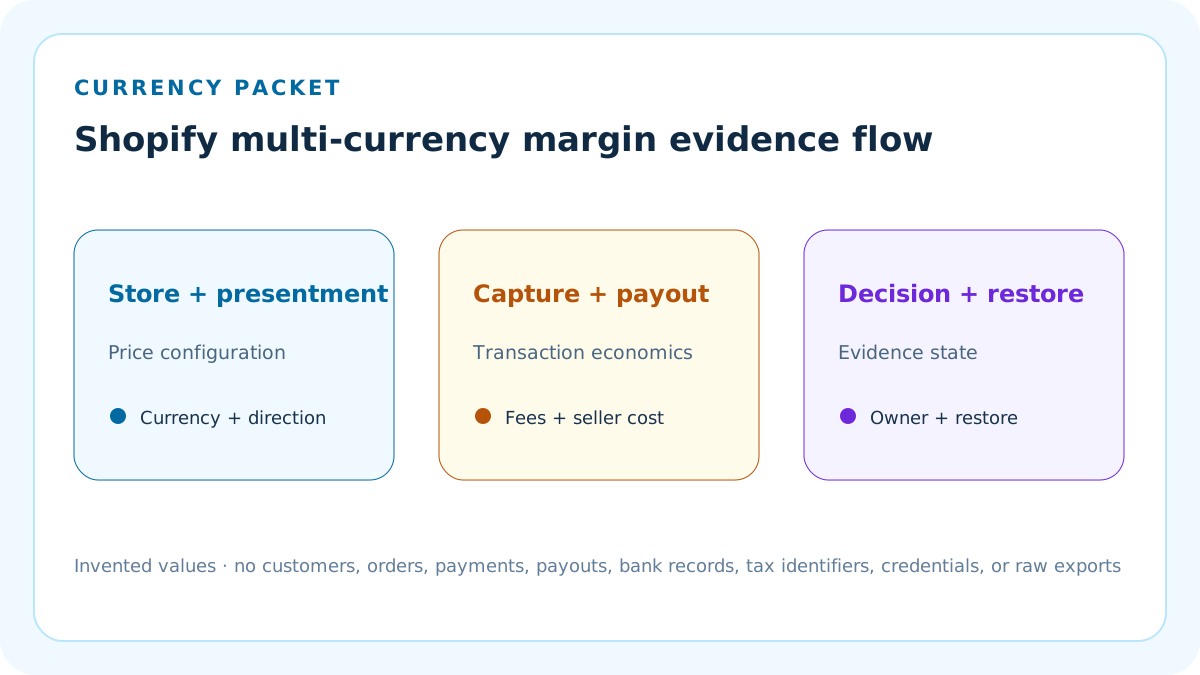
Store currency is the Shopify admin and reporting currency, presentment currency is what the customer sees and pays, and payout currency is what reaches the bank. This calculator reports contribution in the declared store currency.
Do not treat a displayed local price, converted admin estimate, captured amount, and payout deposit as interchangeable. Preserve each currency code, amount, rate direction, event time, and source.
Declare both exchange-rate directions
The market pricing rate is presentment currency per one store-currency unit. The settlement rate is store currency per one presentment-currency unit at the modeled capture event.
A reciprocal rate is not the same field with a different label. Confirm direction before entering a value; otherwise a plausible-looking output can be wrong by orders of magnitude.
Build the customer price independently
Scenario price equals base store price multiplied by the market pricing rate and one plus the seller-entered market adjustment, then rounded to the declared presentment-currency increment.
The displayed price can differ from the later store-currency equivalent because Shopify can apply automatic or manual market rates, price adjustments, international fixed prices, and rounding before capture.
Model automatic and manual pricing honestly
Automatic conversion can change local prices with market rates. A manual conversion rate can stabilize customer prices but creates seller exposure when the market and settlement rates move.
The calculator does not infer which pricing mode is active. Record the actual market configuration and do not label a fixed price as automatic or a manual rate as a guaranteed hedge.
Use the capture event for settlement
The modeled store-currency gross is the customer price multiplied by the seller-entered settlement rate for the capture event.
Authorization estimates are not captured values. Shopify documents that manually captured payments can differ when rates move between authorization and capture.
Apply the current conversion-fee basis
For Shopify Payments transactions modeled after April 6, 2026, currency-conversion fee equals gross order amount in store currency multiplied by the verified conversion-fee rate.
Do not silently use the older net-of-payment-fee formula. Preserve the transaction date and fee-method version because historical orders may use a different calculation.
Convert payment fees at one event
Payment processing is calculated in presentment currency from the customer charge and fixed fee, then translated to store currency with the same modeled settlement rate.
Verify actual fee currency and statement behavior for the store. This fixture is not a substitute for the payout transaction breakdown.
Keep product and fulfillment costs in store currency
Enter product, packaging, pick, pack, carrier, handling, and other seller costs in the declared store currency for one fulfilled order.
If a supplier or carrier invoice uses another currency, normalize it separately with its own dated evidence before entering the cost. Do not reuse the customer pricing rate.
Model duties as seller cost only when applicable
Enter only duties, import taxes, brokerage, or disbursement amounts the seller expects to absorb for the modeled incoterm and destination.
DDP and DAP allocate responsibility differently. Checkout duty calculations are estimates, brokerage can be excluded, and tax recovery after a refund can vary by jurisdiction.
Use a refund reserve without inventing recovery
Refund reserve equals modeled store-currency gross multiplied by the seller-entered refund-loss percentage. It is a planning reserve for timing and conversion risk, not a forecast.
A refund can use the rate at the refund transaction time, and remitted import taxes might not be recoverable. Do not assume the original captured store-currency amount returns intact.
Calculate the stable-pair fixture
The invented USD-to-EUR stable scenario starts with USD 100, a 0.92 EUR-per-USD pricing rate, a 2% adjustment, EUR 0.01 rounding, and a 1.08 USD-per-EUR settlement rate.
The displayed price is EUR 93.84. With 2.9% plus EUR 0.30 payment cost, 1.5% conversion fee, USD 35 product cost, USD 8 fulfillment, USD 4 duties, and a 3% refund reserve, contribution is calculated from one explicit event packet.
Calculate the adverse-move fixture
The adverse scenario holds the customer pricing packet constant but lowers settlement to 1.02 USD per EUR and raises absorbed duties to USD 6.
This is not the first example with a renamed label. It isolates a weaker settlement outcome plus a distinct cross-border cost assumption so the decision driver is visible.
Compare price protection with margin protection
A stable local customer price does not guarantee a stable store-currency margin. Manual pricing can reduce storefront volatility while settlement, duty, payment, and refund costs continue to move.
Use the scenario delta to decide whether to change price, rate mode, adjustment, market, fulfillment, incoterm, or review frequency—not to claim a hedge that does not exist.
Apply an explicit contribution threshold
Each scenario is compared with the seller-entered minimum contribution margin. A valid packet below the threshold returns Review.
The threshold is an internal control, not Shopify approval, tax policy, currency advice, a guarantee of payout value, or authorization to change market pricing.
Block missing configuration evidence
Block if market, currency, pricing-rate direction, settlement event, fee method, payment fee, cost, duty, refund, owner, reviewer, backup, stop rule, or restoration evidence is incomplete.
Favorable arithmetic cannot repair a reversed rate, unsupported fixed price, missing transaction date, unresolved duty responsibility, or unavailable restore point.
Keep taxes outside contribution unless declared
Sales tax, VAT, GST, import tax, customs duty, and seller income tax are different obligations. Only the explicitly entered seller-absorbed duty field affects this model.
Do not infer registration, collection, remittance, exemption, recovery, or tax-inclusive price treatment from the contribution result. Verify official and professional guidance.
Keep rounding visible
Rounding can create small price and margin differences across currencies. The calculator rounds the computed presentment price up to the declared increment before calculating fees and settlement.
Use the actual market rounding configuration. A zero increment means no extra market rounding; it does not mean the payment processor accepts unlimited decimal precision.
Protect transaction and customer data
Use invented values or approved aggregates. The browser tool does not connect to Shopify or upload customer, payment, order, payout, bank, tax, or customs records.
Never paste names, emails, addresses, payment methods, order IDs, transaction IDs, payout IDs, tax identifiers, credentials, raw exports, or bank details into public evidence.
Version every market packet
Record market, destination, currency trio, base price, fixed price or rate, adjustment, rounding, capture timing, fees, costs, incoterm, duties, refund rule, owner, reviewer, result, and restoration version.
A pricing, fee, currency, market, tax, shipping, or policy change opens a new packet. Do not overwrite the prior accepted comparison.
Test adverse and structural states
Test a weaker settlement rate, higher conversion fee, duty change, refund reserve increase, reversed rate, zero price, same-currency packet, missing evidence, threshold miss, declared conflict, and restore fixture.
The quality gate checks Ready, Review, Block, reset, mobile flow, sources, images, links, metadata, privacy, noindex staging, and strict route behavior.
Interpret Ready narrowly
Ready means both synthetic currency packets reconcile under the entered formula, threshold, evidence, ownership, backup, stop-rule, and restoration controls.
It does not change Markets, set a rate or fixed price, capture or refund a payment, collect duties, file tax, settle a payout, publish a product, or authorize advertising.
Use strict input grammar
Every numeric field accepts a plain decimal only. Values such as 2.9%, one, NaN, Infinity, a comma-formatted amount, or a currency symbol are structural errors rather than silent coercions.
Every date must be a real YYYY-MM-DD date. The current fee contract rejects capture dates before April 6, 2026 and dates later than the reviewed source packet.
Distinguish fee placement from fee existence
With automatic conversion, Shopify can include the conversion fee in the customer-facing converted price. With a manual rate, the fee is not added to that price and is instead deducted from the payout.
This calculator still records the seller-verified conversion-fee rate explicitly. Pricing method explains where the fee appears; it does not make the economic cost disappear.
Use the April 6, 2026 gross-order contract
The current deterministic implementation calculates the Shopify Payments currency-conversion fee on captured gross store-currency revenue for modeled capture dates on or after April 6, 2026.
Historical packets using the former method require a separate versioned calculator contract. Do not retrofit current arithmetic onto an earlier order without preserving the applicable platform rule.
Treat refund FX as a new event
A customer refund is issued in the payment currency and Shopify documents that the store-currency effect uses the rate at refund time rather than the original order rate.
The original currency-conversion and card fees are not assumed returned, and this calculator does not claim a customs or tax recovery. Model the reserve as a planning boundary, then reconcile actual refund evidence separately.
Separate duties from brokerage and taxes
DDP, DAP, duties, import taxes, brokerage, and carrier disbursement are distinct fields and responsibilities. Shopify duty calculations are estimates and can differ from customs assessments.
Enter only the amount the seller absorbs at the modeled order grain. Preserve HS code, country of origin, incoterm, carrier, destination, and recovery evidence outside the public packet.
Mask all twenty-three derived values on Block
A structural failure masks eleven derived values for each scenario plus the signed contribution difference. The interface shows Unavailable for all twenty-three rather than displaying arithmetic based on malformed or unsupported evidence.
Decision, formula, confirmation coverage, dates, methods, policy boundaries, target, and known-conflict status remain visible so a reviewer can diagnose the packet without trusting derived economics.
Require nine independent confirmations
The packet requires exact yes confirmations for synthetic-only data, currency roles, pricing and rate direction, capture and settlement, gross fee basis, duty and tax boundary, refund FX boundary, two-person review, and restoration with human-only authority.
A missing or altered confirmation blocks both scenarios. The calculator never treats a checkbox substitute, favorable output, or prior accepted result as permission to mutate a Shopify store.
Keep restoration authority human-only
The evidence packet names an owner and independent reviewer, preserves a narrow backup, verifies restoration, and records a stop rule before any operational recommendation is considered.
The tool has no Shopify credentials and cannot publish, change Markets, set rates, capture payments, issue refunds, alter duties, or settle payouts. A human with current authority must evaluate every downstream action.
Release the complete cluster
Index the working tool and ten dedicated support pages together only after content, originality, official sources, images, links, accessibility, tests, backups, deployment, and live verification pass.
Search signals are later measurements rather than a release prerequisite. Quality, ordered production, rollback, and policy correctness still control publication.
Sources and further reading
- Shopify Help: Local currencies: Official automatic versus manual conversion, conversion-fee placement, rounding, transaction-time rates, refunds, and currency-risk boundaries.
- Shopify Help: Currency conversion fee calculation: Official April 6, 2026 change: Shopify Payments currency-conversion fees are calculated directly on the gross order amount.
- Shopify Help: Store and payout currencies: Official store-currency, payout-currency, bank-account, fee, and market implications.
- Shopify Help: Payment capture: Official authorization and capture workflow, including the possibility that exchange rates move before manual capture.
- Shopify Help: Refunds in local currencies: Official customer-currency refunds, refund-time exchange rates, and retained conversion and card-fee boundaries.
- Shopify Help: Duties and import taxes: Official DDP, DAP, customs, HS code, country-of-origin, carrier-fee, and refund-recovery boundaries.
- Shopify Help: Market duties and taxes: Official market-level duties and import-tax inheritance, estimation, and checkout configuration boundaries.
- Shopify Help: Multi-currency payouts: Official payout-currency account, fee, refund, and chargeback deduction behavior.
- Seller Profit Guard methodology: Deterministic formula, evidence, privacy, validation, correction, release, monitoring, and restoration controls.
Related Seller Profit Guard tools
- Date and Currency Normalizer: Normalize source amounts and event timestamps before modeling a currency packet.
- International Landed Cost Calculator: Analyze cross-border landed costs outside the presentment-price model.
- Shopify Payment vs Transaction Fee Calculator: Separate payment processing and third-party transaction fees.
- Shopify Refund Loss Calculator: Model refund cash and retained costs with transaction-specific evidence.
- Methodology: Review formula, evidence, privacy, testing, release, monitoring, and restoration.
- Data Privacy: Keep customers, payments, orders, payouts, bank data, and raw exports protected.
- Shopify Multi-Currency Margin Formula and Inputs: Define the rate directions, price transformation, capture event, fees, duties, refund reserve, costs, threshold, and evidence before comparing markets.
- Shopify Multi-Currency Margin: Stable Pair Example: Reperform a complete stable USD-to-EUR packet from local display price through contribution, threshold testing, and a documented evidence decision.
- Shopify Multi-Currency Margin Under an Adverse Move: Stress the settlement rate and seller-absorbed duty packet without pretending that a fixed customer price protects contribution.
- Shopify Multi-Currency Margin Mistakes: Diagnose reversed rates, mixed events, duplicated conversion costs, wrong fee methods, hidden duties, false refund recovery, and privacy failures.
- Shopify Multi-Currency Margin Data Sources: Map each calculator input to a first-party Shopify view, payout transaction, seller cost record, customs packet, or explicit versioned assumption.
- Safe Multi-Currency Margin Decision Thresholds: Separate structural blocks, contribution break-even, target margin, and stress tolerance before changing a market price.
- Stable vs Adverse Shopify Currency Margin: Compare two packets at the same order grain and isolate whether pricing, settlement, fee, duty, or refund assumptions drive the difference.
- Weekly Shopify Multi-Currency Margin Review: Turn Markets, capture, payout, fee, duty, refund, owner, exception, and restoration evidence into a repeatable weekly operating review.
- Interpret Shopify Currency Margin Without False Precision: Explain what the calculated margin proves, what remains an assumption, what it cannot establish, and which evidence-backed operational action should follow.
- Shopify Multi-Currency Margin Audit Template: Provide a reusable checklist and change log for currencies, markets, rates, events, fees, costs, duties, refunds, decisions, and rollback.
Use the interactive tool
Enable JavaScript to open the calculator and process browser-local inputs. The explanatory content and source links remain available without JavaScript.
Related guide: Define Shopify multi-currency pricing, settlement, fee, duty, refund, evidence, decision, and restoration controls.
This tool provides operating estimates, not tax, accounting, legal, financial, or marketplace-policy advice. Verify current official sources and your own records before changing prices or operations.