Seller Profit Guard · How it works · CSV privacy
Multi-Channel Inventory Allocation Calculator
Allocate one reconciled whole-unit inventory pool across three channels. Preserve protected reserve and channel service floors, cap every allocation at mature forecast demand, then compare an equal-after-floor strategy with a contribution-priority strategy using projected contribution, unmet demand, explicit evidence, and rollback controls.
Maintained by Seller Profit Guard Editorial Team. Last reviewed: 2026-07-29.
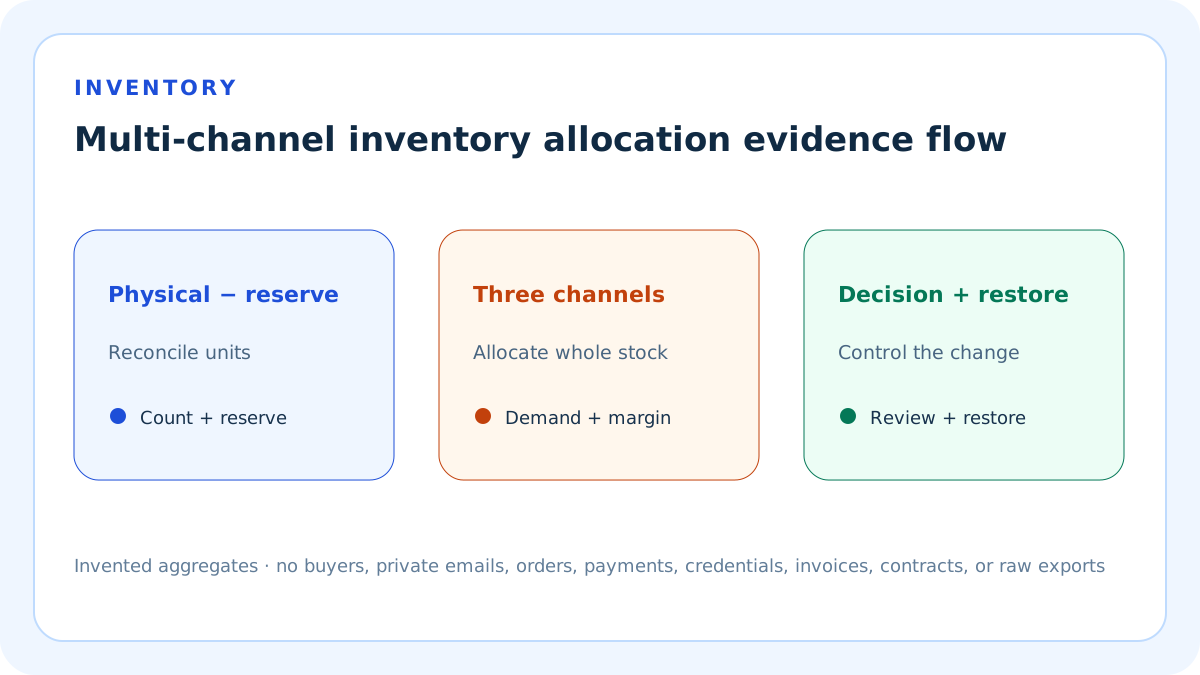
Start with one physical SKU
Confirm that every channel listing represents the same physical item, unit of measure, package, condition, and sellable state.
Do not pool substitutes, bundles, kits, variants, or duplicate listing identifiers without an explicit conversion rule.
Count physical units
Use a dated physical or reconciled system count at the allocation cutoff.
A catalog quantity copied across channels can double-count one underlying pool.
Remove unavailable units
Exclude committed orders, picks, transfers, damaged, quarantined, inspection-held, expired, provider-locked, and campaign-locked units.
Inbound purchase orders are not available until the declared receiving and quality gate passes.
Protect reserve stock
Set aside whole units for operational shocks, replacements, retail-only inventory, samples, warranty, quality holds, or owner-approved contingencies.
Name the reserve purpose and review date rather than using a hidden buffer.
Calculate allocatable units
Subtract protected reserve from reconciled physically available units.
Neither strategy can allocate more than this amount.
Use one forecast horizon
Estimate all channels over the same dates and sales-event calendar.
A weekly owned-store forecast cannot be compared with a monthly marketplace forecast.
Forecast mature retained-unit demand
Start from orders or units and adjust for cancellations, mature returns, stockout censoring, listing downtime, campaign effects, and known channel changes.
Do not call a traffic forecast unit demand.
Estimate contribution per retained unit
Subtract product, marketplace, payment, advertising or creator, fulfillment, shipping, packaging, return, and other channel-specific costs from retained revenue.
Contribution is an allocation input, not a universal channel ranking.
Set service floors
Define the minimum whole-unit allocation needed to preserve a channel promise, listing continuity, campaign commitment, learning objective, or contractual obligation.
Every floor must be no greater than channel demand and together fit within allocatable stock.
Confirm listing and fulfillment availability
Verify each listing is active, the SKU mapping is correct, and the location or provider can fulfill the destination and service promise.
Units assigned to an unavailable path do not create useful inventory.
Model equal-after-floor allocation
Give every channel its service floor, then distribute remaining whole units as evenly as possible while respecting demand caps.
The algorithm stops assigning to a channel once its forecast demand is filled.
Model contribution-priority allocation
Give every channel its service floor, then assign remaining whole units to the highest contribution per retained unit until demand is filled.
Ties preserve stable channel order so the output remains deterministic.
Use whole-unit rounding
Allocate integers and keep any residual unit visible.
Fractional output is not valid for indivisible physical stock.
Calculate unmet demand
Subtract total allocated units from total channel forecast demand.
Report units and percentage so scarcity is visible even when the contribution threshold passes.
Calculate projected contribution
Multiply allocated units by the entered channel contribution per retained unit and sum across channels.
This is a modeled contribution, not cash, accounting profit, taxable income, or guaranteed realized margin.
Use the equal fixture
The invented pool has 300 physical units, 30 reserve units, and 270 allocatable units across demand of 150, 120, and 100.
After 40-unit floors, equal distribution produces 90 units per channel and USD 4,050 projected contribution.
Use the weighted fixture
The same pool and service floors allocate the remaining units by USD 20, USD 15, and USD 10 contribution per retained unit.
The result is 150, 80, and 40 units with USD 4,600 modeled contribution.
Read the tradeoff
Contribution priority adds USD 550 in the invented case but supplies only the service floor to the lowest-contribution channel.
Equal allocation preserves broader availability but leaves more high-contribution demand unmet.
Block duplicate inventory
Block when multiple listings or locations claim the same unit without one reconciled source of truth.
The tool cannot detect hidden duplication inside a seller's systems.
Block oversized floors
Block when combined floors exceed allocatable units or a channel floor exceeds its demand.
Do not reduce floors silently; change them only through an owner-approved packet.
Block unresolved locks
Block uncertain campaign locks, provider holds, transfers, unfulfilled orders, damaged units, or listing mappings.
An unresolved unit must not be optimized.
Review contribution thresholds
Review when either strategy falls below the entered projected-contribution floor.
A higher strategy can still be economically insufficient.
Review unmet demand
Review when either strategy exceeds the seller-entered unmet-demand limit.
The same total allocation can have different channel-level service consequences.
Interpret Ready narrowly
Ready means the entered pool, reserve, demand, contribution, floors, and channel evidence form a valid planning packet.
It does not authorize inventory edits, prove demand, prevent overselling, or guarantee fulfillment.
Separate allocation from routing
Allocation decides how many units to expose or reserve by channel; order routing decides where an actual order is fulfilled.
Platform routing rules can override or interact with a seller's planning model.
Separate allocation from replenishment
Use replenishment, lead-time, safety-stock, and purchase-order tools for future supply.
This calculator distributes the current reconciled pool only.
Run sensitivity cases
Vary demand, contribution, reserve, floors, campaign locks, return rate, listing downtime, and forecast horizon one field at a time.
Preserve the base packet so the decision driver remains visible.
Monitor after authorization
Track oversells, stockouts, cancellations, retained sales, realized contribution, service-floor breaches, campaign locks, and reallocation events.
Stop and restore when the approved trigger is crossed.
Protect private data
Use invented examples or approved SKU-level aggregates only.
Never publish private emails, buyer identities, addresses, order rows, payment details, bank records, credentials, invoices, contracts, or raw exports.
Version the evidence
Record source URL, access date, data-through date, inventory cutoff, forecast version, contribution packet, campaign state, listing map, owner, and reviewer.
Availability and platform inventory behavior can change.
Require a closed evidence duration
Enter a positive whole-number evidence duration covering the declared inventory, demand, retained-unit, contribution, and campaign packet.
A same-day stock count alone cannot establish mature demand or return-adjusted contribution.
Record two real control dates
Use a real ISO date for the official source review and another for the seller allocation-policy effective date; the policy date cannot be later than the source review.
The dates expose stale platform assumptions and future-dated seller rules without implying that either date proves availability.
Complete all nine confirmations
Confirm synthetic aggregates, physical-pool reconciliation, forecast maturity, contribution definitions, floor ownership, listing and fulfillment locks, current sources, independent review, and restoration authority.
A missing control blocks allocation outputs because apparently exact whole-unit recommendations would otherwise rest on unresolved inventory.
Mask blocked allocations
When structural evidence fails, the calculator shows Unavailable for allocatable stock, combined floors, both strategies, unmet demand, and projected contribution.
Issues, confirmation coverage, dates, and seller-entered thresholds remain visible so the packet can be repaired without reusing invalid allocations.
Keep large pools fast
The equal-after-floor strategy distributes batches across active channels and uses stable one-unit tie handling only for the final remainder.
It does not loop once per inventory unit, so a validated high-volume packet remains deterministic without a billion-step browser task.
Respect platform-specific control
Shopify routing applies configured rules across active locations, while TikTok Shop FBT shared inventory can reallocate automatically and restrict manual intervention.
The calculator compares a seller planning packet; it does not override platform inventory, routing, campaign reservation, binding, or fulfillment behavior.
Preserve rollback
Before an authorized channel change, save the prior listing quantities, location availability, routing, campaign, shared-inventory, reserve, and fulfillment configuration.
Define stop conditions and test restoration before exposing new quantities.
Release the complete cluster
Index the working calculator with ten dedicated guides only after functionality, source, originality, privacy, accessibility, backup, release-mode, deployment, purge, and live-verification gates pass.
Search signals are measurement outputs, not a release prerequisite.
Sources and further reading
- Shopify Help: Order routing: Official location-priority, split-fulfillment, market, proximity, cost, capacity, and routing context.
- Shopify Help: Inventory across locations and apps: Official separate location inventory, availability, capacity, regional demand, reserved-store inventory, and fulfillment-app context.
- Shopify Help: Fulfillable inventory: Official sellable availability, shipping-zone, routing, stockout, and oversell context.
- TikTok Shop: FBT shared inventory: Official shared-pool, even distribution, sales-based reallocation, campaign-lock, stockout, binding, and manual-control limitations.
- Seller Profit Guard methodology: Evidence, privacy, deterministic calculation, independent review, correction, release, and restoration.
Related Seller Profit Guard tools
- Reorder Point Calculator: Plan the replenishment trigger separately.
- Safety Stock Calculator: Estimate future uncertainty stock separately from an allocation reserve.
- Stockout Cost Calculator: Model channel-specific stockout consequences.
- Sales Channel Contribution Calculator: Build comparable contribution inputs.
- Methodology: Review evidence, privacy, calculation, correction, release, and restoration.
- Data Privacy: Protect seller, buyer, order, payment, inventory, and raw-export data.
- How do you allocate limited inventory across channels?: Reconcile one physical whole-unit SKU pool, exclude unavailable and protected reserve units, and estimate every channel on the same forecast horizon. Give each channel a demand-capped service floor, then allocate remaining units either equally or by contribution per retained unit. Compare projected contribution, unmet demand, evidence, and restoration before any live change.
- What is a complete equal inventory allocation example?: An invented SKU has 300 physical units, 30 protected reserve units, and 270 allocatable units. Three channels demand 150, 120, and 100 units with 40-unit floors. After floors, the remaining 150 units are distributed evenly, producing 90 units per channel, 100 unmet units, and USD 4,050 projected contribution.
- What is a contribution-priority inventory allocation example?: Using the same 270 allocatable units and 40-unit channel floors, assign the remaining stock by USD 20, USD 15, and USD 10 contribution per retained unit. The result is 150, 80, and 40 units, with 100 unmet units and USD 4,600 modeled contribution while the lowest-contribution channel retains its service floor.
- What makes a multi-channel inventory allocation unreliable?: Common errors include double-counting one SKU across listings, allocating committed or locked units, counting inbound stock as available, mixing forecast horizons, using placed-order demand, comparing gross revenue instead of contribution, setting unaffordable floors, allocating fractions, ignoring demand caps, confusing allocation with routing, overlooking platform reallocation, and treating modeled units as authorized live quantities.
- Where should inventory allocation inputs come from?: Use a dated physical or reconciled inventory count; order, pick, transfer, damage, quarantine, campaign, and provider records for unavailable units; mature channel sales and returns for demand; retained contribution packets for economics; documented service obligations for floors; active listing and fulfillment evidence; platform guidance; and owner-reviewed prior-allocation and restoration records.
- When should an inventory allocation be blocked?: Block when physical availability, duplicate listings, unavailable or locked units, reserve, demand, contribution, service floors, channel eligibility, ownership, or restoration evidence does not reconcile. Review valid strategies that miss contribution or unmet-demand thresholds. Ready only means the planning packet is internally valid; it does not authorize platform changes or prevent overselling.
- How should equal and contribution-priority allocation be compared?: Use the same reconciled physical pool, reserve, channels, forecast horizon, demand caps, contribution estimates, service floors, listing availability, and whole-unit rules. Equal allocation spreads residual stock across unmet channels; contribution priority fills higher-contribution demand first. Compare projected contribution, channel coverage, unmet units, sensitivity, monitoring, and rollback rather than choosing one rule universally.
- How often should channel inventory allocation be reviewed?: Review after the inventory cutoff and whenever sales velocity, returns, stock receipts, transfers, campaign locks, listing status, channel contribution, service obligations, fulfillment availability, or platform shared-inventory behavior changes. Preserve the prior quantities and routing packet, assign an owner and reviewer, authorize outside the calculator, monitor oversell and floor breaches, and test restoration.
- What does an inventory allocation result mean?: It distributes one entered whole-unit pool under two deterministic rules and reports modeled contribution and unmet demand. It cannot prove demand, forecast cancellations or returns, see hidden commitments, prevent overselling, control platform reallocation, guarantee service, or authorize quantity changes. A Ready packet still requires current system checks, ownership, monitoring, and rollback.
- What belongs in an inventory allocation audit?: Record the physical SKU and unit, cutoff, counted stock, commitments, picks, transfers, damage, quarantine, inbound exclusion, campaign locks, reserve purpose, forecast horizon, channel demand, contribution, floors, listing and fulfillment state, formulas, whole-unit allocations, unmet demand, thresholds, sources, owner, reviewer, authorization, realized variance, stop rule, prior quantities, and restoration test.
Use the interactive tool
Enable JavaScript to open the calculator and process browser-local inputs. The explanatory content and source links remain available without JavaScript.
Related guide: Define available units, reserve, demand, contribution, service floors, strategies, evidence, and restoration.
This tool provides operating estimates, not tax, accounting, legal, financial, or marketplace-policy advice. Verify current official sources and your own records before changing prices or operations.