Seller Profit Guard · How it works · CSV privacy
Shopify discount stack calculator
Apply eligible product discounts first, order discounts to the revised merchandise subtotal, and one shipping discount last. Compare two seller-entered Shopify stacks, cart contribution, margin, and signed difference locally. Ready, Review, or Block reflects the entered combination evidence; it never accesses checkout, creates a discount, or publishes a promotion.
Maintained by Seller Profit Guard Editorial Team. Last reviewed: 2026-07-29.
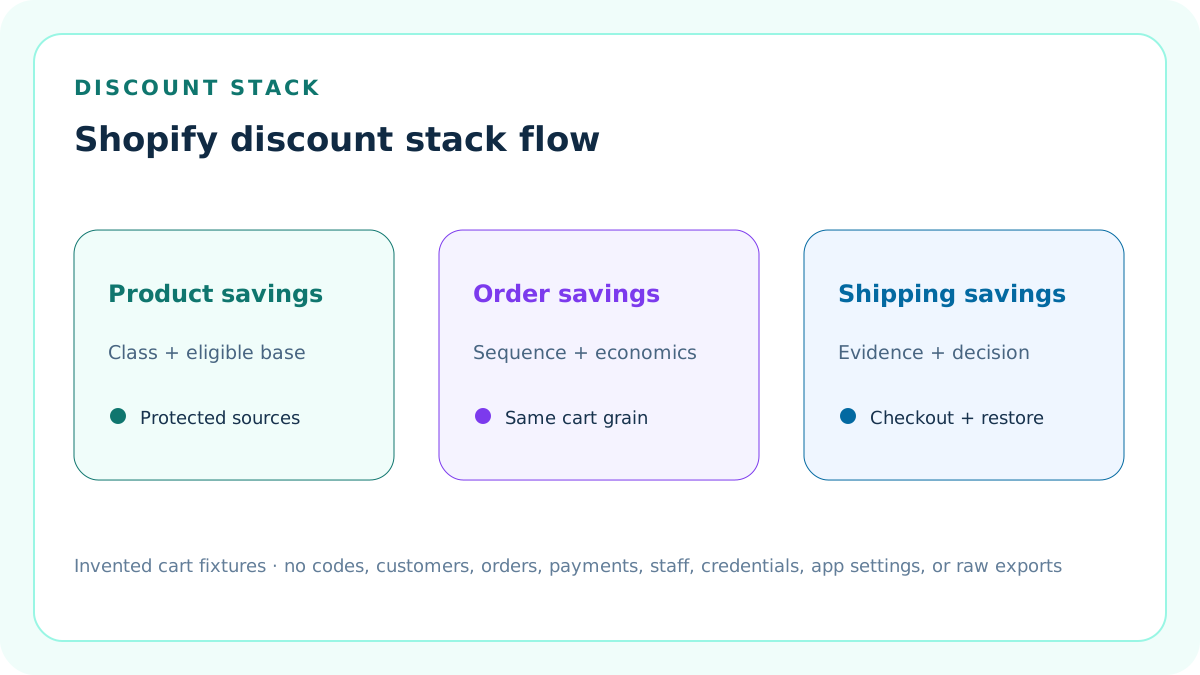
Model one declared cart, not a promotion slogan
Enter a merchandise subtotal, the subset eligible for product discounts, shipping charge, product costs, fulfillment, and a seller-verified payment-fee base.
The tool compares arithmetic under two invented discount packets. It does not create a code, query checkout, or decide which live combination Shopify will select.
Separate discount classes before calculating
Shopify classifies discounts as product, order, or shipping discounts. Record the class and method of every entered saving.
Do not treat a compare-at sale price, gift card, refund, store credit, tax, or platform-funded benefit as an interchangeable discount row.
Apply product discounts first
A product discount reduces only the entered eligible product subtotal and is capped at that base in this model.
Eligibility, exclusions, Buy X get Y behavior, same-line stacking, subscription purchase type, app rules, and plan conditions still require current evidence.
Apply order discounts to the revised subtotal
After the product discount, calculate the order discount against the remaining merchandise subtotal. A percentage applies before a fixed order amount when both are modeled by an eligible live setup.
This two-scenario tool accepts one order-discount row per scenario; represent more complex eligible stacks in a protected worksheet and reconcile the aggregate.
Apply one shipping discount last
Cap the entered shipping discount at the original shipping charge and subtract it after merchandise discounts.
Shopify does not combine multiple shipping discounts on the same order. A free-shipping label cannot exceed the actual eligible shipping charge.
Keep automatic and code methods distinct
Record whether each protected source is automatic, code-based, app-generated, custom, or another supported method in scenario context.
Method affects discovery and eligibility, but the arithmetic cannot prove a code was entered, an automatic discount activated, or an app supports combinations.
Confirm mutual combination settings
Every class in the proposed stack must be configured and eligible to combine with the others. Enter yes only after reviewing each discount and the live cart.
If combination evidence is absent or a discount is replaced by a better eligible combination, the planned stack is Block until reconciled.
Confirm channel and plan boundaries
Record Online Store, Storefront API, POS, draft order, subscription, or other context plus the current plan and checkout architecture.
Some combinations and same-line behavior have eligibility or plan conditions. Do not generalize a test from one channel to another.
Use the same cart for both scenarios
Hold merchandise, eligible base, shipping, costs, fee assumptions, currency, and evidence period constant so the contribution difference isolates the discount stack.
Changing cart composition while changing discounts makes B-minus-A impossible to interpret.
Calculate Scenario A
The default invented cart has USD 150 merchandise, USD 100 eligible product subtotal, USD 12 shipping, and one 10% product discount.
The product saving is USD 10; customer total before tax is USD 152. With USD 68 cart costs and a USD 4.56 modeled payment fee, contribution is USD 79.44.
Calculate Scenario B
The second fixture keeps the same cart, adds a 5% order discount after the USD 10 product saving, and then removes USD 12 shipping.
The order saving is USD 7, customer total before tax is USD 133, and contribution is USD 60.44 under the same costs and payment-fee assumption.
Read the signed difference
Scenario B minus Scenario A is USD -19.00 contribution. The entire difference comes from USD 7 more merchandise discount and USD 12 more shipping discount.
The result does not prove incremental orders, conversion lift, customer lifetime value, or campaign profit.
Enter the payment-fee base explicitly
Payment processing bases can depend on actual payment, tax, shipping, market, method, refunds, and provider terms. Use a seller-verified base instead of silently deriving it.
The default USD 147 base is an invented fixture and does not equal either displayed customer total by necessity.
Calculate contribution, not complete profit
Subtract customer total before tax, cart cost of goods, fulfillment, and modeled payment fee to obtain bounded order contribution.
The tool excludes tax, duties, plan and app allocations, advertising, returns, chargebacks, support, overhead, financing, currency conversion, and accounting treatment unless separately modeled.
Set a seller target
Compare contribution margin with a documented seller-planned target. The target is an operating control, not a Shopify rule or industry benchmark.
Review means a structurally valid stack falls below that target; it does not automatically mean the promotion should be rejected.
Use Block before Review
Invalid amounts, unsupported types, unconfirmed combination settings, weak scenario context, missing governance evidence, or open conflicts take precedence over margin.
A favorable contribution cannot repair a combination that checkout will not apply.
Use Ready narrowly
Ready means both entered stacks are structurally supported by the declared evidence and clear the seller target.
It is not permission to activate discounts, Shopify approval, checkout certification, tax advice, campaign forecast, or profit guarantee.
Test the actual checkout path
Shopify recommends testing combinations with eligible and excluded products, restrictions, addresses, and codes. Stop before payment when appropriate.
Preserve the cart, discount versions, time, channel, market, observed savings, and reviewer without publishing customer or order data.
Account for best-combination selection
When eligible discounts cannot combine, Shopify can select the best discount or combination for the customer.
The tool models the intended stack only after the seller confirms the observed checkout combination. It cannot emulate Shopify's selection engine.
Account for Buy X get Y separately
Buy X get Y and same-line product stacking have additional limitations and plan-dependent behavior.
Do not force those promotions into a simple percentage row without a protected allocation and eligibility reconciliation.
Account for app-created discounts
Apps can create multi-class or custom discount behavior, but compatibility and combination support depend on the implementation.
Record app identity, version, discount classes, checkout behavior, fallback, and restoration. The calculator does not call an app.
Declare the current combination bounds
Record the reviewed caps of 25 active automatic discounts, five product or order discount codes, and one shipping discount code per order as dated source boundaries.
The calculator models one product, one order, and one shipping saving per scenario. It does not calculate all combinations allowed by the current platform limits.
Reject coercive amount formats
Enter plain decimals only. Currency symbols, commas, percent signs, words, exponential notation, blank active values, negative numbers, and non-finite values Block instead of being silently converted.
A failed amount contract also quarantines every modeled saving, customer total, contribution, margin, and signed difference as Unavailable.
Require active values above zero
An active fixed or percentage discount must be above zero, while a discount with type none must carry exactly zero.
Current Shopify guidance notes that zero-value discounts might not work correctly at checkout; the strict contract prevents a no-op row from appearing active.
Do not silently cap oversized savings
A fixed product saving cannot exceed the eligible product base, a fixed order saving cannot exceed the revised merchandise subtotal, and shipping savings cannot exceed the entered shipping charge.
Block the packet and repair the source rather than using a favorable capped result that was never entered or observed.
Record eight evidence confirmations
Confirm invented public scope, same-cart comparability, discount identity and class, eligibility and combinations, checkout observation, costs and fees, scope and limits, and restoration plus human authority.
All eight confirmations must be yes. Free-text evidence does not substitute for a missing attestation.
Version source and seller policy dates
Use real YYYY-MM-DD values for the Shopify guidance review and seller-model policy effective date, and record a positive closed evidence duration.
The seller policy cannot postdate the guidance review. Date validation rejects impossible dates instead of treating them as labels.
Quarantine calculations on Block
When any structural field, evidence confirmation, bound, or conflict Blocks, all thirteen scenario calculations and the signed difference display Unavailable.
Decision, calculation order, confirmation count, dated boundaries, and known-conflict count remain visible only to repair the packet.
Separate modeled scope from wider Shopify support
Current guidance can allow multiple product or order discounts, multiple order discounts, same-line product stacking under specific conditions, and app discounts with multiple savings.
This tool intentionally models one product row, one order row, and one shipping row. Route wider stacks to a protected line-level ledger and checkout reconciliation.
Protect private commerce data
The public fixture needs aggregate cart and cost assumptions only.
Keep customers, orders, addresses, payment records, staff, credentials, unpublished codes, internal promotion calendars, app configuration, and raw exports in authorized systems.
Monitor every material change
Rerun when discount value, type, method, active dates, eligibility, products, customers, minimums, combinations, plan, channel, checkout, app, shipping rate, costs, fees, target, or evidence changes.
Preserve the prior accepted packet and its live observation so drift can be identified.
Release through the complete site gate
Index this cluster only after functionality, sources, examples, diagrams, metadata, links, privacy, uniqueness, mobile behavior, backups, deployment, and live checks pass.
Search impressions, clicks, citations, CTR, position, AdSense, and revenue are later measurements, not release prerequisites.
Sources and further reading
- Shopify Help: Combining discounts: Official product, order, and shipping discount classes; supported combinations; calculation order; eligibility; limits; testing; and troubleshooting.
- Shopify Help: Discounts: Official discount-code, automatic-discount, sale-price, pre-tax subtotal, management, and app boundaries.
- Shopify Help: Amount off discounts: Official fixed and percentage amount-off setup, eligibility, minimums, active dates, purchase types, and combination controls.
- Shopify Help: Discount methods: Official automatic, code, and app discount method context.
- Shopify Help: Analytics fields: Official analytics field reference for later aggregate discount and sales reconciliation.
- Seller Profit Guard methodology: Deterministic fixtures, evidence precedence, privacy, correction, release, monitoring, and rollback.
Related Seller Profit Guard tools
- Maximum Discount Calculator: Solve the separate question of maximum affordable discount from a target contribution.
- Free Shipping Threshold Calculator: Model the cart threshold required to fund shipping in a separate workflow.
- Shopify Payment vs Transaction Fee Calculator: Verify payment and Shopify third-party fee components separately.
- Methodology: Review evidence, formulas, correction, release, monitoring, and restoration.
- Data Privacy: Keep codes, customers, orders, payments, staff, credentials, and private exports protected.
- Shopify Discount Stack Formula and Inputs: Define a same-cart model for product, order, and shipping discounts, eligibility, fees, costs, target, and evidence.
- Shopify Automatic Product Discount Example: Work one automatic 10% eligible-product discount through cart total, fee, contribution, margin, and decision.
- Shopify Discount Plus Free Shipping Example: Add an eligible order discount and one shipping discount after the product discount under the same cart.
- Shopify Discount Stack Mistakes: Diagnose wrong class order, invalid eligibility, duplicate shipping, mixed carts, fee-base drift, and unsupported campaign conclusions.
- Reliable Shopify Discount Stack Sources: Map discount classes, methods, eligibility, cart, costs, fee base, checkout observation, and analytics follow-up to protected primary evidence.
- Shopify Discount Stack Decision Thresholds: Separate structural combination validity, break-even contribution, seller target, sensitivity, and operational authority.
- Automatic Discount vs Discount Plus Shipping: Compare two eligible packets on the same cart, costs, fee base, currency, period, and review standard.
- Shopify Discount Stack Operating Routine: Turn promotion modeling into a pre-launch, live-check, exception, measurement, and restoration cycle.
- How to Interpret Shopify Discount Stack Results: Explain contribution, margin, signed difference, sequence, evidence, and limitations without false precision.
- Shopify Discount Stack Audit Template: Provide a standalone record for cart grain, discount versions, combinations, calculations, checkout observation, decision, changes, and restoration.
Use the interactive tool
Enable JavaScript to open the calculator and process browser-local inputs. The explanatory content and source links remain available without JavaScript.
Related guide: Define discount classes, combination eligibility, calculation order, cart economics, target, checkout evidence, and restoration.
This tool provides operating estimates, not tax, accounting, legal, financial, or marketplace-policy advice. Verify current official sources and your own records before changing prices or operations.