Seller Profit Guard · How it works · CSV privacy
Shopify product page QA checker
Review one single- or multi-variant Shopify product packet across product details, media, variant coverage, price, shipping, returns, trust content, claims, search fields, and storefront evidence. The browser-local result is Ready, Review, or Block; it never signs in, uploads records, publishes a product, or claims Shopify approval.
Maintained by Seller Profit Guard Editorial Team. Last reviewed: 2026-07-29.
Start with the exact QA question
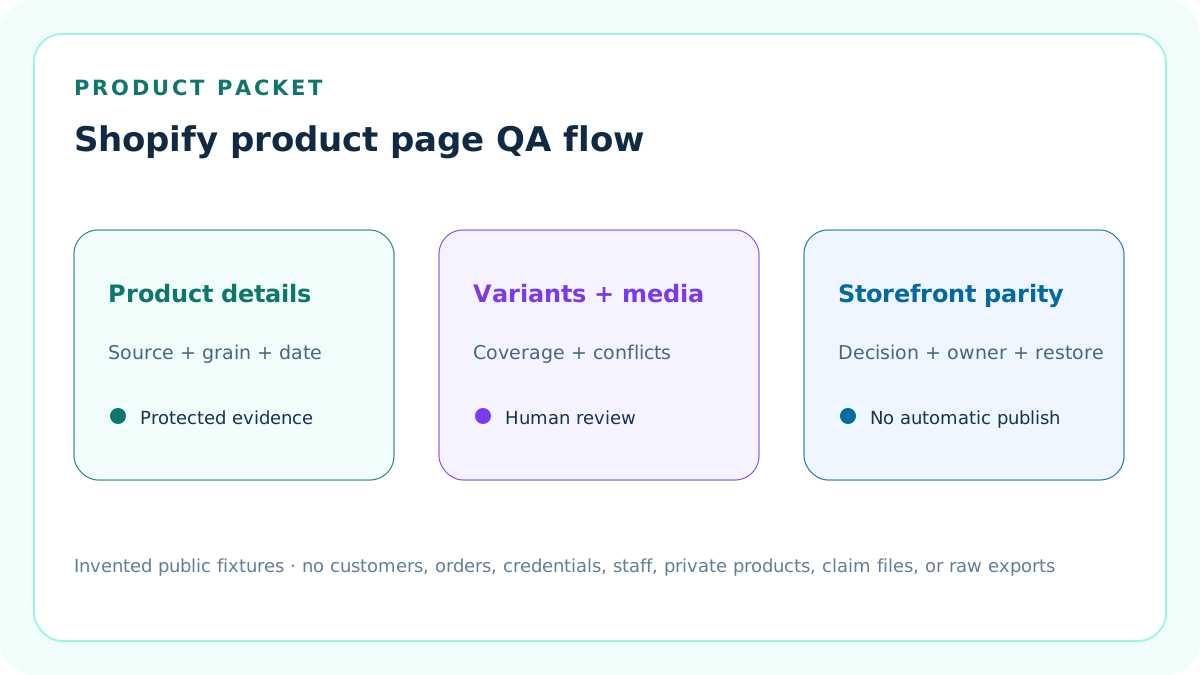
This checker asks whether one seller-entered Shopify product packet is complete enough for a controlled publish review.
It does not scrape a store, sign in to Shopify, validate a live theme, test checkout, promise search visibility, approve claims, or publish a product.
Choose single or multi-variant scope
Select single when one purchasable configuration carries the entered price and product-level details. Select multi when customer-facing options create two or more variants.
The scenario changes which coverage controls are structural. It does not change Shopify data or create missing combinations.
Record product identity clearly
Enter a buyer-readable title and a description that states the product type, material or specification, dimensions or fit, use, care, and evidence-backed benefits.
The 45-word completeness checkpoint is a seller QA threshold, not a Shopify platform limit.
Review product media as evidence
Count the media items that actually explain the product and record alt-text coverage for the entered set.
The five-item checkpoint and full alt coverage are seller controls. Shopify documents media and alt text, but does not make this checker’s thresholds universal.
Review variant structure separately
For a multi-variant packet, name the options, count the variants, and report SKU, price, and representative-media coverage.
A product-level price or image cannot silently substitute for missing per-variant evidence.
Check price and compare-at logic
The entered sale price must be positive. A compare-at price, when used, must exceed the sale price in this arithmetic review.
The checker does not verify market-specific taxes, currency conversion, discount legality, historical price substantiation, or checkout display.
Confirm shipping configuration and copy
Record that the product belongs to the intended shipping profile and enter the customer-facing fulfillment or delivery context used in the product review.
A written promise cannot prove that checkout rates, packages, locations, inventory, carriers, and markets are configured correctly.
Confirm return context
Enter the product-facing return or exchange explanation and compare it with the store’s current written policy and return rules.
Shopify notes that generated policy text does not automatically include configured return rules, so protected reconciliation still matters.
Separate trust helpers from decoration
List product-specific aids such as dimensions, size guide, material details, care, compatibility, ingredients, package contents, disclosures, or FAQ.
Two trust helpers are an editable seller threshold. Generic badges cannot repair inaccurate product facts.
Review claims without granting approval
Enter material marketing claims and stop on obvious guarantee, cure, official, instant-result, or risk-free language that needs human review.
The checker is not legal, regulatory, category, trademark, safety, medical, environmental, or substantiation advice.
Record search-engine-listing fields
Enter the product’s search title and meta description as a separate QA surface from the storefront title and body.
Shopify provides a search-engine-listing preview, but this tool does not predict how a search engine will display, rewrite, rank, or index it.
Require storefront evidence
Describe the mobile and desktop preview used to compare selected variant, price, availability, media, shipping, returns, and theme output with the protected packet.
A blank preview note is Block because admin completeness does not prove current storefront rendering.
Require governance evidence
State the evidence period, protected sources, owner, independent reviewer, backup, stop condition, and restoration reference.
Do not paste customer, order, address, payment, staff, credential, private product cost, or raw export data.
Use Block for structural conflicts
Block applies to missing core identity, invalid price, broken scenario or variant count, absent shipping or returns, missing preview or governance evidence, risky claims, or declared conflicts.
Repair the source packet before interpreting any advisory score.
Use Review for seller thresholds
Review applies when the packet is structurally valid but description, media, alt, variant coverage, trust helpers, or search fields fall below the seller’s declared completeness policy.
Review is not a Shopify violation and does not automatically prohibit publication.
Use Ready narrowly
Ready means the entered packet is structurally complete and meets the current seller QA thresholds.
It is not Shopify approval, theme certification, rich-result validation, claim clearance, accessibility conformance, conversion proof, or permission to publish.
Test a single-variant fixture
The default invented tote uses one configuration, a positive price, complete media alt coverage, confirmed shipping, return context, search fields, storefront preview, and review ownership.
Because no unresolved issue remains, the fixture returns Ready.
Test a multi-variant review fixture
Change the scenario to multi, add color and size options, six variants, complete SKU and price coverage, but only 60% variant-media coverage.
The structurally valid packet returns Review under the seller’s 80% media-coverage threshold.
Test a blocking fixture
Remove essential description, set a compare-at price below the sale price, omit shipping, returns, preview, and governance evidence, then declare a storefront conflict.
The result returns Block even if image count or other advisory inputs look favorable.
Keep thresholds editable and labeled
Image count, description length, media coverage, trust-helper count, and metadata completeness are operational checkpoints chosen for this workflow.
Do not quote them as official Shopify minimums, search ranking factors, or legal safe harbors.
Declare every Ready threshold
Enter minimum description words, media count, alt coverage, variant SKU and price coverage, representative variant-media coverage, and trust-helper count before judging the packet.
These values are seller policy. The checker no longer hides them as fixed constants.
Declare native product bounds
Enter accepted variant and media bounds within Shopify's current documented native limits of 2,048 variants, three options, and 250 media items.
Products using apps, custom line-item properties, unsupported themes, or other nonnative contracts require a separate reviewed workflow.
Use strict metric inputs
Enter plain finite prices and percentages plus safe whole counts for variants, media, thresholds, and evidence days.
Currency symbols, percentage signs, words, fractional counts, overflow, and empty values Block instead of being clipped, rounded, or converted to zero.
Date guidance and seller policy
Use real calendar dates for the Shopify source review and the seller QA policy effective date.
A policy date later than the reviewed source packet, or an impossible calendar date, Blocks the decision.
Require nine evidence confirmations
Confirm synthetic product use, identity and facts, variants, media and alt, shipping and returns, claims and search, storefront parity, thresholds and bounds, and restoration plus human authority.
A long narrative cannot replace an explicit confirmation.
Quarantine Block outputs
When structure fails, description length, media and alt coverage, variant coverage, and trust-helper outputs display Unavailable.
The checker still reports exact defects and control state, but it does not let plausible completeness metrics escape an invalid packet.
Separate native variant limits from seller thresholds
Shopify currently documents up to three options and 2,048 native variants, with up to 250 product media items and one media item assignable to each variant.
Those platform boundaries are different from the seller's chosen coverage thresholds and from what a theme, app, channel, or custom integration can actually support.
Build a product evidence lineage
Fingerprint product and variant records, active-theme previews, media, search fields, shipping profiles, return rules, written policy, claims, disclosures, market and channel context, acquisition dates, and versions.
Public examples describe the contract without exposing unpublished products, staff, customers, orders, credentials, screenshots, claim files, or raw exports.
Preview the active theme
Use the actual theme and sales-channel context because templates, app blocks, metafields, combined listings, localization, and custom code can change customer-facing output.
The browser-local form cannot observe those systems.
Recheck after product changes
Rerun after title, description, media, options, variant values, price, availability, shipping, return rules, policies, claims, SEO fields, theme, markets, or channel publication changes.
Preserve the last accepted packet so a bad change can be isolated and restored.
Keep private evidence protected
Public fixtures contain invented values only. Operational screenshots, product records, internal SKUs, contracts, staff identities, unpublished claims, and account configuration remain access controlled.
The page stores no credentials and requests no Shopify connection.
Release only after full site gates
The tool cluster may become indexable only after deterministic tests, content and similarity audits, metadata, images, links, mobile behavior, backups, deployment, and live verification pass.
Search impressions, clicks, citations, CTR, position, AdSense state, and revenue are measurements, not release prerequisites.
Sources and further reading
- Shopify Help: Product details page: Official product title, description, media, price, inventory, shipping, variants, disclosures, publishing, and search-engine-listing fields.
- Shopify Help: Adding variants: Official variant option, per-variant price, inventory, shipping, SKU, and media boundaries.
- Shopify Help: Adding alt text to media: Official media alt-text purpose, workflow, and accessibility guidance.
- Shopify Help: Shipping profiles: Official general and custom profile, product, location, zone, and rate context.
- Shopify Help: Return and cancellation rules: Official return-window, return-shipping, restocking-fee, final-sale, written-policy, market, and effective-date boundaries.
- Seller Profit Guard methodology: Evidence, privacy, correction, deterministic fixtures, release, monitoring, and rollback controls.
Related Seller Profit Guard tools
- Image Specification Checklist: Review media dimensions and coverage separately from product-packet completeness.
- Shopify Plan and Fee Reference: Keep store economics outside the product-information QA decision.
- Data Privacy: Keep products, staff, customers, orders, credentials, and private exports in authorized systems.
- Methodology: Review evidence, correction, testing, release, monitoring, and restoration controls.
- Shopify Product Page QA Inputs and Decision Logic: Define product, variant, media, price, shipping, returns, trust, claims, search, storefront, and governance fields.
- Shopify Product Page QA Single-Variant Example: Work a complete one-configuration product through every critical and advisory check.
- Shopify Product Page QA Multi-Variant Example: Review option structure and per-variant SKU, price, and media coverage without reusing the single-product logic.
- Shopify Product Page QA Mistakes: Diagnose admin-only review, invented platform limits, hidden variant gaps, policy drift, unsupported claims, and stale storefront evidence.
- Reliable Shopify Product Page QA Sources: Map every input to a protected Shopify admin surface, theme preview, policy record, or explicit seller assumption.
- Ready Review and Block for Shopify Product QA: Separate structural release blockers from editable completeness thresholds and unsupported platform conclusions.
- Single vs Multi-Variant Shopify Product QA: Compare two packets under the same evidence date, theme, market, policy, and review authority.
- Shopify Product Page QA Operating Routine: Turn product QA into a repeatable pre-release and change-triggered evidence cycle.
- How to Interpret Shopify Product Page QA: Explain what Ready, Review, and Block can and cannot establish without false precision.
- Shopify Product Page QA Audit Template: Provide a standalone dated record for product facts, variants, media, policies, storefront parity, decisions, changes, and restoration.
Use the interactive tool
Enable JavaScript to open the calculator and process browser-local inputs. The explanatory content and source links remain available without JavaScript.
Related guide: Define the product, variant, media, policy, storefront, search, review, and restoration packet.
This tool provides operating estimates, not tax, accounting, legal, financial, or marketplace-policy advice. Verify current official sources and your own records before changing prices or operations.